XF 2.0 Image wont load

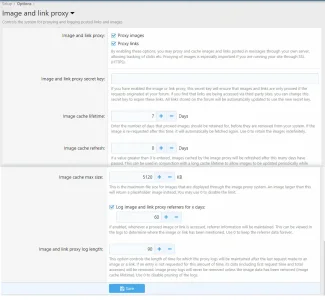
I do remember once playing with some option settings when I first got my licence. Just wondered if anything in here is as it should be?

img.webp
 
One should come with XF2+ out of the box, but you might have removed or disabled it.

How can I remove and disable it? Where is the options for it, so I can take a look? I do remember playing around with the options a while ago and not actually understanding it but I don't know.
 
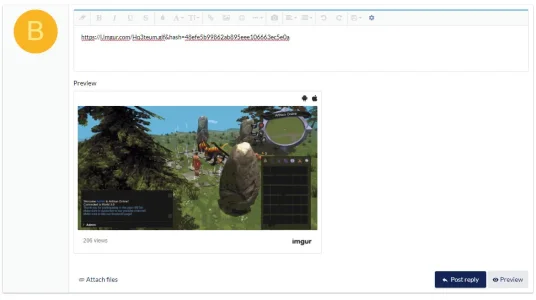
But the image is currently showing on his site as embedded do the B.B. code media site obviously works.

The image wouldn’t have been automatically converted to the media site code if it was input inside a URL or IMG tag.
 
But the image is currently showing on his site as embedded do the B.B. code media site obviously works.

The image wouldn’t have been automatically converted to the media site code if it was input inside a URL or IMG tag.

That is because I edited the post and added the media tags manually, so yes, it works now.
But I can't be doing manually for every post in the future.

It is not embedding automatically like it is on Bryan's test site using the same posting methods on my site. His is automatically embedding, mine is not.
 
The member would have had to try to post it as an image then, which doesn't work because the image is larger than the 5Mb limit you have in the proxy options.

I didn't consider that the automatic embedding wouldn't be triggered from within image tags.
 
Okay that makes sense.
But I was having an issue similiar to this when I found .core files were producing on my server the other day.
What I couldn't understand is why:
On my forum if you post the

https://i.imgur.com/ 1i8oNkD.jpg (without the space)
it shows up as a link instead.

But if you post the
https://imgur.com/ 1i8oNkD (without the space)
it embeds as an image

Both embed as an image on here and on Bryans test forum.
 
Back
Top Bottom