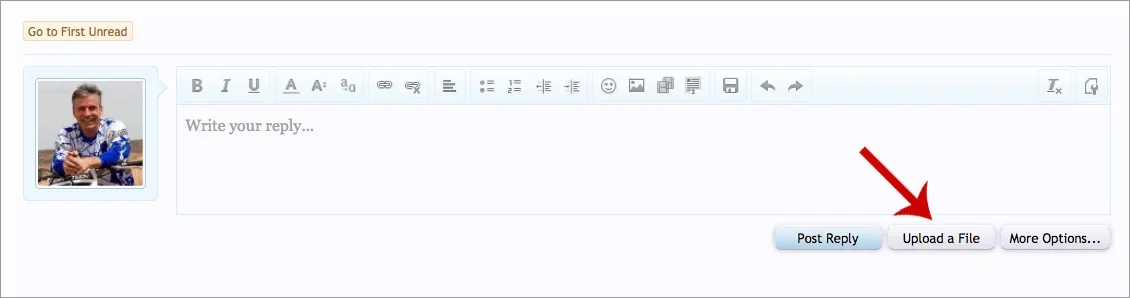
I need to be able to just click and upload images. The way it looks to me now is I have to upload my images somewhere else and then drop in the url. Is that correct?
No need to even paste it in a clipboard. Just hit Print Screen and then right click in the editor and choose Paste. You can also use CTRL + V to paste.
Err..Print screen copies your whole viewing area. What I described is right click a image, copy then paste into the editor. Clipboard is a 'virtual' term related to the copying of text or images.
I had to change the phrase on my forum from "Upload a File" to "Add Photos" it made more sense since my members only upload image files, that little confusion is a thing of the past.
I had to change the phrase on my forum from "Upload a File" to "Add Photos" it made more sense since my members only upload image files, that little confusion is a thing of the past.
In 6 plus years no one has ever uploaded anything but images.. And frankly I'd rather answer how to upload a document once a year as opposed to how to upload images multiple times a week.
Gosh thank you everyone! I would honestly have not of even known that was for photos. Using WP for so long, I too only think of file upload as documents.
Gosh thank you everyone! I would honestly have not of even known that was for photos. Using WP for so long, I too only think of file upload as documents.