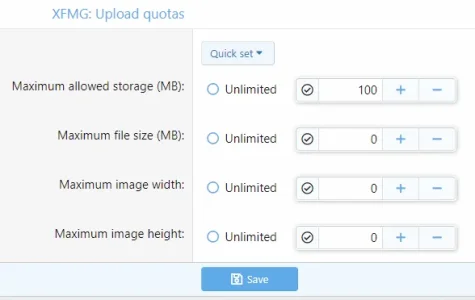
I have a user that's a prolific poster in the Media Gallery (and I'm ok with that) and it looks like he just bumped up against a space limit. I don't know where to check something like that. How can I find out if he's maxed out and change it?
I'm interested to hear how to check on this, but I might have figured out that the problem was the attachment limit on a post set to 10. I'll reply if that's the case.
I think that's what I was looking for, but when I check that the user in question should be set to unlimited. He's in multiple groups, though. Is it most restrictive applies? Or should it be least restrictive? In other words, he's in an administrative group that is not set to unlimited, but is set to "0" across all those settings. He's also in a regular user group which has a limit set on the size of 50MB. Shouldn't the admin group setting win?