[DigitalPoint] App for Cloudflare®

[DigitalPoint] App for Cloudflare® 1.9.9

No permission to download
So, I'm having an odd issue. We have more than one admin, and only one of us can manage cloudflare. What this means, though, is the other admins when they log in, the cloudflare widget is on the admin main page, but when they login they get a popup that they dont have permission. This happens at admincp login, and if you click one of the tabs.

Is there a way, besides just emptying out the template, to make it either not show, or just give them permission to view the stats window. Its definitely the cloudflare window, because when i disable the plugin the issue stops happening.

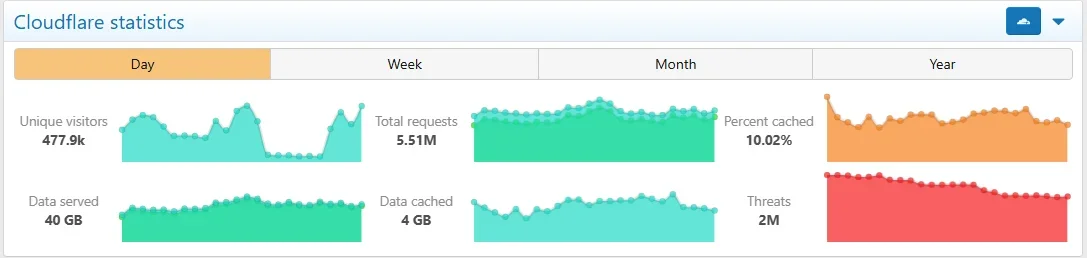
The stats in question:

1778215391280.webp

Error:1778215347571.webp
 
So, I'm having an odd issue. We have more than one admin, and only one of us can manage cloudflare. What this means, though, is the other admins when they log in, the cloudflare widget is on the admin main page, but when they login they get a popup that they dont have permission. This happens at admincp login, and if you click one of the tabs.

Is there a way, besides just emptying out the template, to make it either not show, or just give them permission to view the stats window. Its definitely the cloudflare window, because when i disable the plugin the issue stops happening.

The stats in question:

View attachment 337331

Error:View attachment 337330
When the addon added support for Cloudflare Analytics, it seemed more appropriate to use the "analytics" XenForo endpoint for that and what was the analytics endpoint before that was changed to "stats".

Long story short is the permission check was inadvertently not changed to the new endpoint. It's been fixed for the next version, but if you want to fix it now, edit the src/addons/DigitalPoint/Cloudflare/Admin/Controller/Cloudflare.php file, near the top, change this:
PHP:
if ($action === 'Analytics')

to this:
PHP:
if ($action === 'Stats')
 
When the addon added support for Cloudflare Analytics, it seemed more appropriate to use the "analytics" XenForo endpoint for that and what was the analytics endpoint before that was changed to "stats".

Long story short is the permission check was inadvertently not changed to the new endpoint. It's been fixed for the next version, but if you want to fix it now, edit the src/addons/DigitalPoint/Cloudflare/Admin/Controller/Cloudflare.php file, near the top, change this:
PHP:
if ($action === 'Analytics')

to this:
PHP:
if ($action === 'Stats')

Thanks!!
 
Back
Top Bottom