XF 2.2 Different colours for links

Hotfix

Active member
Licensed customer
Is it possible to have different colours for links in different areas?

I like my links in the node list to be displayed as black.

But in threads and the text editor, black links don't go well with black text.

Is there a way to change the colour of the links only in threads and the text editor?
 
Solution
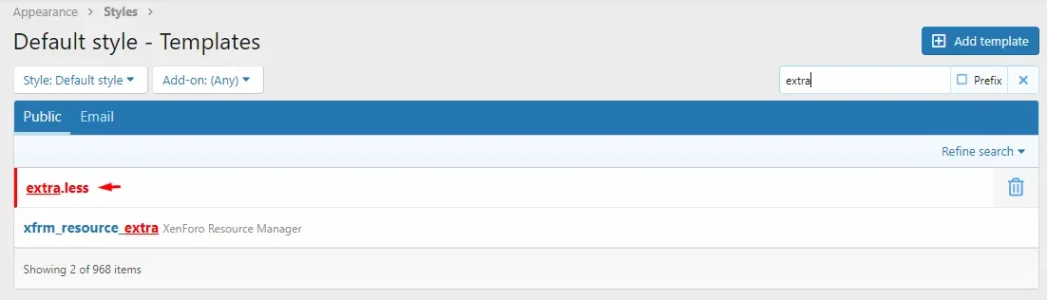
Hello, with a template conditional :

Regards, SyTry
Hello, with a template conditional :

Regards, SyTry
 
Solution
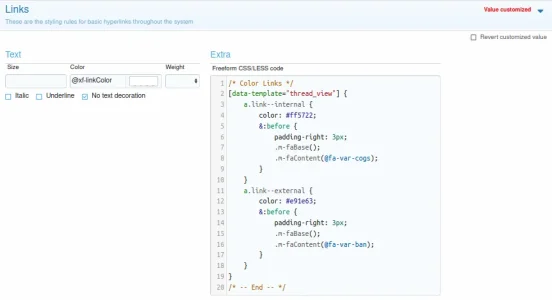
Example if you want :
CSS:
/* Color Links */
[data-template="thread_view"] {
    a.link--internal {
        color: #ff5722;
        &:before {
            padding-right: 3px;
            .m-faBase();
            .m-faContent(@fa-var-cogs);
        }
    }
    a.link--external {
        color: #e91e63;
        &:before {
            padding-right: 3px;
            .m-faBase();
            .m-faContent(@fa-var-ban);
        }
    }
}
/* -- End -- */

Image :
Screenshot_2.webp
 
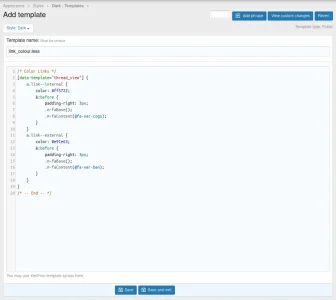
Example if you want :
CSS:
/* Color Links */
[data-template="thread_view"] {
    a.link--internal {
        color: #ff5722;
        &:before {
            padding-right: 3px;
            .m-faBase();
            .m-faContent(@fa-var-cogs);
        }
    }
    a.link--external {
        color: #e91e63;
        &:before {
            padding-right: 3px;
            .m-faBase();
            .m-faContent(@fa-var-ban);
        }
    }
}
/* -- End -- */

Image :
View attachment 247101
Thank you. I will try this as soon as I can and report back if it worked for me.
 
Thank you for your patience. I finally got it and I'm so damn happy about it!
Np
But what the heck is that ugly sign in front of the links and is it removable or permanent?
Yes :
CSS:
/* Color Links */
[data-template="thread_view"] {
    a.link--internal {
        color: #ff5722;
    }
    a.link--external {
        color: #e91e63;
    }
}
/* -- End -- */
 
Back
Top Bottom