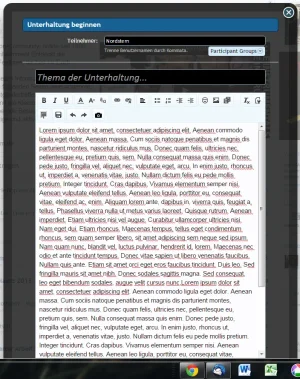
Can you make the overlay scrollable?
When you have a long text, the send button dissappears.
That's bad
When you have a long text, the send button dissappears.
That's bad

![[cXF] Conversation Button under Avatar](/community/data/resource_icons/3/3531.jpg?1541884785)

/* START - Conversation Button under Avatar */
.xenOverlay .formOverlay {
    margin-top: -60px;
}

.xenOverlay a.close {
    top: -56px;
}

.xenOverlay .redactor_box {
    max-height: 250px;
}
/* END - Conversation Button under Avatar */Hi rafass,Hello BassMan, thanks for this great addon!
there are some way to add the tooltip to the icon?
With something like:
<i class="fa fa-envelope Tooltip" title="Start a conversation"></i>
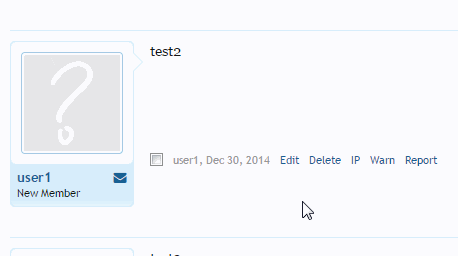
What's new in version 2.4.2:
- added a Tooltip to conversation icon in postbit (https://xenforo.com/community/threads/conversation-button-under-avatar.81574/page-20#post-914771)
How to upgrade:
- you can only install the XML file, because no files in 'upload' folder have been changed
No, it looks different. Now the Tooltip code is added.Upps???
I have this tooltip already in 2.4.1
Hi,Hello
I am using Widget Framework to display Staff Online block and Conversation icon does not display on it. (UI.X Class theme)
Any way to fix this ?
Regards

That´s itNo, it looks different.


Thank you for that information. The tooltip is added only to icon in postbit. I'll add it to icon with online staff later.@BassMan the tooltip doesn't seem to be working in certain widgets. In TaigaChat, the staff online now widget shows the icon but it doesn't show the tooltip. Not a huge issue, obviously, but I thought I'd let you know.
Check FAQ tab here: https://xenforo.com/community/resources/conversation-button-under-avatar.3531/field?field=faqİ have install it but i can not see the Premissions and can not at,hate it for the user groups
Not sure where is your problem. Need more information. Check settings in style properties, also check template modifications for this add-on if there are any red or gray numbers.It doesn't seem to work at all. I also have Conversation Button in Profile Sidebar 0.9 installed but disabled (this mod works perfectly when enabled). Help please!
We use essential cookies to make this site work, and optional cookies to enhance your experience.

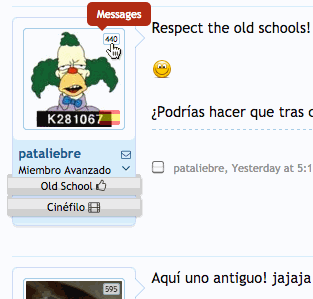

 Now is perfect
