
XF 2.3 Cookies are required to use this site. You must accept them to continue using the site.

PumpinIron

Well-known member
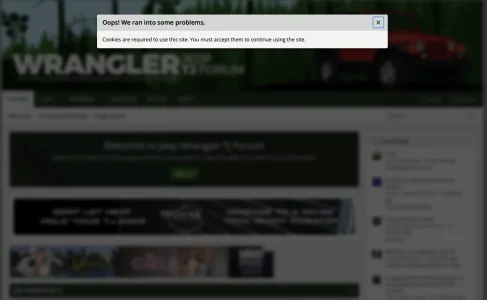
As of a few months ago guests on my forum https://wranglertjforum.com have started receiving the dreaded, "Cookies are required to use this site. You must accept them to continue using the site."
Screenshot 2026-02-01 at 11.56.52 AM.webp

Prior to a few months ago this was never an issue. I'm running the most current version of XF and all my add-ons.

Things I've tried to do to remedy this issue to no avail:
  1. Revered to the default theme
  2. Disabled all add-ons
  3. Disabled and completely bypassed Cloudflare
  4. Disabled LiteSpeed and LiteSpeed cache
  5. Removed all of the third party ad serve scripts that display ads for visitors (not logged in members)
None of these things have worked, the issue still persists.

I've been working with ChatGPT to troubleshoot this with me for hours now and everything it's given me to try (which has been a long list of all sorts of exhaustive things) hasn't worked. You guys are my last hope so I'm hoping perhaps someone will see or know something that I don't.

The strange thing is that it's only doing it for guests, not logged in users (at least near as I can tell).
 
As of a few months ago guests on my forum https://wranglertjforum.com have started receiving the dreaded, "Cookies are required to use this site. You must accept them to continue using the site."

View attachment 333289

Prior to a few months ago this was never an issue. I'm running the most current version of XF and all my add-ons.

Things I've tried to do to remedy this issue to no avail:
  1. Revered to the default theme
  2. Disabled all add-ons
  3. Disabled and completely bypassed Cloudflare
  4. Disabled LiteSpeed and LiteSpeed cache
  5. Removed all of the third party ad serve scripts that display ads for visitors (not logged in members)
None of these things have worked, the issue still persists.

I've been working with ChatGPT to troubleshoot this with me for hours now and everything it's given me to try (which has been a long list of all sorts of exhaustive things) hasn't worked. You guys are my last hope so I'm hoping perhaps someone will see or know something that I don't.

The strange thing is that it's only doing it for guests, not logged in users (at least near as I can tell).
I ran it through Gemini and this is 1 of the options it purposed:

Database Session Table Crash​

Sometimes the xf_session table (which tracks guest sessions) crashes or gets locked, preventing new guest sessions from being written. If a guest can't get a session ID, they can't set a cookie.

  • The Fix:
    1. Log into phpMyAdmin (or your database tool).
    2. Run a REPAIR on the xf_session and xf_session_activity tables.
 
A search on this forum revealed that this has been happening to several other users as well in the past. Try the suggestion mentioned at this thread and see if it will help you too.

 
I ran it through Gemini and this is 1 of the options it purposed:

Database Session Table Crash​

Sometimes the xf_session table (which tracks guest sessions) crashes or gets locked, preventing new guest sessions from being written. If a guest can't get a session ID, they can't set a cookie.

  • The Fix:
    1. Log into phpMyAdmin (or your database tool).
    2. Run a REPAIR on the xf_session and xf_session_activity tables.
If the session table was indeed crashed I think that the error message would have been quite different. A database error message mentioning the crashed table rather than the cookie error message.
 
A search on this forum revealed that this has been happening to several other users as well in the past. Try the suggestion mentioned at this thread and see if it will help you too.

It’s definitely not this. This is one of the first things I ruled out.

I ran it through Gemini and this is 1 of the options it purposed:

Database Session Table Crash​

Sometimes the xf_session table (which tracks guest sessions) crashes or gets locked, preventing new guest sessions from being written. If a guest can't get a session ID, they can't set a cookie.

  • The Fix:
    1. Log into phpMyAdmin (or your database tool).
    2. Run a REPAIR on the xf_session and xf_session_activity tables.

This also didn't work for whatever reason.
 
Last edited:
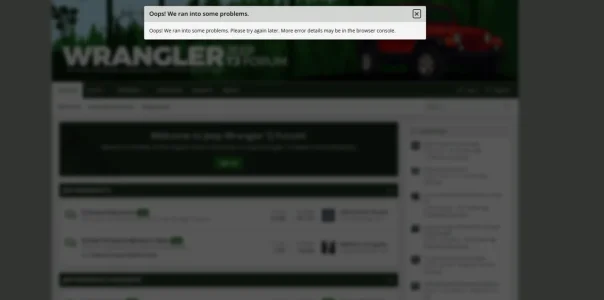
I get this error now when viewing your site.

1770003413512.webp
Here is the breakdown of what the logs mean and why they point to the solution.

This is the definitive proof that your issue is Server-Side Caching.

The logs and HTML you pasted confirm that your server is sending old, stale HTML to guests, even though you "disabled" the add-ons and changed the theme.

The "Smoking Gun" Evidence​

You mentioned that you "Revered to the default theme" and "Disabled all add-ons."

However, the HTML source code you just shared contains these lines:

Code:
<script src="/js/themehouse/uix/index.min.js?_v=b692bc15" defer></script>
<script src="/js/themehouse/global/20210125.min.js?_v=b692bc15" defer></script>
These scripts belong to the UIX (ThemeHouse) theme.If you were truly serving the "Default Theme," these lines would not exist in the HTML. The Default XenForo theme does not know about or load ThemeHouse JavaScript.

What This Means​

  1. The Server is "Lying": When a guest visits your site, your server is ignoring the fact that you switched to the Default Theme. Instead, it is reaching into a cache folder and handing them a "Ghost Page" that was saved days or weeks ago (back when UIX was enabled).
  2. Why You Get the Cookie Error: That "Ghost Page" contains an old security key (CSRF token) from last week. When a guest tries to click anything or accept cookies, they send that old, expired key back to the server. The server rejects it as invalid, which XenForo displays as "Cookies are required" (because it thinks the session is missing).
  3. Ignore the Red Errors: All the ERR_BLOCKED_BY_CLIENT errors in your log are just your ad-blocker blocking ads. They are irrelevant to this issue.

The Solution: You Must "Flush" the Cache​

Simply turning off the LiteSpeed plugin in XenForo is not enough. The plugin stops creating new cache files, but it does not always delete the old ones sitting on the disk.

You must perform a "Hard Purge" from your Hosting Control Panel:

  1. Log into cPanel (or your main hosting dashboard, NOT the XenForo Admin).
  2. Look for LiteSpeed Web Cache Manager (usually under "Advanced").
  3. Click "Flush All" or "Purge All".
  4. Verify: Open your site in an Incognito window, right-click -> View Page Source. Search for "themehouse".
    • If you see "themehouse" in the code: The cache is still not cleared. Check for a cache folder in your file manager and empty it manually.
    • If "themehouse" is gone: The issue will be fixed.
 
Last edited:
Back
Top Bottom