As part of upgrades, flush redis

briansol

Well-known member
Licensed customer
Every upgrade, I have to go in to the console and manually go to redis-cli and flushall.
easy enough, but not streamlined.

As part of XF upgrade, if redis is detected, give the user the option to flush all caches before retuning to the admincp (which, they will see they 'site is upgrading' message anyway rendering it useless.
 
Upvote 1
Hmm, we use Redis on all our XenForo 2 instances but I don't remember ever having to manually flush Redis so I wonder why you have to do this?

That being said I wouldn't mind an option to flush caches after an upgrade.
 
This sounds like overly aggressive page caching. It probably should be an XF bug as the page cache should use a single 'site is being upgraded' cache key to avoid polluting the cache.

Are you using @Xon Redis Cache by any chance?
My add-on doesn't require flushing during XF instance upgrades or major add-on updates. I've done multiple XF2.1=>XF2.2 and XF2.2=>XF2.3 updates without requiring manual flushing of redis.
 
Every upgrade, I have to go in to the console and manually go to redis-cli and flushall.
easy enough, but not streamlined.

As part of XF upgrade, if redis is detected, give the user the option to flush all caches before retuning to the admincp (which, they will see they 'site is upgrading' message anyway rendering it useless.

As @Xon said, I'm pretty sure this isn't necessary. I've never flushed Redis after any XenForo upgrades (for years on multiple sites) and never noticed any issues. As it is, there isn't a single XenForo Redis TTL longer than 3600 so within 1 hour all keys will automatically be replaced anyway.
 
I am using xon's addon.

100% of the time for the past few years, every upgrade i get stuck with the 'system is being upgraded' message. It goes away in 20 min or so, but a clear of the cache is always the immediate fix.

I'm not using anything else caching-wise, other than some http headers for attachments.
 
happened again with 2.3.10

really would like to figure out what is going on with this and why i'm the only one seeing it apparently.

I don't have anything special set up for caching....
 
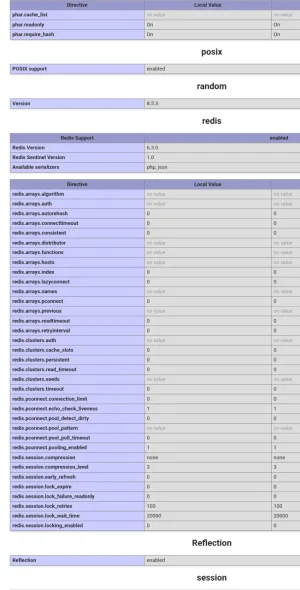
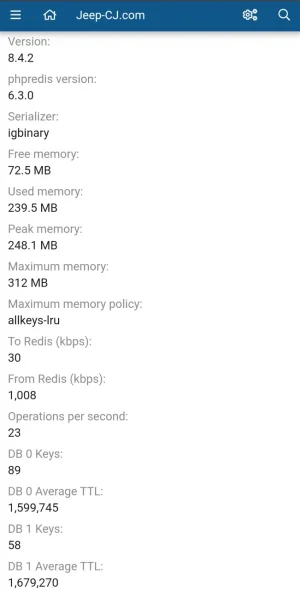
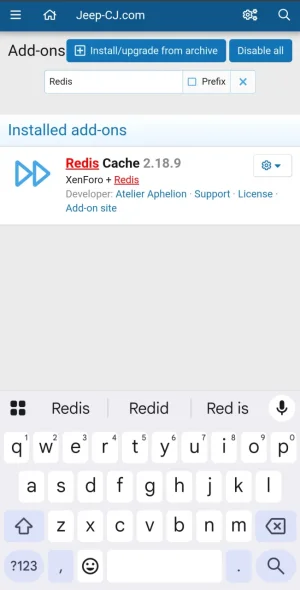
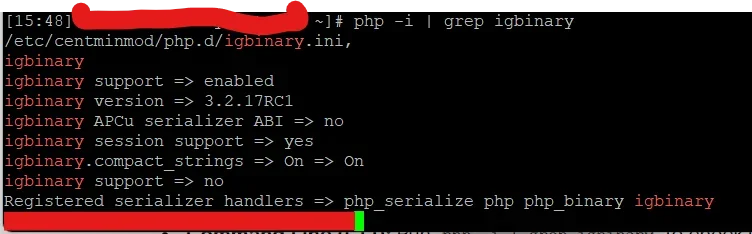
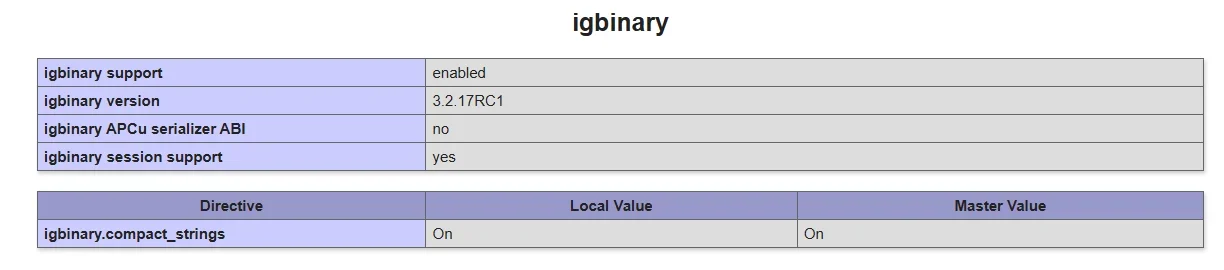
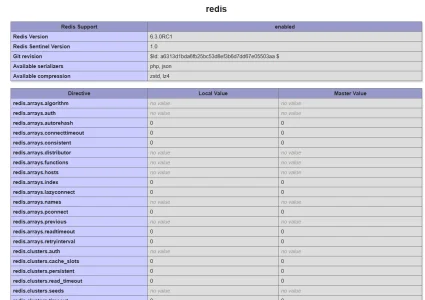
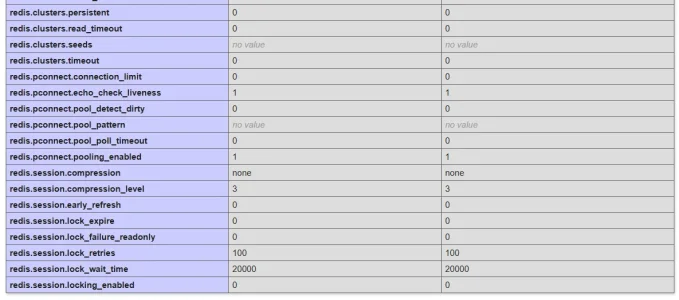
When you check your PHP settings is redis loading? If so you can load the free redis cache addon to check your confirmation. This might help diagnose the issue.

1000018629.webp

1000018631.webp

1000018633.webp
 
really would like to figure out what is going on with this and why i'm the only one seeing it apparently.
One reason could be missing igbinary PHP extension for CLI vs. FPM (or LSAPI if LightSpeed is used).

If this is for example missing in CLI but available via FPM/LSAPI and you upgrade via CLI caches will get corrupted (I hit this a couple days ago).
 
Last edited:
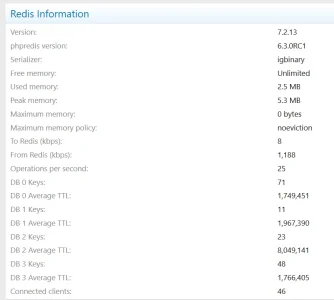
I'm wondering since you're on nginx / centmin which only officially supports Redis 7.x.x that may be the issue (2024 / 2025). There is a beta version available if you choose to upgrade.

As of the latest updates in late 2024 and early 2025 (specifically with Centmin Mod 131.00stable/140.00beta01 and later), Centmin Mod supports Redis 7.x by default, with capabilities to support Redis 8.0 or 8.2 on AlmaLinux/Rocky Linux 8/9, particularly for users of the 140.00beta01 branch.
Latest Redis Versions for Centmin Mod:
Default Support: Redis 7.x server is standard.
Latest (Beta Branch): For AlmaLinux/Rocky Linux 8/9, Centmin Mod 140.00beta01 allows upgrading to Remi Redis 8.2 via the addons/redis-server-install.sh tool.
CentOS 7: Due to end-of-life, CentOS 7 is limited to older versions, typically maxing out around Redis 7.2.x.
Latest Nginx Version:
Centmin Mod generally uses Nginx 1.27.x mainline, with 1.27.4+ being standard for new, secured installations.
Centmin Mod
Centmin Mod
+2
Recommendation:
To use the latest Redis and Nginx versions, it is highly recommended to use Centmin Mod 140.00beta01 on AlmaLinux 8 or 9.
Centmin Mod
Centmin Mod
+1
Note: For security, particularly regarding vulnerabilities like Redishell (CVE-2025-49844), users are advised to update their Redis server to at least 6.2.20, 7.2.11, 7.4.6, or 8.0.4/8.2.2.

 
As posted in the message before there is a redis beta available for nginx / centmin if you want to try it. Can't say if it will help though.

Latest (Beta Branch): For AlmaLinux/Rocky Linux 8/9, Centmin Mod 140.00beta01 allows upgrading to Remi Redis 8.2 via the addons/redis-server-install.sh tool.
 
Back
Top Bottom