XF 2.1 Activation Email Showing Up Unreadable

BigPete7978

Active member
Licensed customer
A forum member just registered and let me know that his email just didn't look right. He screenshotted it, and I edited out his username to post here. You can't see the button text to click, and I wanted all of the text to be white so it was easier to read. I know there is a way to fix this, but I cannot seem to find it. I circled the areas that seem to be the issue, but I'm not even sure if there is more that is missing because of text possible being the same color as a background. Any help would be appreciated.
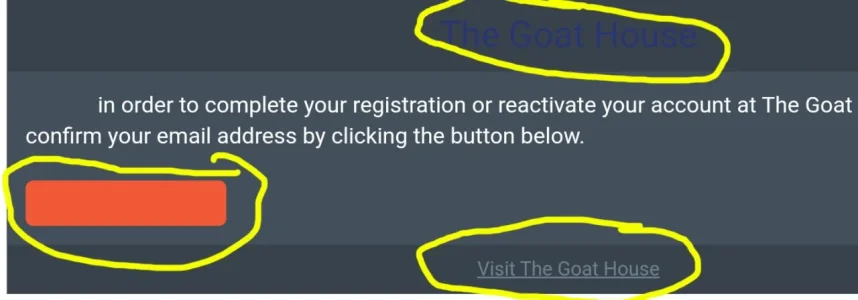
Email Button.webp
 
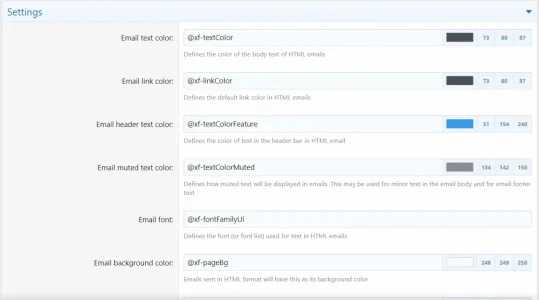
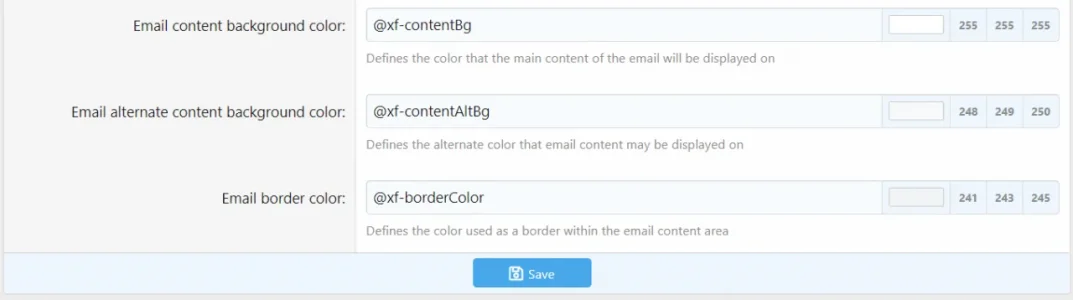
Appearance>Styles>Your Style>Style Properties>Emails

Design to taste.
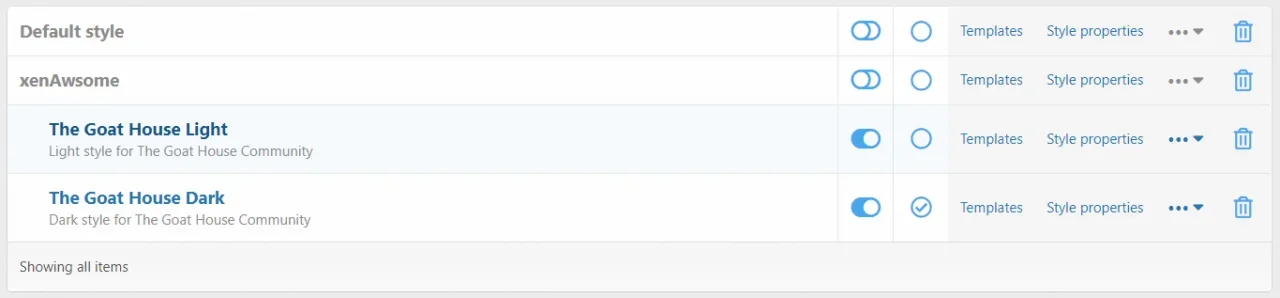
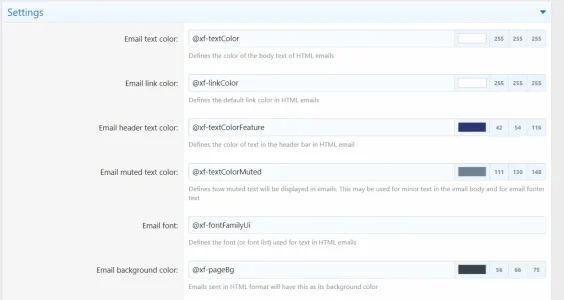
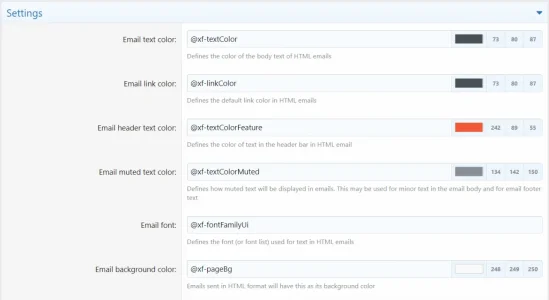
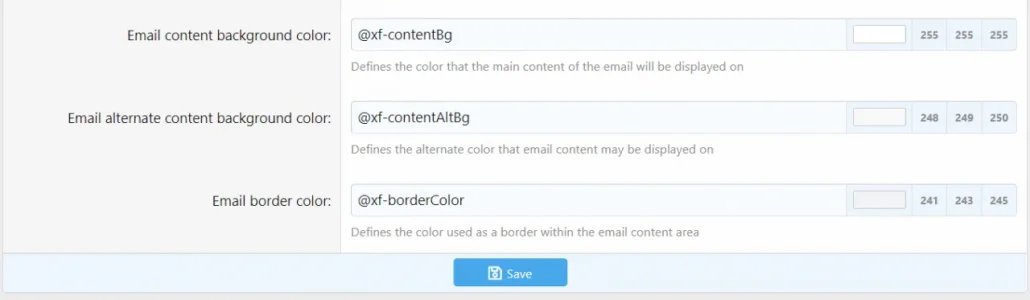
Does this pull from my Style that I have set to Default? Because these are the settings that I have currently and I don't see Orange at all, yet it seems like the text may be Orange in the button.

Email 3.webp
Email 1.webp
Email 2.webp

I just don't get it.
 
Yeah I don't get it.........

Here are the settings for my Light Theme
Email 1 Light.webp
Email 2 Light.webp


Then both the Light and Dark Themes are Child Styles to these Parent Style Settings
Email 1 Default.webp
Email 2 Default.webp
 
AdminCP >> Setup >> Options >> Email options

Scroll down to "Default email style" at the bottom.

Select "Use default style" for readability. That's the Xenforo default style which avoids the problem of dark custom styles or custom styles with limited contrast.
Omg. That fixed it lol. Thank you!
 
Back
Top Bottom