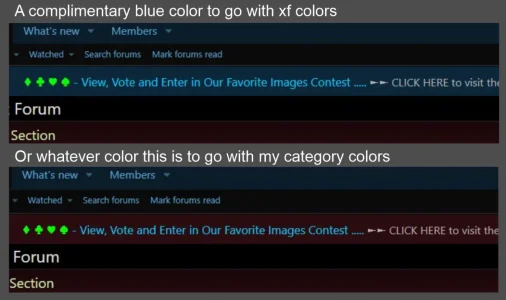
I have two questions about notice formatting. I am not a coder or programmer and am new at this but I have managed to fumble my way through a few things with much trial and error but still have questions.
QUESTION #1
In the notice below is it possible to make the ►► CLICK HERE ◄◄ hyperlink a different color?
I am able to make it bold (strong) but have tried a million combinations and cannot change the color of the link itself.

This is the code for this notice
QUESTION #2
Is it possible to add additional colors for accent backgrounds using custom CSS class names and where would I do this?
I have been able to make about 20 different prefix colors in the core_labels.less template and a variety of user banner colors in the app_users_banners.less template but can't find similar options or syntax in any of the notice templates
Dark

Accent

This is the code for this notice
I've noticed with no color formatting, when using the accent background has it's own font color.
I suspect this it tied into too many things to mess with? Am I correct?
No color formatting.

A no, it isn't possible or too hard and complicated would be an acceptable answer. If it is possible, if someone could point me in the right direction I would appreciate it.
Thanks.
QUESTION #1
In the notice below is it possible to make the ►► CLICK HERE ◄◄ hyperlink a different color?
I am able to make it bold (strong) but have tried a million combinations and cannot change the color of the link itself.
This is the code for this notice
HTML:
<center><normal style="color: #00ccff ;font-size: 19px">
Enter our quote of the week contest • Everyone can vote •
</normal> </br>
<color style="color: #ff00ff;font-size: 16px">
For updated rules and to enter or vote </color>
<a href="https://www.citadel-81.com/xen/threads/quote-of-the-week-1-enter-once-a-day-everyone-can-vote.288/#post-1326">
.....<strong>►► CLICK HERE ◄◄</strong></a> </center>
QUESTION #2
Is it possible to add additional colors for accent backgrounds using custom CSS class names and where would I do this?
I have been able to make about 20 different prefix colors in the core_labels.less template and a variety of user banner colors in the app_users_banners.less template but can't find similar options or syntax in any of the notice templates
Dark
Accent
This is the code for this notice
HTML:
<center><strong><text style="color: #00ff00">
Scheduled Maintenance •  Sunday June 27, 10:00 pm PST -  Board closed appx 1 hour for upgrade
</text></strong></br><color style="color: #ffff66">
Monday 1:00 am EST. -  6:00 am London - 3:00 pm AEST
</color></center>
I've noticed with no color formatting, when using the accent background has it's own font color.
I suspect this it tied into too many things to mess with? Am I correct?
No color formatting.
A no, it isn't possible or too hard and complicated would be an acceptable answer. If it is possible, if someone could point me in the right direction I would appreciate it.
Thanks.