
Fixed Non-Helpful error message when trying to upload a file

Kirby

Well-known member
Licensed customer
Affected version
2.1.7
If I try to upload a file that has an extension which is not allowed by configuration I do get the following error message:
The uploaded file does not have an allowed extension.

While this is surely correct, it isn't really helpful - I still do not know afterwards which files would be allowed.

This message should state which file extensions are allowed or lnk to a place that does give this info.
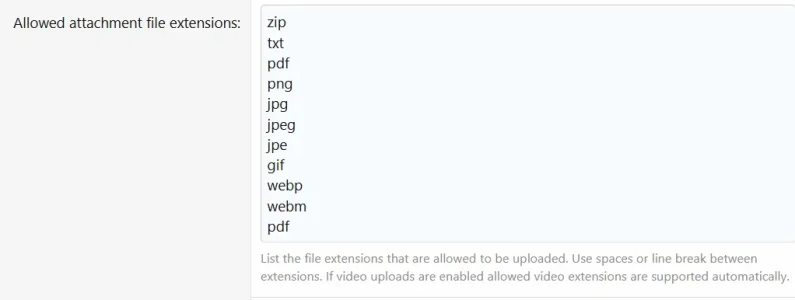
 
Gotcha. In that case, I would modify the phrase to add something like "Please contact an administrator with the name and extension of the file you are trying to upload."

and/or add the list of allowed extensions to the phrase.
 
Yeah, I did smth. similar - I added a help page with all (dynamically generated) info about attachments (allowed extensions, max. filesize, max dimensions, max allowed attachments/post and max resize pixel count) and added a link to that page when an upload error does happen.

Nevertheless, I feel that this is a bug somewhat similar to other not-that-helpful error messages like
and therefore should be addressed in core.
 
I haven't necessarily investigated in more detail, but we pass the allowed list of extensions into the upload inputs in most cases, so the OS/browser would generally be responsible for filtering to only show allowed file types (unless you then choose to override that).
 
so the OS/browser would generally be responsible for filtering to only show allowed file types (unless you then choose to override that).
Or unless you drag & drop onto the editor - which doesn't open an OpenFileDialog
 
Thank you for reporting this issue, it has now been resolved. We are aiming to include any changes that have been made in a future XF release (2.1.8).

Change log:
Echo a list of allowed extensions back in the error message given when a file that does not have an allowed extension is uploaded.
There may be a delay before changes are rolled out to the XenForo Community.
 
Back
Top Bottom
