
![[XTR] Tiptap Editor](/community/data/resource_icons/10/10879.jpg?1791464512)
- Compatible XF 2.x versions
- 2.3
- Additional requirements
- PHP 8.0+, XenForo 2.3.0+
- License
- 1 licence = 1 site
- Updates duration
- 6 Months - US $16 / 1 Year - US $24
- Visible branding
- Yes, but removable with payment
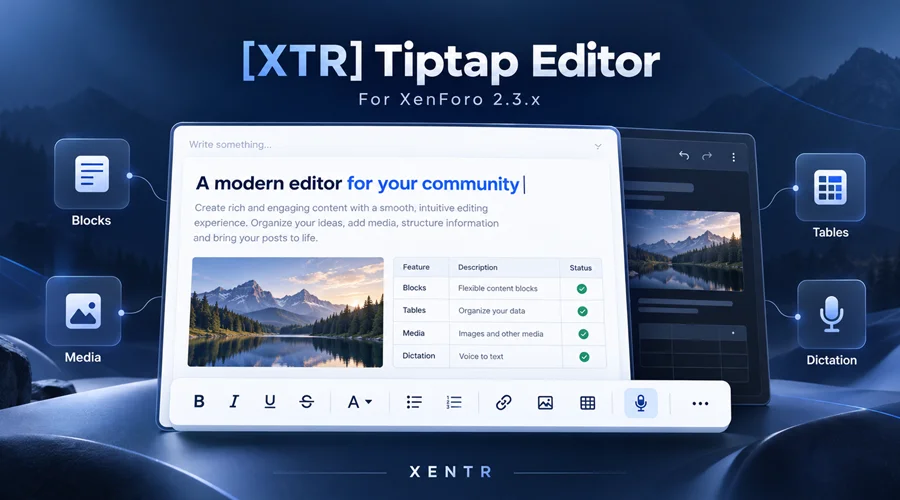 A better place for your community to write
The message editor is one of the most important parts of a forum. Whether members are posting a quick reply or preparing a detailed guide, it should help them express their ideas clearly without getting in the way.[XTR] Tiptap Editor is a modern editor add-on developed for XenForo 2.3.x. Our goal is more than a refreshed toolbar: we want to make it easier to prepare well-organized posts that combine text, images, tables and other content.
Members can format their messages, arrange information into readable sections and preview their work before posting. Administrators can decide which features are available, where tools appear and how the editor fits their community’s style.
Turn ideas into organized posts
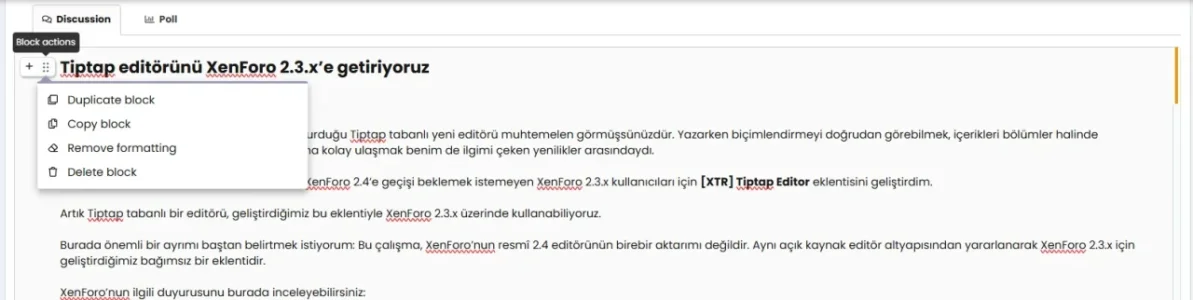
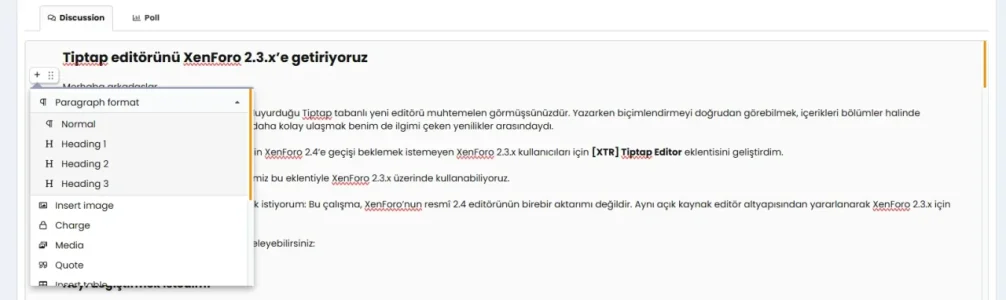
Good presentation makes a difference, especially in longer messages. Headings, lists, quotations, tables and information boxes help readers follow an explanation and find what matters.The Add Block menu gives you access to available content tools near the section you are working on. Add a table after an explanation, divide a guide into headings or place an important notice in a separate message box. Contextual block actions help with supported content-management tasks.
This approach is useful for tutorials, announcements, product descriptions, support replies, comparisons and everyday discussions.
Familiar formatting, easier access
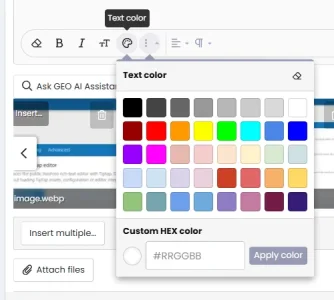
Create bold, italic and underlined text, choose text colors and sizes, and use the available font options. Organize paragraphs with alignment and list tools, add links or remove a link without deleting its text.On supported devices, a floating selection menu provides quick access to common formatting actions. On iPhone and iPad, formatting remains in the main editor toolbar so it does not compete with the device’s own text-selection menu.
Choose table dimensions visually
Creating a table does not need to begin with separate row and column fields. Move across the table picker to see the dimensions you are selecting, then click to insert the table.On desktop, the selected rectangle is highlighted and additional rows appear as you move down the grid. On mobile, choose a cell by tapping. After insertion, the existing table tools let you add or remove rows and columns, or delete the entire table.
Bring images and media into the conversation
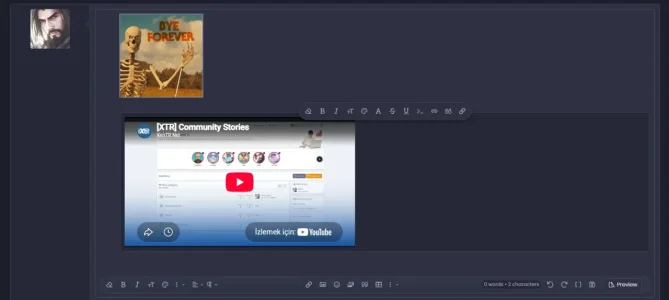
Use images, GIFs, smilies and media supported by your XenForo configuration to enrich your posts. In supported browsers, pasted and dropped images are processed through XenForo’s existing upload workflow and inserted into the editor.Optional smart media pasting recognizes suitable links using the media support configured on your site. Supported links can become an editor preview, while unsupported links remain ordinary links.
Your existing attachment permissions and upload restrictions continue to apply.
Write with your voice when it suits you
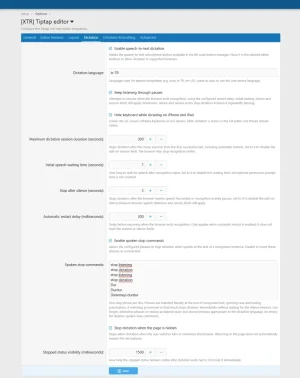
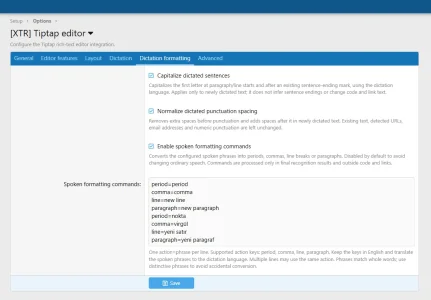
Optional dictation lets you turn speech into text in supported browsers. It provides another way to prepare a reply when typing is inconvenient or when you prefer to speak through a longer explanation.Administrators can configure the dictation language, waiting periods, silence behavior and spoken stop commands. Optional formatting commands can insert periods, commas, line breaks and new paragraphs.
Dictation depends on browser speech-recognition support and microphone permission. Availability and results can vary between devices. Basic capitalization and punctuation-spacing adjustments are available, but this is not an automatic grammar checker or a promise of perfect punctuation.
Works with your existing XenForo setup
Toolbar placement follows XenForo’s BB code button manager. Your configured layouts for larger and smaller screens remain the source of the available tools.Supported custom BB code buttons are also taken from your existing XenForo configuration. The behavior of specialized content from other add-ons depends on the individual BB code and the add-on providing it.
Drafts, previews and attachments use XenForo’s existing workflows. This is an independently developed add-on for XenForo 2.3.x, not an official XenForo editor release.
Your community, your controls
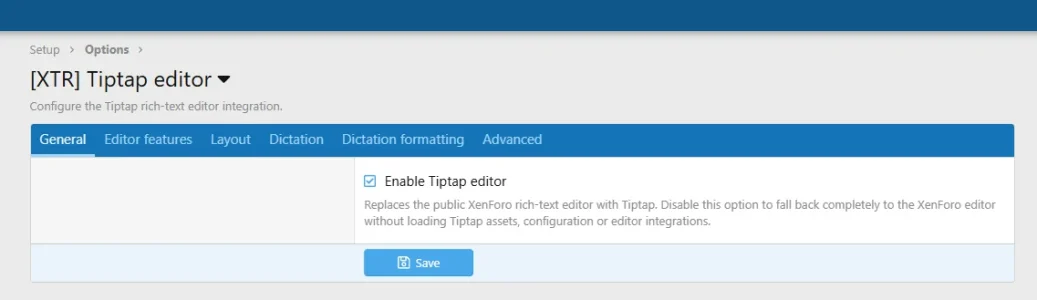
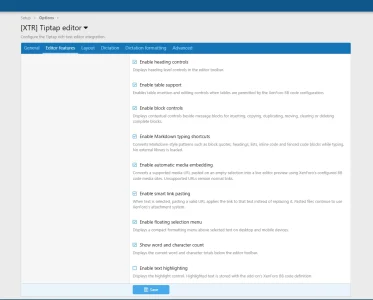
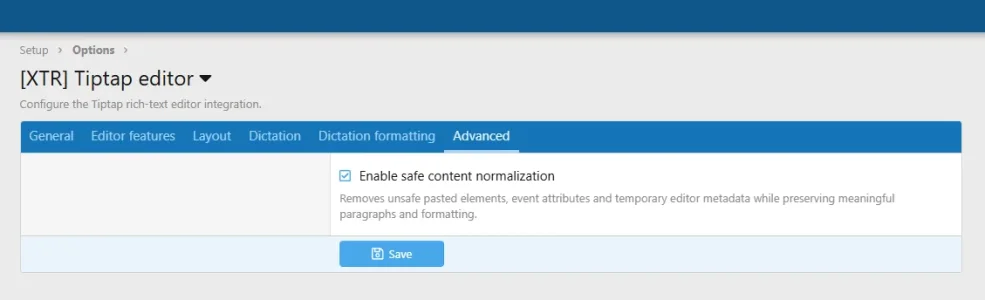
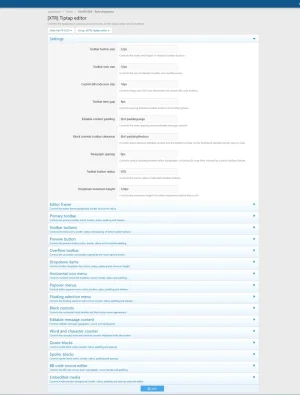
The tabbed options area lets administrators enable or disable individual features. Manage the word and character counter, block controls, smart pasting, table picker and dictation settings without creating a separate set of site-wide message limits.Style properties provide control over the editor frame, rounded corners, buttons, content spacing and menus. Colors work with XenForo’s style properties so the editor can be adjusted for both light and dark styles.
Getting started
- Install the add-on package through the XenForo administrator control panel.
- Review the add-on options and enable the features you want to offer.
- Arrange the desired buttons in XenForo’s large and small-screen toolbar layouts.
- Adjust the style properties if your theme needs additional customization.
- Prepare a test post and check tables, images, previews and drafts.
Try the experience before purchasing
You can try the editor in the publicly available testing areas on our website. Test the features that matter to your community and share your experience with us.Feedback about confusing controls or unexpected behavior is valuable. Support requests can be submitted through our support system.
Features
Writing and formatting
- A modern message-composition experience for XenForo 2.3.x.
- Bold, italic, underline and strikethrough formatting.
- Text colors, text sizes and supported font choices.
- Custom text colors through a color-value field.
- Headings for organizing longer posts.
- Ordered and unordered lists.
- Text alignment and list-indentation tools.
- Link insertion and link removal without deleting the text.
- Formatting cleanup.
- Undo and redo.
- A floating selection menu on supported devices.
- Main-toolbar formatting on iPhone and iPad to avoid competing with the native selection menu.
Content blocks
- Access available content tools through Add Block.
- Insert paragraphs, headings, lists, quotations and other supported content.
- Contextual actions for supported blocks.
- Duplicate, move and remove supported content blocks.
- Build available tools from XenForo’s configured button layouts.
- Respect buttons removed or disabled by the administrator.
Tables
- Choose table dimensions by moving across a visual grid.
- Highlight the selected rows and columns before insertion.
- Reveal additional rows as the desktop selection grows.
- Insert tables with a tap on mobile.
- Select dimensions with the arrow keys.
- Configure the table picker’s maximum size through administrator options.
- Add rows and columns to an existing table.
- Remove rows, columns or the entire table.
- Show table-editing controls while working inside a table.
Images, smilies and media
- Image uploads through XenForo’s existing attachment workflow.
- Image pasting and drag-and-drop in supported browsers.
- Insert uploaded images at the preserved insertion position.
- Insert an image from a URL.
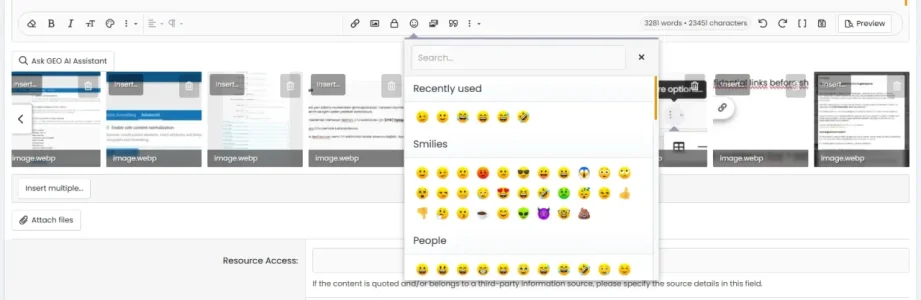
- Use XenForo’s smilie menu and search results.
- Insert smilies inline at the text cursor.
- Use GIF and media tools permitted by your site configuration.
- Recognize supported media links with optional smart pasting.
- Retain existing attachment permissions and upload restrictions.
Custom content
- Use supported custom BB code buttons configured in XenForo.
- Respect administrator-configured custom button titles and icons.
- Expose suitable custom insertion tools through Add Block.
- Block Message boxes for information, success, warning, error and important notices.
- Use XenForo’s existing message-box classes and colors.
- Optional text-highlighting support.
- Quotation, spoiler and code content tools.
Dictation
- Microphone-based text entry in supported browsers.
- Configurable dictation language.
- Configurable maximum session duration.
- Initial waiting and silence timeouts.
- Automatic restart settings where supported.
- Custom spoken stop commands.
- Optional commands for periods, commas, line breaks and paragraphs.
- Basic capitalization and punctuation-spacing adjustments for newly dictated text.
- An option to stop dictation when the page becomes hidden.
- Configurable visibility duration for the stopped-status message.
Drafts, previews and counters
- Use XenForo’s existing draft mechanism on forms that support drafts.
- Visual feedback after a successful draft-save response.
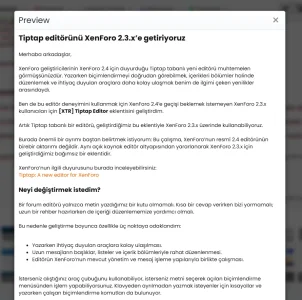
- Preview a message before posting.
- Word and visible-text character counts.
- Display the configured message limit beside the character count.
- Enable or disable the counter through administrator options.
- Switch to BB code view when needed.
Administrator controls and appearance
- Tabbed options grouped by purpose.
- Enable or disable individual editor features.
- Use XenForo’s configured large and small-screen toolbar layouts.
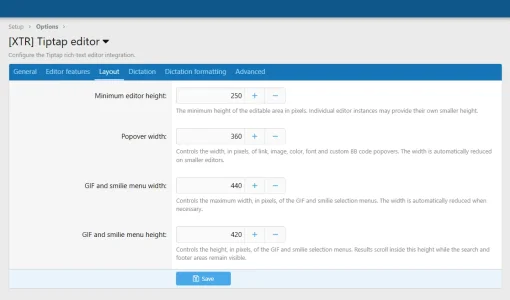
- Adjust minimum editor height and menu dimensions.
- Customize the frame, borders and rounded corners.
- Adjust toolbar button size, spacing and corner appearance.
- Style properties for the content area, menus and counter.
- Colors that work with XenForo’s existing style settings.
- Translatable add-on text through XenForo’s phrase system.
Faster everyday editing
- Keyboard shortcuts for supported formatting actions.
- Optional formatting shortcuts while typing.
- Keyboard navigation between table cells.
- Tools suitable for quick replies, detailed guides and product announcements.




![[XTR] IP Threat Monitor](/community/data/resource_icons/10/10134.jpg?1763724168)
![[XTR] AI Assistant](/community/data/resource_icons/10/10205.jpg?1766866402)
![[XTR] Content Ownership & Date Manager](/community/data/resource_icons/10/10888.jpg?1791587458)
![[XTR] Login as User](/community/data/resource_icons/10/10864.jpg?1791068286)
![[XTR] SMS Verification](/community/data/resource_icons/10/10654.jpg?1786285081)