Resource icon

XenSocial - The Social Media Style Experience 1.0.10

No permission to buy ($20.00)
Version 1.0.10

- Added usergroup rankings and username colors to the social feed.

- Added an option to have threads marked as READ as a user scrolls through topics in the social feed. With this feature selected, users don't refresh the page and see the same topics at the top unless they've been replied to since they last viewed the thread in the Social Feed. This does not affect threads in the legacy/classic forum area. This option is probably best for very busy communities.
Version 1.0.9 - The CSS has been moved to a LESS template (xensocial_feed.less) using XF native @xf-* style properties:
  • Colors: @xf-contentBg, @xf-linkColor, @xf-textColor, @xf-borderColor, etc.
  • Font sizes: @xf-fontSizeNormal, @xf-fontSizeSmall, @xf-fontSizeLarge
  • Font weight: @xf-fontWeightHeavy
  • Template editable in AdminCP → Appearance → Templates → xensocial_feed.less
Custom themes will now automatically inherit their colors and typography.
1.0.8 - Includes further enhancements to the display of attachments in messages - including adding the option to use thumbnails or larger images in replies, added categories to the drop-down menu for easier forum selection when creating a new topic, and placed requested verbiage into the XenForo phrase system for easy updating.

xensocial_legacy_view
xensocial_attach_files
xensocial_last_reply
xensocial_attach_files
xensocial_submit_reply
1.0.7 - Enhances the ability for XenSocial to adapt to different colors in style properties.
Version 1.0.6 addresses an issue with the combination of image embeds, inline images, and URL unfurl cards stretching things to the right and getting cutoff.

Also addresses embed-issues relating to the s9e Media Sites add-on - which adding the following code to the extra.less template fixes.

Code:
.xenSocial-reply-content [data-s9e-mediaembed] {
    max-width: min(70%, 400px, calc(100vw - 120px)) !important;
    display: block;
    overflow: hidden;
    margin: 8px 0;
    border-radius: 8px;
}
.xenSocial-reply-content [data-s9e-mediaembed] iframe {
    max-width: 100% !important;
    aspect-ratio: 16 / 9;
}
1.0.4 (which wasn't released here) made improvements to the layout for attachments embedded within posted messages.

1.0.5 (this new version) made improvements to the layout of embedded videos.
There were issues with the way images displayed within posted messages, depending on whether they were inserted as an attachment (and whether they were set to display full size or as a thumbnail), as well as when using a URL to include an image.
If a forum requires a prefix, this version works with that requirement.
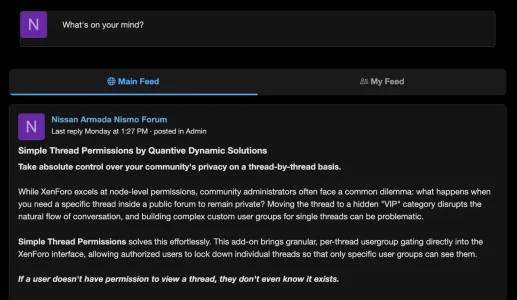
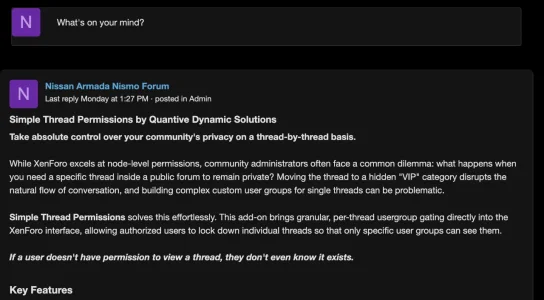
In the event you're not interested in offering a My Feed tab to your members, it can now be turned off.

Attachments

  • myfeedtab1.webp
    myfeedtab1.webp
    13.2 KB · Views: 47
  • myfeedtab2.webp
    myfeedtab2.webp
    64.7 KB · Views: 46
  • myfeedtab3.webp
    myfeedtab3.webp
    66 KB · Views: 23
  • Like
Reactions: Bart23Sept
Back
Top Bottom