
You are using an out of date browser. It may not display this or other websites correctly.
You should upgrade or use an alternative browser.
You should upgrade or use an alternative browser.
Resource icon
XenSocial - The Social Media Style Experience 1.0.19
No permission to buy ($20.00)
- Author Sal Collaziano
- Creation date
This is a major update that transforms how members experience your community. XenSocial can now act as a full Social Feed alternative to the classic forum view - with per-user preferences, smart navigation, read-state syncing, widget support, guest-post protection, and a smoother, cleaner posting experience.
The Navigator - Social Feed as a Full Experience
- Social Feed or Classic View - Logged-in members can set the Social Feed as their preferred experience. Thread links, alerts, and notifications automatically redirect to the Social Feed instead of the legacy thread view.
- Preferred View toggle - Each member chooses "Classic Forum" or "Social Feed" in Account → Preferences, and this choice is also offered during registration.
- ACP master switch - A single Enable Navigator on/off toggle in the XenSocial options group. Turn it off to disable all Navigator redirects site-wide.
- Read-state sync - Threads read through the Social Feed (via Load Replies) are now marked read in XenForo's native system, so "New Posts" stays accurate.
- Targeted post navigation - Clicking an alert or notification jumps straight to the specific reply in the Social Feed, complete with a highlight pulse animation.
- Smart auto-expand - Replies auto-expand only when arriving via a Navigator redirect; clicking "View on Social Feed" from a thread scrolls to the card with the normal preview count.
- Legacy View loop prevention - The "Legacy View" button won't get caught bouncing back into the Social Feed.
More New Features
- Collapse reply editor by default (admin option) - A new setting keeps reply editors collapsed until a member clicks to reply. Instead of a full editor under every post, members see a lightweight "Reply" prompt that expands on demand - a much cleaner feed. Toggle it in Admin CP → Options → XenSocial.
- Clearer multi-quote attribution
— Replies in the Social Feed display more clearly to show which post (and which member) is being responsed to, with a compact quote preview. It's now easier to follow who's replying to whom in a busy conversation.
- Widget support
- XenSocial now integrates with XenForo's widget system, so you can add content to the Social Feed sidebar.
- Guest-post captcha
- Captcha protection for guest posting helps keep spam out of your feed.
- Social Feed Header Text️ - Text shown at the very top of the Social Feed, just above the composer ("What's on your mind?"). Useful for disclosures such as an Amazon Associate statement. HTML and links are allowed. Leave blank to hide it.
Improvements
- Required custom thread fields are now enforced in the Social Feed - Previously, starting a thread from the Social Feed composer in a forum with required custom thread fields didn't show those fields, and the thread could be posted without them. Now the composer automatically loads the correct fields for the selected forum, and required fields are validated both in the browser and server-side. This is especially important for classifieds-style sections that may rely on custom thread fields.
- Customizable page/tab title - The browser tab title falls back to the forum title and is fully editable via phrase (
xensocial_page_title).- Clearer license messaging - More helpful descriptions if there's a license connectivity issue.
- Minor editor enhancements - Various polish to the posting experience.
- Emoji & smilie alignment
- Inline smilies and emojis no longer inherit block-image styling, so they sit correctly on the text baseline across themes.
Thanks to everyone who's been sharing feedback — keep it coming!

Version 1.0.17:
- Reply batch size: New ACP setting controls how many replies load per click of "Load Replies" (default: 10, max: 50). Previously this was tied to the preview count, which is an editable setting that defaulted to 3.
- Feed width (desktop view): New ACP setting allows admins to set the feed's max-width using any CSS value (such as 900px, 1200px, 80%, 100%). Changes take effect immediately without cache clearing.
Version 1.0.16
BUG FIX:
UX ENHANCEMENTS:
- GUEST reply to reply failure: When an UNREGISTERED user replied to a reply, the message was not submit. This is now fixed.
- Composer Cleanup: Removed Redundant Labels
- Quote and Reply improvements: Added a "Reply" button to the topic starter's action bar (same as existing reply buttons on replies). Clicking it opens the inline reply form with quote_post_id set to the topic starter's post, so the response includes a
block that displays properly in the legacy thread view.
Version 1.0.15: Made various aesthetical improvements - mainly to buttons, fixed a bug that didn't trigger notifications to be sent to subscribers when messages were posted in the social feed, and implemented a new Community Pro advertising feature: keyword linking.
Version 1.0.14:
- Robust Comment Nesting and Highlight Replies (Improvement): Deep linking directly to a thread from the legacy forum view loads the thread's preview replies and parent maps more accurately on landing, ensuring the nested layout is fully visible and accurate immediately.
- Direct Social Feed Title Links (Improvement): Thread card titles in the social feed now deep link directly back to their highlighted view in the feed, rather than redirecting users back to the legacy forum layout.
- Theme Responsive "View on Social Feed" Button (Improvement): Refactored the legacy thread button to use native XenForo CSS classes ('button button--cta'). It now inherits your forum's active theme styles beautifully out of the box, removes inline style overrides, and can be customized easily via 'extra.less'.
- Fading Blue Highlight Glow (Improvement): Pinned or highlighted thread cards now feature a smooth, blue border on load to capture the user's attention, which then fades out completely to restore the card's standard theme border. If so desired, the color can be adjusted via extra.less.
- Placeholder for Quote Only Replies (Fix): If a user posts a reply that only contains quotes with no added text, XenSocial now gracefully displays an italicized '(Replying to quote)' placeholder, preventing empty or broken looking comment bubbles.
- Browser Composer Autofill Clearing (Fix): Added automatic composer draft clearing on page reload, resolving an aggressive browser caching issue where stale reply drafts would stick inside the text editors upon refreshing the feed.
Version 1.0.13 - Improvement to the rendering of nested replies in the social feed.
Today's updates:
Version 1.0.12
- Mimicked XenForo's image attachment functionality inside the post editor.
Version 1.0.11
- Various aesthetical improvements
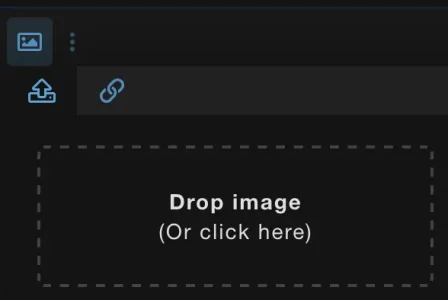
- Enhancements to attachments and attachment functionality, including drag and drop capability.
Version 1.0.11
- Various aesthetical improvements
- Enhancements to attachments and attachment functionality, including drag and drop capability.
Version 1.0.10
- Added usergroup rankings and username colors to the social feed.
- Added an option to have threads marked as READ as a user scrolls through topics in the social feed. With this feature selected, users don't refresh the page and see the same topics at the top unless they've been replied to since they last viewed the thread in the Social Feed. This does not affect threads in the legacy/classic forum area. This option is probably best for very busy communities.
Version 1.0.9 - The CSS has been moved to a LESS template (xensocial_feed.less) using XF native @xf-* style properties:
Custom themes will now automatically inherit their colors and typography.
- Colors: @xf-contentBg, @xf-linkColor, @xf-textColor, @xf-borderColor, etc.
- Font sizes: @xf-fontSizeNormal, @xf-fontSizeSmall, @xf-fontSizeLarge
- Font weight: @xf-fontWeightHeavy
- Template editable in AdminCP → Appearance → Templates → xensocial_feed.less