Hey everyone! We're here to bring you a quick yet impactful update to enhance your experience. Dive into the details with our latest changes and don't miss out on the holiday cheer with special discount!
Changelog:
Advertising Positions Added: Boost your ad revenue with new ad spots.
We're thrilled to announce the 1.1.0 update on this special Christmas Day!
Let's unwrap the features, improvements, and bug fixes that come with this release!
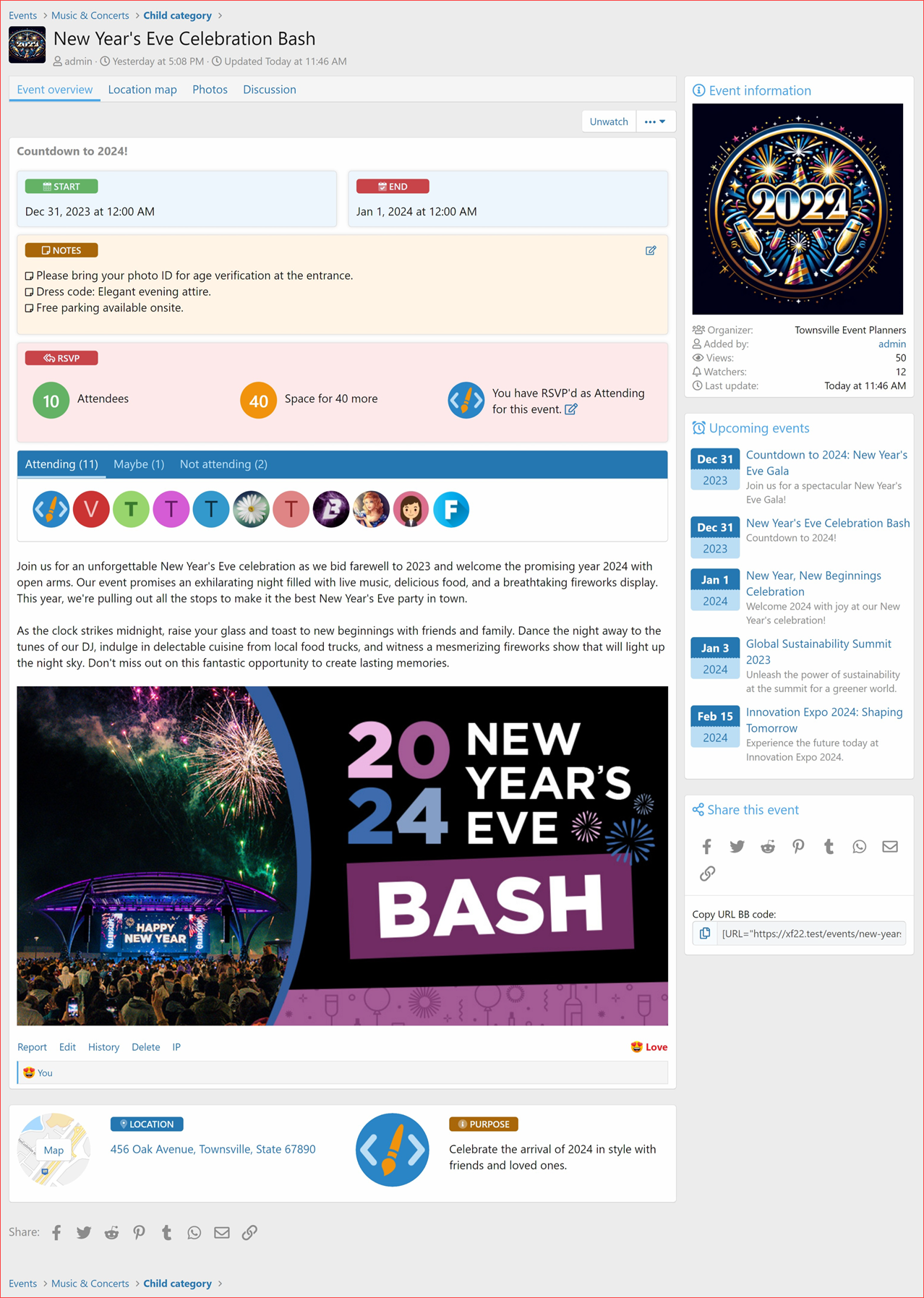
RSVP Functionality:
RSVP Section: Now you can find it right under the event dates and notes for quick access.
Quick RSVP: Just one click to register and make event planning smoother than ever!
RSVP Status: Indicate your participation easily with options like:
Attending
Maybe
Not Attending
RSVP Participants List: Choose where to display it:
Option to display it under the RSVP section for instant visibility.
Option to display below the below the event content.
Or display it in the sidebar of the event page for a neat view.
Maximum Attendees: Control the number of event attendees by setting a limit. RSVPs automatically close once the limit is reached. You can even set it to 0 for unlimited attendees!
Improvements :
Added missing phrases: Enhanced language support and user interface consistency. (Report) Improved styling and made the user interface more consistent.
Bug Fixes :
Fixed InvalidArgumentException: : Resolved an issue where a null value conversion attempt was causing errors with event_type. Now ensures proper handling and default setting for this field. (Report by @KSA)
Options: RSVP Display Position
RSVP: Participants List Below Content
RSVP: Participants List in Sidebar
RSVP: Participants List Directly Under RSVP Section
RSVP Section: Logged in User view
RSVP Status
User clicks on Register to instantly register for event, and when edit this RSVP status window appears:
RSVP Section: Guest visitors view
Clicking on the link opens up Login overlay
RSVP Alerts:
Organizer receives alerts
Organizer sets Max Attendees Limit
on event add/edit page / per event.
Upgrade Notes
When upgrading please ensure that you the "Overwrite existing files for add-on rebuilds / upgrades" option. If uploading file using an FTP or file manager, you have to overwrite all files.
Thank you for being a part of the XenCustomize family. We wish you a joyous holiday season filled with warmth and happiness!
Stay tuned for more exciting updates in the future. Happy Holidays!
Rate & Review
If you're loving the update, please consider leaving a rating and a brief review.

![[XenCustomize] Events Manager](/community/data/resource_icons/9/9299.jpg?1775737707)

 We're already working on Events Manager Version 1.2.0! Aimed for release before the XF2.3 beta, get ready for even more enhancements and features.
 Holiday Special!
 (
(

 Rate & Review


 features, improvements, and bug fixes that come with this release!
  RSVP Functionality:
 Quick RSVP: Just one click to register and make event planning smoother than ever!
 RSVP Status: Indicate your participation easily with options like:
 Attending
 Maybe
Maybe Not Attending
 RSVP Participants List: Choose where to display it:
 Maximum Attendees: Control the number of event attendees by setting a limit. RSVPs automatically close once the limit is reached. You can even set it to 0 for unlimited attendees!
 :
: Added missing phrases: Enhanced language support and user interface consistency. (
 Improved styling and made the user interface more consistent.
 :
: Fixed InvalidArgumentException: : Resolved an issue where a null value conversion attempt was causing errors with