

- Compatible XF 2.x versions
- 2.3
- Updates duration
- Free
- Visible branding
- No
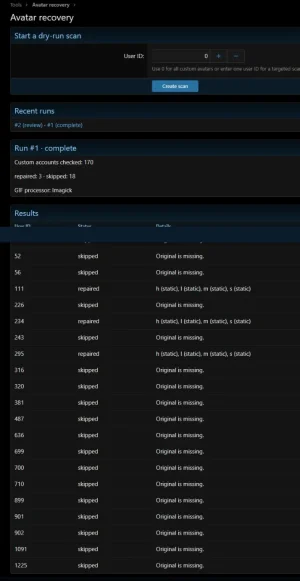
This did recover a few on one of my live forums. After running it and reopening the forum, the avatars were working as they should.
Be sure to backup!
Sometimes an avatar animates when opened directly from a member’s profile, while the smaller versions beside posts appear static. If XenForo still has an animated GIF original, Avatar Recovery can rebuild the affected sizes without members uploading their avatars again.
Features
Getting started
## Command line
Run these from the XenForo root. Replace
Omit
Be sure to backup!
Sometimes an avatar animates when opened directly from a member’s profile, while the smaller versions beside posts appear static. If XenForo still has an animated GIF original, Avatar Recovery can rebuild the affected sizes without members uploading their avatars again.
Features
- AdminCP recovery tool — Scan one member or all accounts with local custom avatars.
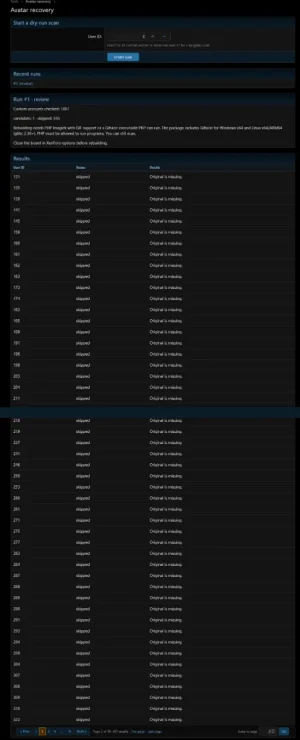
- Dry-run preview — Review affected user IDs and the sizes needing repair before approving changes.
- Selective rebuilding — Regenerate static or missing small, medium, large, and high-DPI avatars from the stored original.
- Original preservation — Retain the original file and existing animated derivatives.
- Stored cropping — Apply the member’s saved avatar crop.
- Batch processing — Process manageable batches and resume saved runs.
- Recovery results — View repaired accounts, skipped accounts, and errors.
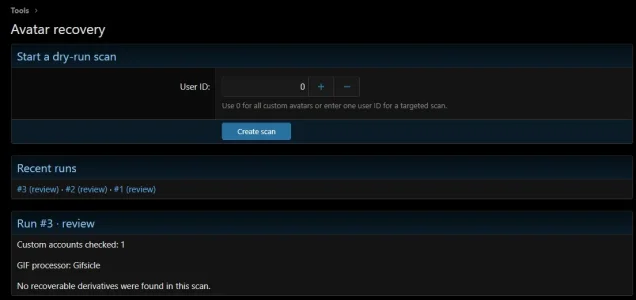
- GIF processor detection — Use PHP Imagick when available, with Gifsicle as a fallback.
- Bundled Gifsicle — Include builds for Windows x64 and Linux x64/ARM64.
- CLI support — Scan, inspect results, and rebuild from the command line.
- Results navigation — Numbered pages, Previous/Next, First/Last, and a page jump box.
- XenForo 2.3+. Development and testing targeted XenForo 2.3.13.
- PHP Imagick with GIF support, or a compatible Gifsicle executable that PHP can run.
- PHP 7.4+ when using Gifsicle.
- Write access to avatar storage.
Getting started
- Back up your database and avatar storage.
- Install the beta through AdminCP → Add-ons.
- Open Tools → Data maintenance → Avatar recovery.
- Enter a known affected member’s user ID for a pilot scan, or use 0 to scan all custom avatars.
- Process the scan batches and review the candidates.
- Close the board, approve the rebuild, and process the repair batches.
- Check the repaired avatars beside posts and on member profiles.
## Command line
Run these from the XenForo root. Replace
123 with the test user's numeric ID and RUN_ID with the number printed by the scan. The CLI works through the same persisted runs as the AdminCP. It processes consecutive batches automatically.
Code:
php cmd.php talmyric:avatar-recovery scan --user=123
php cmd.php talmyric:avatar-recovery status --run=RUN_ID
php cmd.php talmyric:avatar-recovery rebuild --run=RUN_ID --confirm
Omit
--user for a full scan, or use scan --run=RUN_ID to resume an interrupted scan. Reissue the rebuild command to resume a run in repair. It returns a nonzero exit code if the run contains scan or repair errors.


