
You are using an out of date browser. It may not display this or other websites correctly.
You should upgrade or use an alternative browser.
You should upgrade or use an alternative browser.

Eggy Thread Gallery 1.0.7
No permission to download
- Author Eggy
- Creation date
Eggy Thread Gallery 1.0.7 is now available!
This release introduces Gallery Curation Mode, giving thread creators and authorised staff greater control over how images are organised, displayed and managed within their galleries.
New Features
- Drag and drop image ordering on desktop and mobile.
- Custom image titles and captions.
- Featured images with dedicated gallery badges.
- Hide and restore images without deleting original posts.
- Bulk image management for multiple selections.
- Move Up and Move Down image positioning controls.
- Reset galleries to their original automatic configuration.
- New ACP settings and gallery management permissions.
Mobile UI Refinements
- Refined mobile gallery management interface.
- Responsive layouts for bulk actions and image controls.
- Consistent button positioning, sizing and spacing.
- Refined gallery cover controls and image badges across XenForo styles.
Existing gallery content and functionality are preserved when upgrading from previous versions.

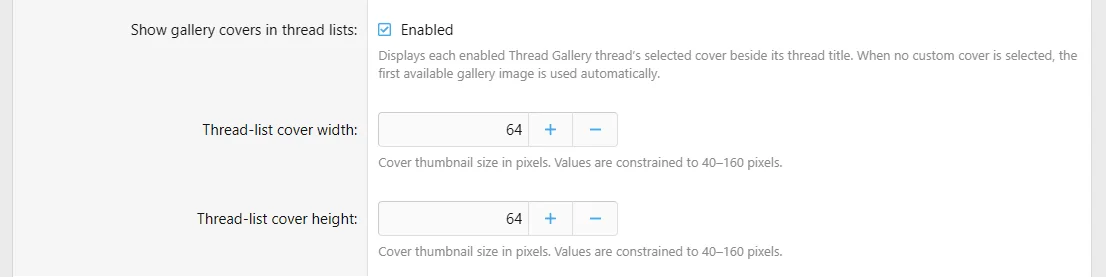
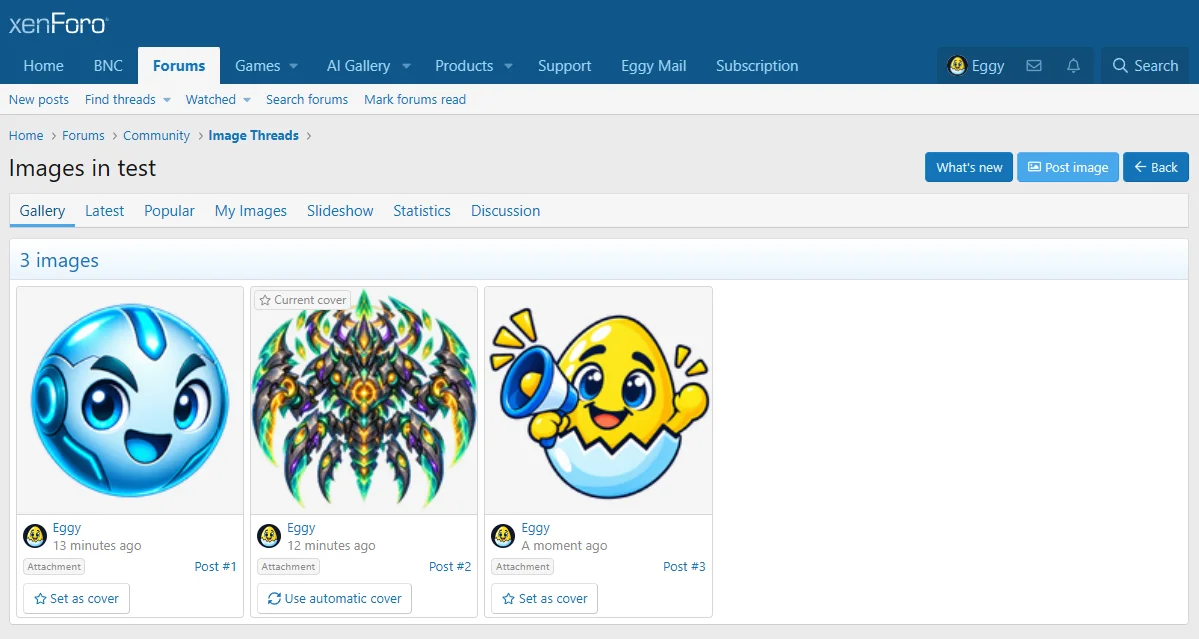
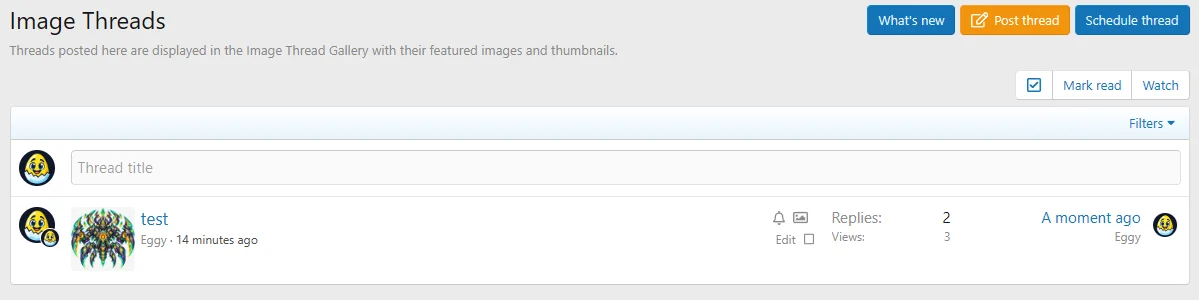
Eggy Thread Gallery 1.0.6 is now available with new Gallery Cover functionality for Image Threads.
- Select any gallery image as the thread cover
- Automatic fallback to the first available image
- Display gallery covers directly in forum thread lists
- New ACP controls for cover visibility, width and height
- New Post image action directly from the Gallery
- Image Threads now open directly into their Gallery view
The Post image action uses XenForo's existing discussion reply system, so newly posted images remain part of the original thread while automatically appearing in the Gallery.


Eggy Thread Gallery 1.0.5 is now available.
This release includes a fix for the reported gallery pagination issue, along with two additions suggested through user feedback.
Changes in 1.0.5
• Fixed gallery pagination not advancing correctly
• Added a dedicated permission for controlling who can view the thread media gallery
• Added an option to reverse the image order shown in the main gallery
Thanks to the user who reported the pagination issue and suggested the new gallery controls.
Version 1.0.4 introduces a user requested feature adding configurable pagination to thread galleries.
Administrators can now choose how many images are displayed per gallery page directly from the ACP, with any value between 1 and 1000 supported.
For example, if the limit is set to 100 and a thread contains 102 images, 100 will appear on the first page and the remaining 2 on page 2.
This gives larger or image heavy forums more control over gallery loading and performance.
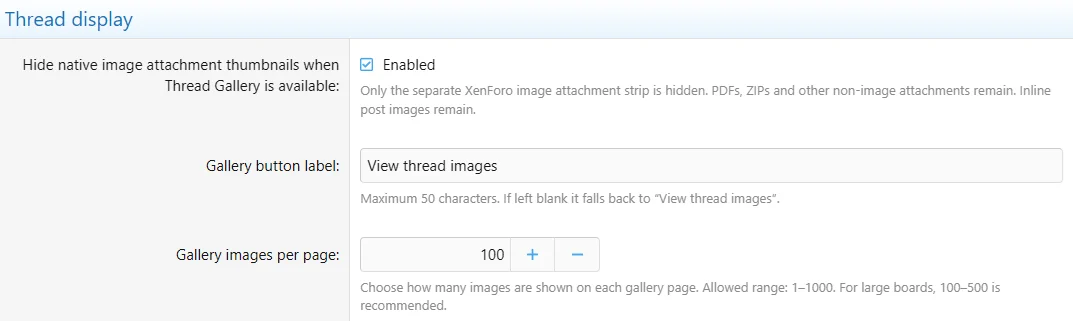
This update was released after reports that non image attachments such as PDF, Word and Excel files could disappear from thread posts while Thread Gallery was enabled.
The attachment handling has now been corrected so Eggy Thread Gallery only affects image attachments where appropriate. PDF, DOCX, XLSX, ZIP and other normal XenForo attachments are left under XenForo’s native attachment system and remain visible whether the Hide native images option is enabled or disabled.
Hide native images now does exactly what it is intended to do. When enabled, only native image attachment thumbnails are hidden from the post while those images remain available inside Thread Gallery. Inline post images are not affected.
Thread Gallery 1.0.3 is now available.
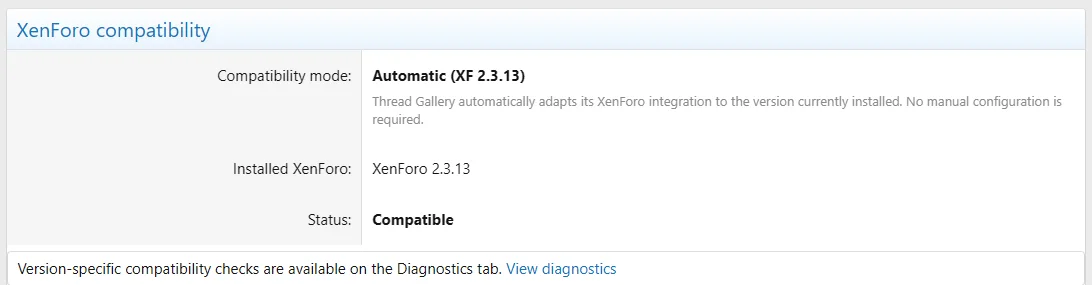
This release adds support for XenForo 2.3.0+ with automatic version compatibility handling.
Changes include:
• Added support for XenForo 2.3.0+
• Added automatic XenForo version detection
• Added compatibility status and diagnostics in the ACP
• Added XenForo 2.3.8+ retina thumbnail support
• Improved compatibility with XenForo 2.3.x template and attachment changes
Existing customers can download the update from their Eggy account.
Eggy Thread Gallery 1.0.2 is now available.
This is a major feature expansion focused on turning image-heavy XenForo discussions into much more interactive community spaces while keeping normal XenForo threads, posts, attachments and reactions at the centre of everything.
New interactive gallery views
Administrators can now optionally expose:
• Gallery — the complete thread image gallery
• Latest — newest contributions first
• Popular — images with genuine XenForo reaction engagement
• Contributors — browse members and their contributed images
• My Images — instantly find your own contributions
• Voting — dedicated per-image community voting
• Slideshow — automatic or manual image presentation
• Statistics — gallery activity and contributor statistics
• Discussion — return directly to the normal XenForo thread
Public tabs can be controlled from the Admin CP.
Per-image voting
1.0.2 introduces a dedicated voting system where individual images are voted on rather than entire posts.
Administrators can select:
• Disabled
• Up Vote + Down Vote
• Up Vote Only
Up Vote Only provides a positive-only option for communities that prefer competitions without negative voting.
Votes are submitted through AJAX with no page refresh and become final once cast.
Successful votes change to a compact Voted state.
Where self-voting is disabled, members see a clear No self-vote indicator on their own images.
Voting remains completely separate from native XenForo reactions.
Popular images
The new Popular view uses normal XenForo reaction engagement.
Only positively engaged images are shown, so Popular does not simply fill itself with zero-engagement content.
This keeps:
Popular = normal XenForo community engagement
and:
Voting = deliberate image voting
as two distinct systems.
Contributors & My Images
The Contributors view now shows who has contributed to the current gallery, including contribution totals and latest activity.
Visitors can expand a member to view only their images and collapse the results again.
My Images provides each logged-in member with a dedicated view containing only their own contributions to the current thread.
Slideshow
The new slideshow provides:
• Automatic playback
• Pause / resume
• Previous / next navigation
• Thumbnail browsing
• Image counters
• Direct return to the gallery
• Source post and discussion access
Mobile slideshow behaviour has also been refined so autoplay does not unexpectedly drag the visitor down into the image information area.
Gallery statistics
The Statistics view can display:
• Total images
• Contributor count
• Attachment count
• External image count
• XenForo reaction score
• First contribution
• Latest contribution
• Top contributor
Improved mobile experience
Large numbers of gallery tabs no longer require awkward horizontal swiping.
Mobile layouts now use compact priority navigation with a More menu for additional gallery views.
Slideshow controls and counters have also been adjusted to remain practical for galleries containing hundreds or even thousands of images.
Admin CP improvements
1.0.2 adds dedicated administration areas for:
• Public Tabs
• Voting
• Diagnostics
The read-only Diagnostics system provides quick health checks for gallery integration, storage, voting, permissions, JavaScript assets and other important functionality.
Additional fixes and improvements
• Popular no longer shows zero-engagement images
• Contributor image lists can now be expanded and hidden
• Voting now updates through AJAX
• Voting is protected against repeat/removal behaviour
• Improved mobile gallery navigation
• Improved mobile slideshow viewport behaviour
• Improved fresh-install support
• Shared Eggy Tools Admin CP parent is created when required
• XenForo-compatible release hashes regenerated for clean File Health Check results
• No hardcoded XenForo style IDs
Eggy Thread Gallery still works around normal XenForo content.
Threads remain threads.
Posts remain posts.
Attachments remain XenForo attachments.
Replies remain XenForo replies.
Reactions remain XenForo reactions.
1.0.2 simply gives image-heavy discussions far more ways to be browsed, discovered, showcased and engaged with.
This makes Thread Gallery particularly useful for screenshot threads, photography, artwork, cars, pets, community showcases, competitions and other image-focused discussions.
How Image Threads work
- The opening post must contain at least one image.
- Every reply must also contain at least one image.
- Text-only replies are rejected.
- Text can still be added alongside an image for captions or context.
- Uploaded attachments and externally embedded images are supported.
- Every image posted is automatically added to the Thread Gallery.
This creates an image-first discussion where every contribution adds to the gallery while keeping the conversation inside the forum.