
You're very welcome Elisabeth, happy to hear that!I have no issues and will sleep better at night knowing everything is working perfectly. Thank you so much!


You're very welcome Elisabeth, happy to hear that!I have no issues and will sleep better at night knowing everything is working perfectly. Thank you so much!
Yes, that is exactly how it is designed to work, Elisabeth!All is well today but I have a question about the IP Threat Monitor cleanup cron job.
I wasn't sure it was working so I ran it manually. It cleared out the stale entries in challenged but the expired ones in blocked are a couple days old.
Is this how it is supposed to work?
blocked_until time expires, the IP is no longer restricted and can freely access the site again. However, the record itself is kept in your log table as a historical audit record so you can track past threats and statistics. Those are retained according to your Log Retention setting (default is 30 days, which you can adjust in the add-on options or clear via the Prune tool).

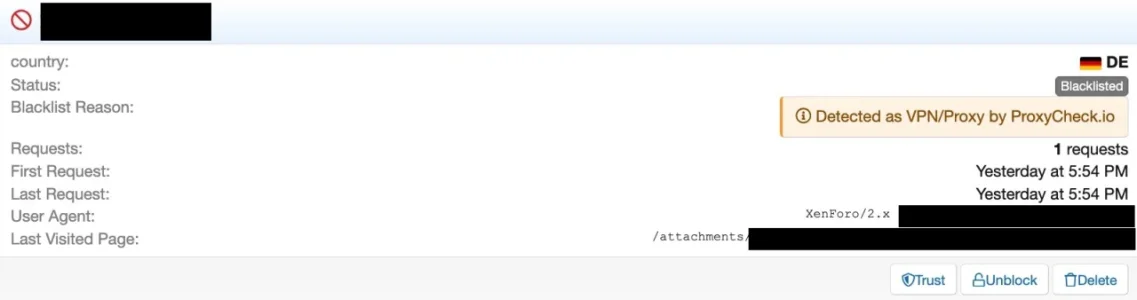
When it comes to our v2 API, all hosting IP’s have been set as VPN’s.
This is because when the v2 API was launched around 10 years ago our thought process was, if an IP is interacting with your website or service from a datacenter IP, it’s very (extremely likely) to be a VPN or a bot performing automated actions. Bot things undesirable if you want to block VPN’s you likely want both of those blocked.
Now though, in our newer v3 API which launched in a public beta in August 2025 and went stable in June this year, it has the capability to show both hosting and VPN’s separately and we no longer upgrade hosting addresses to VPN’s in the response, instead we only list an IP as a VPN if we’re 100% certain it’s a VPN, whether it’s also a hosting address or not.
Our own webpages (Web interface, lookup page, homepage etc) all now use our v3 API since the beginning of this year which is why there is a discrepancy when checking this IP address. In addition the v3 API gives a lot of VPN specific information now like who is actually operating the address behind the VPN.
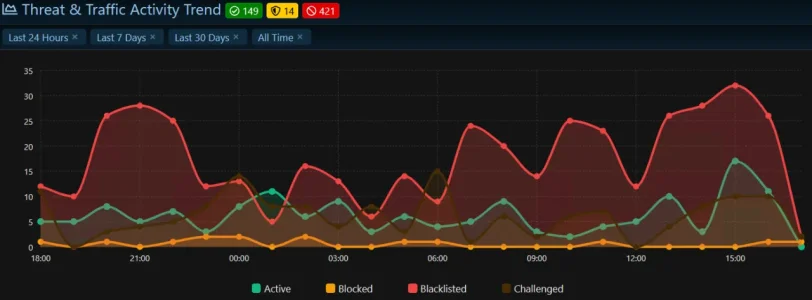
@Elisabeth_K (Regarding Cleanup Schedule):Is it possible to change the time the cleanup cron job runs? It won't let me change it and 8:00 PM removes things I still want to see. I'm in GMT -7. In the next release, maybe keep the 3:00 AM time the same but have it based on local time, not UTC?
Thanks!
View attachment 348200
As in the past there did not occur major issues or negative effects with this (it took me more than eight months to recognize it at all and that was only by coincidence) while possibly there might be negative effects when in future no longer blocking server ranges automatically: Will we be able to identify server IP in the logs in future and possibly to have a setting for IP Threat Monitor to optionally act as with the old API in case the new API's outcome does work worse than the old one in terms of proteciton? I obviously don't know if this will be the case but in case it is it would be good to be able to fall back to the old behaviour.Hosting IPs will no longer be falsely flagged as VPNs, which will prevent false alarms on your own servers and testing environments.
This release completely rethinks how the add-on distinguishes genuine threats from innocent visitors, while bringing the responsiveness, stability, profile management, and localization of the admin control panel to the highest level. Our goal is not simply to create harsher barriers, but to make fewer wrong decisions—protecting your community while keeping panel management effortless and reliable.
Verification applies only to the individual: Passing a robot challenge now grants access...
 )

This update completely eliminates the verification loop issue that caused visitors to become stuck on challenge screens, while making security decisions and online tracking features much more flexible, stable, and transparent.
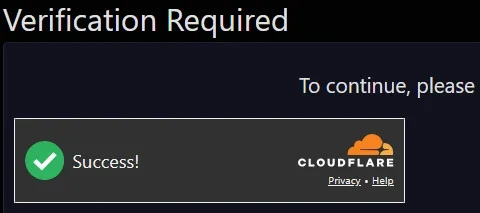
Smooth verification flow: Resolved an issue where visitors who successfully passed Cloudflare Turnstile or hCaptcha verification could be redirected back to the verification screen in an endless loop. Once solved, visitor clearance is reliably preserved, allowing...


I have it at a subdomain and a different vhost and sometimes a different host with own settings - I clearly prefer a clean separation of my test setup from my live setup. I think this is the more common approach and it would be good if it would be supported - in fact IP Threat Monitor is the only add on that I use that does not support this setup.Staging / Test Environment
Maybe a good opportunity to clean up two other settings as well: This...In v1.1.4 we’re splitting


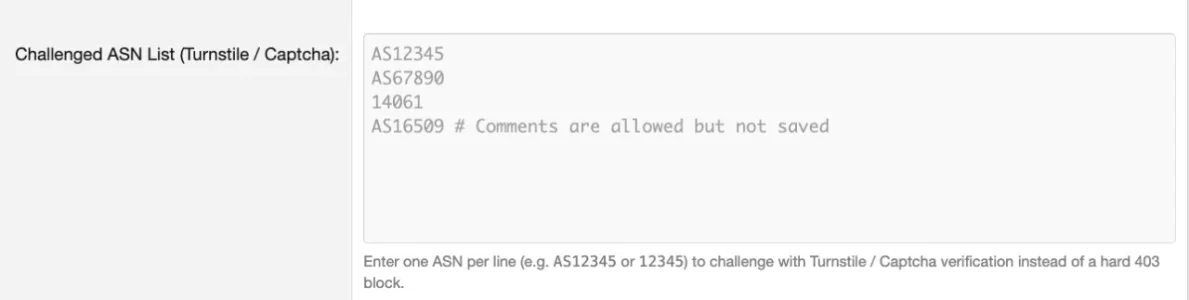
 So what would comments in this area be good for?
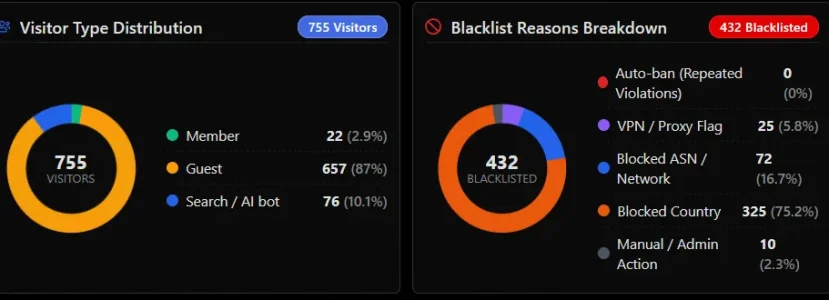
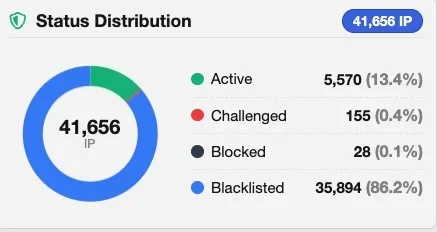
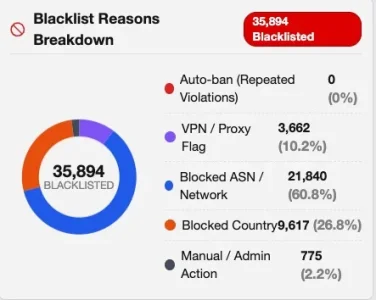
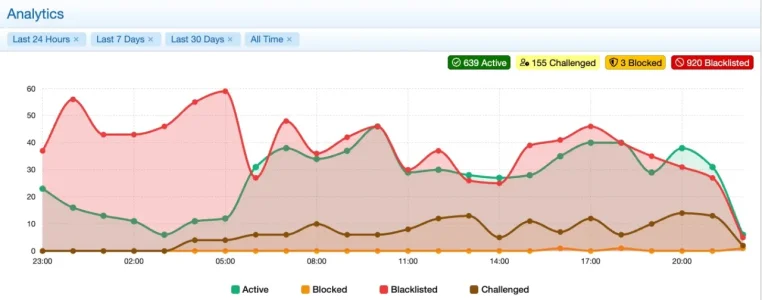
if those could become a traffic flowchart as well (like we have it for the status') this could be interesting. Possibly not all countries and ASNs, either like the top 10 as a standard and selectable countries as an alternative.expanding beyond the Top 10 to full Country and ASN breakdowns with sortable counts/percentages, and especially the "Challenge Solve-Rate" metric are excellent!
One of the issues with older entries is that they are not updated - they are i.e. missing ASNs and sometimes show the wrong country.On large databases with 340k+ entries we’ll optimize the RemediateBots job so it only looks at recent entries instead of cycling through the entire historical tables.
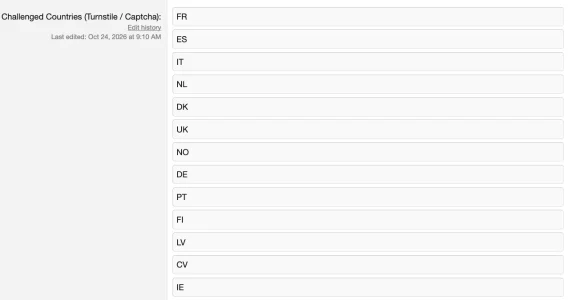
I maintain my list of 154 blocked countries and 84 blocked ASNs in an Excel spreadsheet where country can easily be arranged alphabetically and the ASNs numerically. Before making a new entry in IP Threat Monitor, I first check to make sure it is not already there.1. sort countries by alphabet when saving
you can only add countries at the bottom which leads to a pretty chaotic list over time, when you add countries later and makes it difficult to check which state a certain country has:
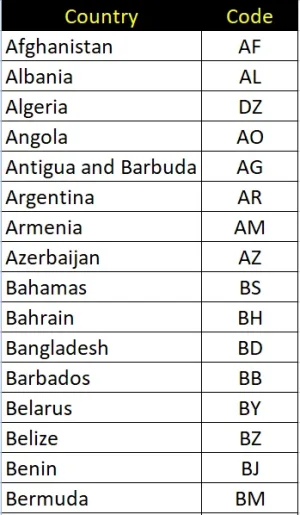
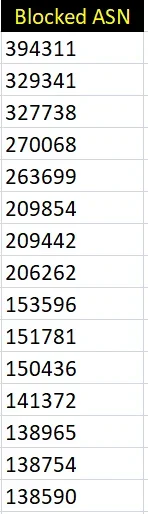

I don't do that for countries (as my list is relatively stable and the total number of countries is somewhat limited) but maintain my to block ASNs in a text file along with additional information, one ASN per line, ordered by ASN-Number. Every couple of days I run a grep/awk over this file and paste the output into the ASN config-box in IP Threat Manager, overwriting the existing list. Simple and fast.I maintain my list of 154 blocked countries and 84 blocked ASNs in an Excel spreadsheet where country can easily be arranged alphabetically and the ASNs numerically. Before making a new entry in IP Threat Monitor, I first check to make sure it is not already there.
I think blocking is the better way to it in most cases. While it may potentially rise the number of API requests to a moderate amount blackisting, being permanent (if you don't prone the blacklist regularly) has a huge disadvantage: If the IP in question will no longer belong to a VPN in future it will still be blocked when being part of the blacklist, so being a false positive. If you block it temporarily on the other hand it will reevaluated and if it is still considered to be used by a VPN any request will be blocked - so no worse than if it would be blacklisted but avoiding false positives.I also see VPN users are now getting blocked where before they were just blacklisted. Like was done with a permanently blacklist country and ASN checkbox, the option to once again permanently blacklist VPN users would be nice too.
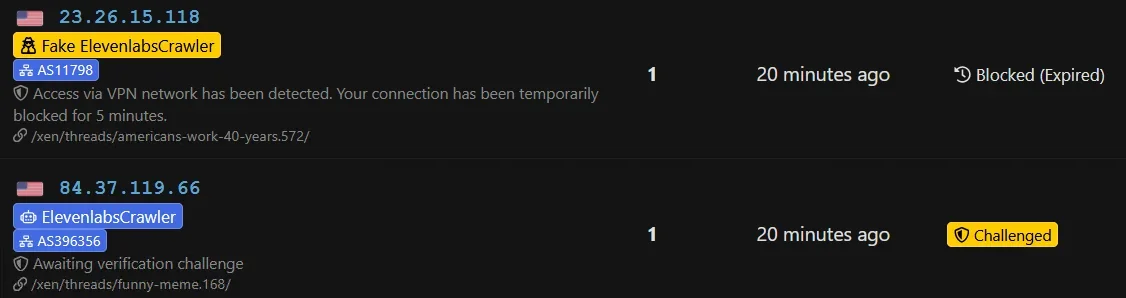
robots.txt will probably be worthless for blocking them. You can block them via .htaccess, filtering for the useragent. I'd assume that is what IP Threat Manager uses as the first pattern as well. The "Protected Search Bots" option can never be comprehensive, it is intended as a white list rather than a black list.I've been invaded today from ElevenLabsCrawler and fake ElevenLabsCrawler using a VPN. I've blocked them in robots.txt (for what that's worth) but it would be nice to be able to add them in the Protected Search Engine Bots list unchecked so they don't go into the challenged or blocked bucket.
We use essential cookies to make this site work, and optional cookies to enhance your experience.
