
You're very welcome Elisabeth, happy to hear that!I have no issues and will sleep better at night knowing everything is working perfectly. Thank you so much!

![[XTR] IP Threat Monitor](/community/data/resource_icons/10/10134.jpg?1763724168)
You're very welcome Elisabeth, happy to hear that!I have no issues and will sleep better at night knowing everything is working perfectly. Thank you so much!
Yes, that is exactly how it is designed to work, Elisabeth!All is well today but I have a question about the IP Threat Monitor cleanup cron job.
I wasn't sure it was working so I ran it manually. It cleared out the stale entries in challenged but the expired ones in blocked are a couple days old.
Is this how it is supposed to work?
blocked_until time expires, the IP is no longer restricted and can freely access the site again. However, the record itself is kept in your log table as a historical audit record so you can track past threats and statistics. Those are retained according to your Log Retention setting (default is 30 days, which you can adjust in the add-on options or clear via the Prune tool).

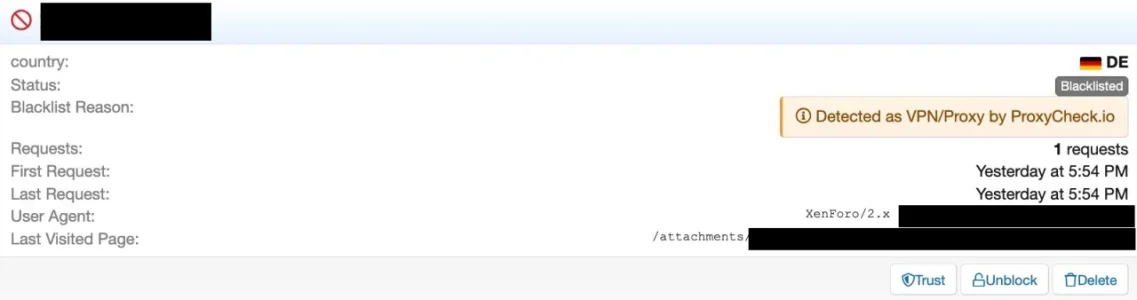
When it comes to our v2 API, all hosting IP’s have been set as VPN’s.
This is because when the v2 API was launched around 10 years ago our thought process was, if an IP is interacting with your website or service from a datacenter IP, it’s very (extremely likely) to be a VPN or a bot performing automated actions. Bot things undesirable if you want to block VPN’s you likely want both of those blocked.
Now though, in our newer v3 API which launched in a public beta in August 2025 and went stable in June this year, it has the capability to show both hosting and VPN’s separately and we no longer upgrade hosting addresses to VPN’s in the response, instead we only list an IP as a VPN if we’re 100% certain it’s a VPN, whether it’s also a hosting address or not.
Our own webpages (Web interface, lookup page, homepage etc) all now use our v3 API since the beginning of this year which is why there is a discrepancy when checking this IP address. In addition the v3 API gives a lot of VPN specific information now like who is actually operating the address behind the VPN.
We use essential cookies to make this site work, and optional cookies to enhance your experience.
