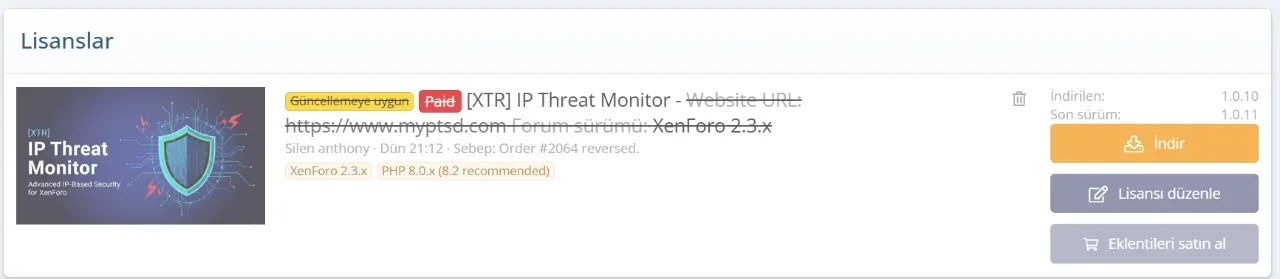
Thanks. Purchased. Will try it now.

![[XTR] IP Threat Monitor](/community/data/resource_icons/10/10134.jpg?1763724168)
Server error log
TypeError: stripos(): Argument #1 ($haystack) must be of type string, array given src/addons/XENTR/IPThreatMonitor/Repository/IPThreatLog.php:819
Generated by: Unknown account Dec 23, 2025 at 10:09 PM
Stack trace
#0 src/addons/XENTR/IPThreatMonitor/Repository/IPThreatLog.php(819): stripos(Array, 'Apple')
#1 src/addons/XENTR/IPThreatMonitor/Service/RateLimiter.php(567): XENTR\IPThreatMonitor\Repository\IPThreatLog->isVpnOrProxy('198.163.192.151')
#2 src/addons/XENTR/IPThreatMonitor/Service/RateLimiter.php(111): XENTR\IPThreatMonitor\Service\RateLimiter->checkVpnFirstVisit('198.163.192.151')
#3 src/addons/XENTR/IPThreatMonitor/Listener.php(89): XENTR\IPThreatMonitor\Service\RateLimiter->checkRateLimit()
#4 src/XF/Extension.php(86): XENTR\IPThreatMonitor\Listener::appPubStartEnd(Object(XF\Pub\App))
#5 src/XF/App.php(3366): XF\Extension->fire('app_pub_start_e...', Array, NULL)
#6 src/XF/Pub/App.php(255): XF\App->fire('app_pub_start_e...', Array)
#7 src/XF/App.php(2820): XF\Pub\App->start(true)
#8 src/XF.php(806): XF\App->run()
#9 index.php(23): XF::runApp('XF\\Pub\\App')
#10 {main}
Request state
array(4) {
  ["url"] => string(73) "/threads/when-your-abuser-parent-is-near-the-throws-of-death.66123/page-3"
  ["referrer"] => bool(false)
  ["_GET"] => array(0) {
  }
  ["_POST"] => array(0) {
  }
}
Hi, We have investigated the error logs you provided. The issue was caused by an unexpected data format (array instead of string) returned from the 3rd party API during the VPN check. We have applied a fix to handle this data correctly. The issue is now resolved and you should no longer see this error. Thank you for reporting this.I have this generated a lot....
Code:Server error log TypeError: stripos(): Argument #1 ($haystack) must be of type string, array given src/addons/XENTR/IPThreatMonitor/Repository/IPThreatLog.php:819 Generated by: Unknown account Dec 23, 2025 at 10:09 PM Stack trace #0 src/addons/XENTR/IPThreatMonitor/Repository/IPThreatLog.php(819): stripos(Array, 'Apple') #1 src/addons/XENTR/IPThreatMonitor/Service/RateLimiter.php(567): XENTR\IPThreatMonitor\Repository\IPThreatLog->isVpnOrProxy('198.163.192.151') #2 src/addons/XENTR/IPThreatMonitor/Service/RateLimiter.php(111): XENTR\IPThreatMonitor\Service\RateLimiter->checkVpnFirstVisit('198.163.192.151') #3 src/addons/XENTR/IPThreatMonitor/Listener.php(89): XENTR\IPThreatMonitor\Service\RateLimiter->checkRateLimit() #4 src/XF/Extension.php(86): XENTR\IPThreatMonitor\Listener::appPubStartEnd(Object(XF\Pub\App)) #5 src/XF/App.php(3366): XF\Extension->fire('app_pub_start_e...', Array, NULL) #6 src/XF/Pub/App.php(255): XF\App->fire('app_pub_start_e...', Array) #7 src/XF/App.php(2820): XF\Pub\App->start(true) #8 src/XF.php(806): XF\App->run() #9 index.php(23): XF::runApp('XF\\Pub\\App') #10 {main} Request state array(4) { ["url"] => string(73) "/threads/when-your-abuser-parent-is-near-the-throws-of-death.66123/page-3" ["referrer"] => bool(false) ["_GET"] => array(0) { } ["_POST"] => array(0) { } }
This maintenance release focuses on stability and better integration with XenForo's alert system.
- Alert Bug Fixed: Resolved an issue where IP Threat alerts were not visible in the alerts popup/list due to missing content handlers. Alerts are now properly integrated into the notification system.
- API Data Handling: Fixed a server error log (TypeError) caused by unexpected array data formats in the ProxyCheck.io API response for ASN/Provider fields.
- ...
Your license associated with the existing order has now been reactivated.Says I can't download. Its been crossed out, even though I just purchased it last night.

This update brings critical...
- Improvement: Enhanced the logic for "iCloud Private Relay" detection. The system now uses stricter validation (checking for specific identifiers like "Apple Inc." or "iCloud Private Relay") to prevent false positives where unrelated VPNs with similar names were being whitelisted incorrectly.
- Fix: Fully resolved the data type mismatch (Array vs String) error when processing API responses, ensuring stability for all network types.
- Critical Fix: Implemented a self-healing mechanism for the API Health Check. The system no longer relies on XenForo's internal cache TTL (which could fail in some environments) but uses explicit timestamp validation to auto-recover from API outages.
- New Feature: Added "Clear API Cache" option to the Logs > Prune Logs page. This allows admins to manually reset the API status via AJAX without reloading the page.
- Bug Fix: Fixed ArithmeticError: Bit...
- New Feature: Added Apple iCloud Private Relay IP detection using Apple's official IP list (egress-ip-ranges.csv). The add-on now downloads and caches Apple's official CIDR ranges (refreshed every 24 hours) and checks VPN-flagged IPs against this list. This ensures iCloud Private Relay users are never blocked, regardless of what ProxyCheck.io reports.
- Critical Fix: Resolved an issue where iCloud Private...

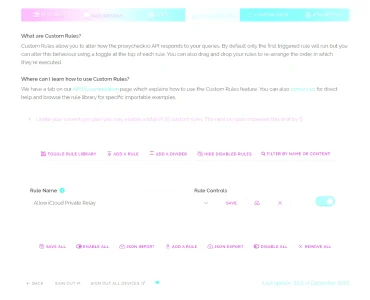
- Go to ProxyCheck.io Dashboard → Custom Rules
- Click "BIG BUSINESS" category
- Add the "Allow iCloud Private Relay" rule
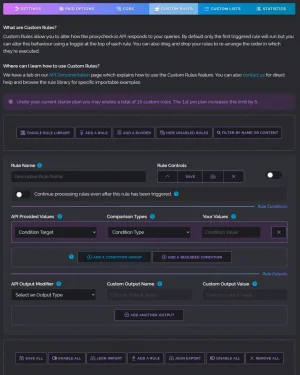
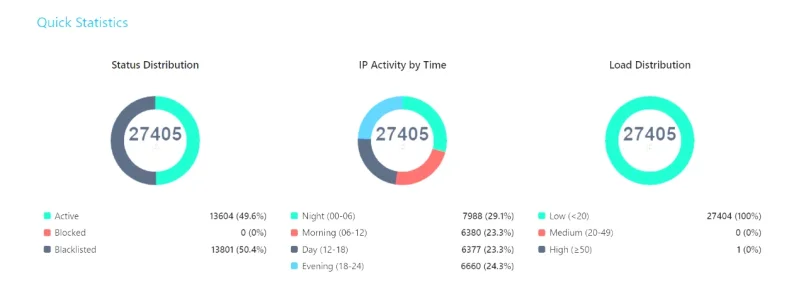
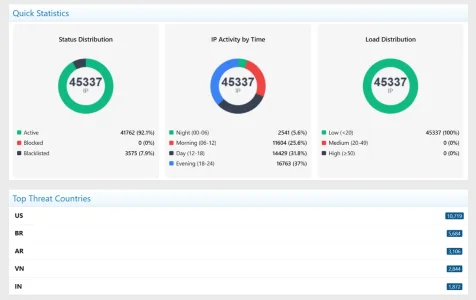
- Critical Fix: Resolved MySQL query error [1406]: Data too long for column 'data_value'. This issue occurred on high-traffic sites because XenForo's SimpleCache stores all data in a single database row, which overflowed with thousands of IP check records. VPN/Proxy check results are now securely stored using the add-on's efficient CacheManager (Redis/APCu/File) instead.
- New Feature: Added "Clear VPN Check Cache" option to the Monitor Dashboard > Prune /...
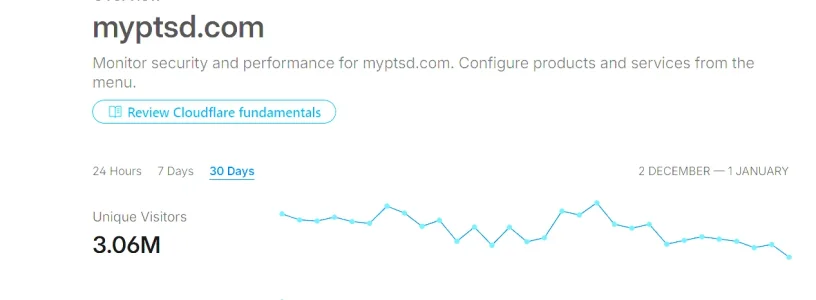
The callbacks for add-on updates seem to be blocked
Something seems to be blocking the callbacks about new add-on updates and API key changes. This prevents faster updates about new versions.
Instructions on how to unblock it with e.g. Cloudflare
(This message can be disabled from the add-on's options)
1.2.3.41.2.3.0/24We use essential cookies to make this site work, and optional cookies to enhance your experience.