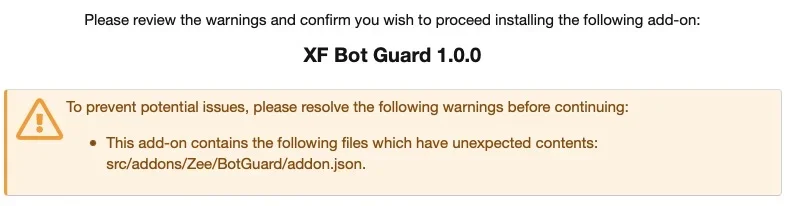
Nope.
Will possibly give it a try but not now. My test server is behind htpasswd protection (thus access via shell script won't work) and I currently don't have the time to fiddle around too much.
No worries mate.
To give you a more concrete idea, on the default scoring the CAPTCHA threshold is
50 points.
A normal browser with JavaScript enabled, cookies working, and the Bot Guard fingerprint collector successfully running is not supposed to trip CAPTCHA just because you click through some threads quickly or change IP a couple of times. That kind of behaviour can be normal enough: mobile networks, VPN reconnects, ISP address changes, office networks, etc.
With a good-looking browser session, the obvious “bad client” scores are not present. In other words, you do not get these:
- missing/unconfirmed fingerprint: +25
- no cookie continuity: +20
- no JavaScript confirmation: +30
A no-JS/no-cookie client would usually score
75 and be challenged. A proper browser does not.
There are also negative scores / trust factors. For example:
- logged-in user: -30
- staff user: -100
- recently passed CAPTCHA / trusted session: reduced risk while trust remains valid
So if you are testing while logged in, or after already solving a challenge, even from a prior session using that browser, or as staff, you are making yourself much harder to challenge. For testing, it is best to use a logged-out guest session/private window and avoid solving the CAPTCHA unless you are testing the solve flow itself.
With the default scoring, examples of positive risk signals are:
- 80+ dynamic page events within 10 minutes: +30
- 120+ total Bot Guard events within 10 minutes: +30
- 5+ error-route hits within 10 minutes: +30
- 3+ sensitive/system route hits within 10 minutes: +20
- same fingerprint seen from 6+ IPs within 24 hours: +30
- same fingerprint seen from 2+ countries within 24 hours: +50
- same fingerprint seen from 3+ ASNs within 24 hours: +50
- 8+ different fingerprints from the same IP within 24 hours: +40
- recent failed CAPTCHA: +40
- fake/unconfirmed fingerprint cookie: +35
So, for example, just clicking around fast in a real browser might only get you
+30, which is below the 50-point threshold. You would generally need something like 120+ requests in 10 minutes, or a combination such as lots of errors plus sensitive route hits, or many fingerprints from one IP plus a new fingerprint, or a fingerprint jumping countries/ASNs.
That is intentional. If a real browser with JS/cookies working were challenged simply because someone clicked fast and changed IP twice, the false positives would be ugly.
The quickest test is still the curl/no-JavaScript/no-cookie test, because it confirms the protection path is actually running. Since your test server is behind htpasswd, you can still run it by adding HTTP Basic Auth to curl, for example, run numerous of these:
Bash:
curl -u username:password https://your-test-site.example/threads/example-thread/
Or add this to the test script’s curl command:
That should confirm very quickly whether Bot Guard is active at all. A no-JS/no-cookie curl-style request should normally get one bootstrap page at most, then be challenged on the next protected page request.
If you want to test manually with a browser and VPN, I would do it like this:
- Uninstall and install the add-on, to clear the data tables.
- Enable Bot Guard.
- Immediately open a private/incognito window.
- Make sure you are logged out.
- Do not use a staff account.
- Clear cookies for the test domain first.
- Visit a protected thread page once and let it load normally.
- Then disable JavaScript for the site, or block the
/bot-guard/collect request in dev tools/uBlock/etc.
- Click to another protected thread/page.
- You should now be challenged, because the browser is no longer confirming JS/fingerprint/cookie continuity correctly.
Alternatively, to test the IP/fingerprint heuristics with a VPN:
- Use a logged-out private window.
- Keep JavaScript and cookies enabled.
- Visit a protected thread page and let it fully load.
- Switch VPN location to a genuinely different country, not just another endpoint in the same country.
- Reload/visit protected pages again.
- Repeat with another country if needed.
- It should boost the score incrementally until triggered.
With default scoring, the same fingerprint seen from 2+ countries in 24 hours is
+50, which is enough to hit the CAPTCHA threshold by itself. Same fingerprint across 3+ ASNs is also
+50. Same fingerprint across 6+ IPs is only
+30, so changing between a couple of nearby VPN endpoints may not be enough.
Also, if there are no logs at all, check whether logging is enabled and whether the route being tested is actually inside the protected scope. If the route is excluded or not protected, there will naturally be nothing useful to see.