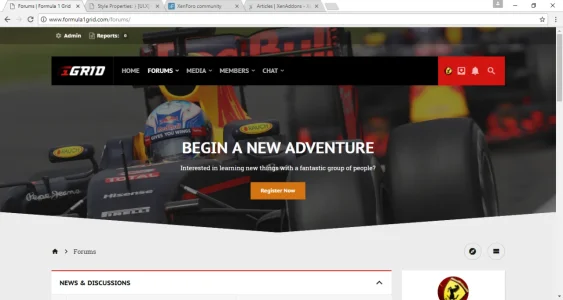
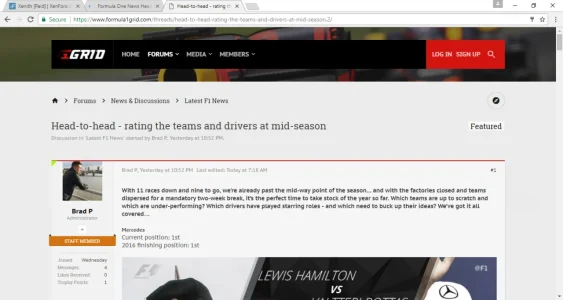
Solved.Greetings, if I can ask. How do I change this image?



Solved.Greetings, if I can ask. How do I change this image?

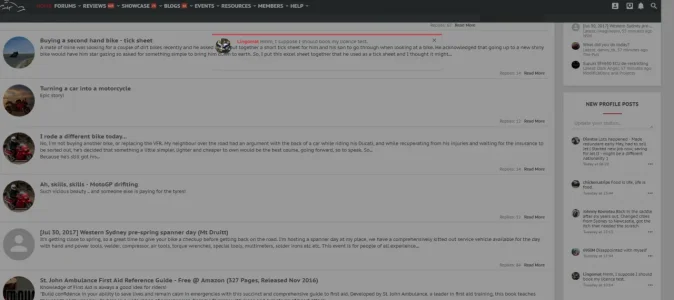
Thanks for the report, looking into this now. https://github.com/Audentio/xftheme-issues/issues/198With this version, interacting with Profile Posts and they appear transparent ...
View attachment 154914
Forum Home Page -> Profile Posts in sidebar -> Click on the Ellipse in the bottom right of the profile post.
Apologies looked into it, unable to replicate:With this version, interacting with Profile Posts and they appear transparent ...
View attachment 154914
Forum Home Page -> Profile Posts in sidebar -> Click on the Ellipse in the bottom right of the profile post.
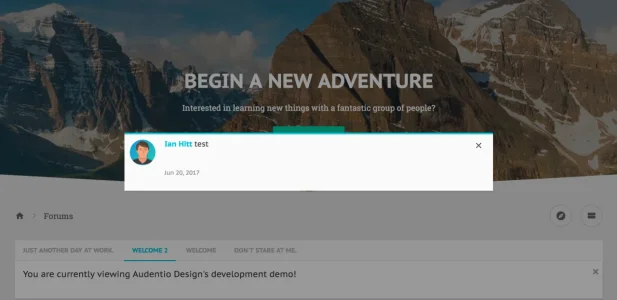
.messageSimple, .commentSimple

Hello, not sure what could be causing this to mess up. Go ahead and create a ticket on this.May it be, that the Style Option - [UI.X] Search - "Viewport Width to Show Search Icon" does not work when "Search Position" is set to "Tab Links" or "Navigation" (did not try the others)?
When I set the value to "20%" or "30%" I would expect that the Quick search will be replaced with just the search icon when I narrow the width of the browser window? But it won't change, never. Just 100% (or any % gives 100%) and 0 works.
Check your user group permissions, with settings in the [Audentio] UI.X Permissions section, specifically 'Can View Welcome Block'I thought i fixed it but i didn't
when i log onto the site it still displaying register button and text? potentially i was thinking is it possible to replace that with the attached image below?
Perfect, thank you, but i am curious to see if its possible to setup that image i attached

Sorry, I don't understand what your question is.will that display more than an image i mean, im guessing that on the actual site its a live widget ?
Not sure why this is happening, how small is the image you're using?Something has broken on the avatar on message layout? im sure it should be flush to the left where the online marker is?
View attachment 155636
Outstanding, glad to hear.this is now being fixed
Is there an option to fold (close) the selected tab sub-links („Watched threads“, „Watched Forums” … ) ALWAYS when an user opens the responsive navigation menu on mobile devices?
At the moment with every click on a menu point (“Forums”, “Media”…) the particular sub-links are opened (visible). Especially in responsive resolutions the users are overwhelmed by these options. I would like to generally hide them and just show them, when an user clicks on the arrow.
One more thing:
I would like to remove the poster's avatar from thread listing, when the responsive resolution is very small, eg on iPhone5 + 6 vertical. with 320-360px width. The poster's name is enough when resolution is this tiny.
Hello, so sorry for the delay in response. I'm gonna go ahead and tag some folks who will be able to help but you may also create a ticket to.No one has an hint or a solution for this, please?
Same here, any suggestion/hint please?

We use essential cookies to make this site work, and optional cookies to enhance your experience.