[XB] Xmas Garland

[XB] Xmas Garland 1.0.0

No permission to download
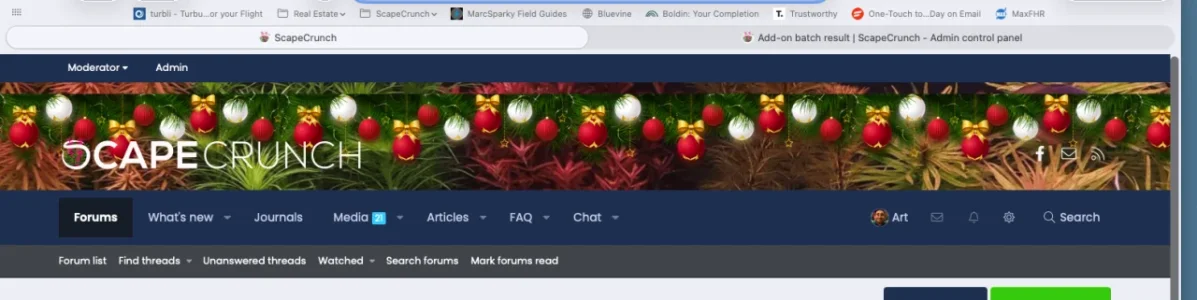
It's not working correctly on PixelExit Bolt. There is a space between the garland and the top of the theme.
 
Got it. I'm trying to figure out why mine doesn't line up at the top like yours.
 
Got it. I'm trying to figure out why mine doesn't line up at the top like yours.
To me it looks like a theme thing.

Looks ok to me when you look closely at the background.

On a side note I love the FAQs is that an addon?
 
I installed it and it seems to work fine with the styles. The exception would be if you're using a custom setting like the logo in navigation (or Bolt's header version).

If you are using Bolt's custom header approach, you will need to manually apply the edit:

Open PAGE_CONTAINER

Find: (line 193 by default)

Code:
<div class="xb-page-wrapper--helper"><a href="{{ ($xf.options.logoLink && $xf.homePageUrl) ? $xf.homePageUrl : link('index') }}" class="xb-page-wrapper--helperLink"></a></div>
Change to (you're just adding the template modification manually)

Code:
    <div class="xb-page-wrapper--helper">
        <xf:if is="property('pb_xmasgarland_enable')"><xf:include template="pb_xmasgarland_header" /></xf:if>
        <a href="{{ ($xf.options.logoLink && $xf.homePageUrl) ? $xf.homePageUrl : link('index') }}" class="xb-page-wrapper--helperLink"></a></div>

And if you're decorations aren't aligned to the top, add this to extra.less:

Code:
.b-page_newyear .b-page__content {
    top: 0;
}
 
@Russ I am running Nova and it looks like this:
Screenshot 2025-12-07 125808.webp

blows the right side out. I also had to change this template modification from this: <div class="p-header-inner"> to <header class="p-header" for it to display where it does now.

Thanks,
Itworx4me
 
@Russ I am running Nova and it looks like this:
View attachment 330867

blows the right side out. I also had to change this template modification from this: <div class="p-header-inner"> to <header class="p-header" for it to display where it does now.

Thanks,
Itworx4me
An easier CSS only fix might be to just add this to extra.less:

Code:
.b-page_newyear {
    position: relative;
}
 
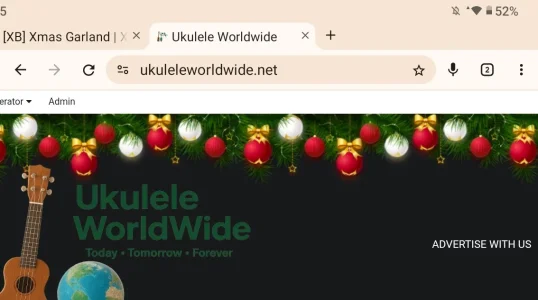
Looks great :-) I use Pixel Exit Xenbase and all is fine - I thought it might cover part of my logo which is large and central, but it doesn't - thanks for this :-)
 
Back
Top Bottom