Soft Responsive [Deleted]

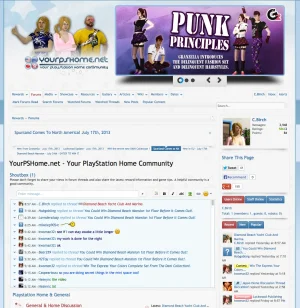
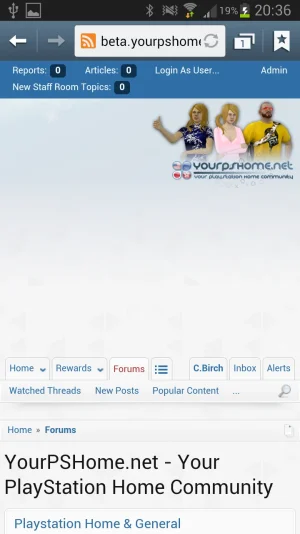
I cannot for the life of me get this to work correctly (without breaking out of the responsive area), my background or logo. I added the small logo, it wants to alight it almost center, but more to the right.
 
Small little problem with sidebar widgets using tabs, looks like some are overlapping.

Desktop:
Screen Shot 2013-07-21 at 22.54.54.webp

1.1.5:
Screenshot_2013-07-21-22-56-40.webp

1.2:
Screenshot_2013-07-21-22-55-48.webp
 
Its caused by add-on. It is not ready for 1.2, forcing fixed height on tabs in responsive view.

I'll add code to fix that :) Thanks for reporting.
 
Arty is normal that you see in this way?

My dates: xenForo 1.2.x RC 1 and Soft Responsive 3.0 beta 1

It looks so from the mobile phone
 

Attachments

  • index.webp
    index.webp
    36.8 KB · Views: 25
Last edited:
It is caused by attempt to center logo. Set logo width property and spacing on right should disappear.
 
In the Forum of the friend @Sheldon the same thing happens.
If add width to the logo looks this way.

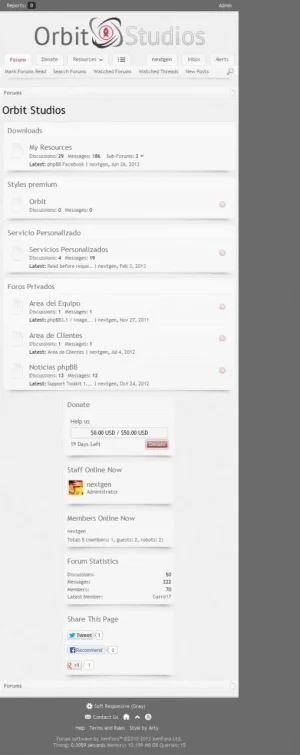
desktop, very small logo
orbit.webp

in mobile device, normal
orbit-mobile.webp
 
Last edited:
When you pick to hide the logo on mobile view and your not logged in, the log in tab covers the menu bar.
Screenshot_2013-07-22-19-50-06.webp
 
It is caused by attempt to center logo. Set logo width property and spacing on right should disappear.
I get this also, but i don't wish to have the logo in the center, on the full size screen, is there any work around to it?
 
Back
Top Bottom