Simple grid and rounded nodes

Simple grid and rounded nodes 1.1

No permission to download

Mr Lucky

Well-known member
Licensed customer
Mr Lucky submitted a new resource:

Simple grid and rounded nodes - Two column grid for forum list with rounded corners and optional subforums shown in a box

A few people asked me about this. This is a very simple style close to the default with:
  • Forum list displayed as 2 or 3 column grid.
  • A jaunty blue background.
  • Rounded corners
  • Threads displayed with rounded corners and separated
  • Optional display of subforums in columns within a box on the forum view
See live demo on Logic Users Group:

[URL...

Read more about this resource...
 
Hi and thanks for this neat style. I've found a few inconsistencies. I've installed it as a child of the default Xenforo.

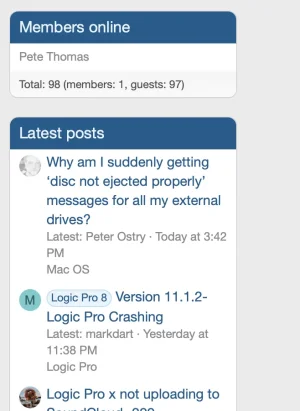
Screen Shot 2025-01-23 at 10.39.44 AM.webpThe round corner is missing on this widget.


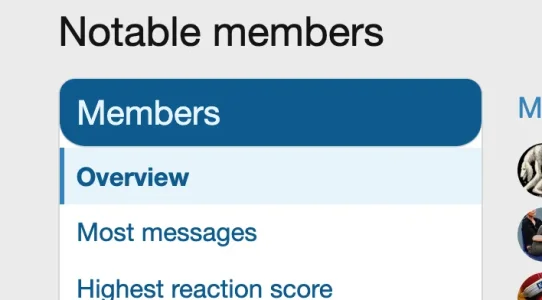
Screen Shot 2025-01-23 at 10.39.58 AM.webpOn the members block its rounded where is probably shouldn't be.


Screen Shot 2025-01-23 at 10.40.34 AM.webpSame here, also the top rounded corners seems smaller but it may be an illusion.
 
The round corner is missing on this widget.

I think it's more that the white background is missing, so it should be like the other widgets:

Screenshot 2025-01-23 at 17.00.02.webp

Unfortunately I don't have media gallery to test - I may be able to diagnose.

On the members block its rounded where is probably shouldn't be.

I've fixed that one by adding to extra .less

Code:
h3.block-header
{border-radius:@xf-borderRadiusLarge @xf-borderRadiusLarge 0px 0px}

Have updated the style.

I've installed it as a child of the default Xenforo.
When there are issues I think it can be worth double checking it is OK with style as parent.
 
@Mr. Lucky, I think you made a great style and I have changed the dark colors and now that looks great.

There is a strange thing, when changing from light to dark or from dark to light, the page jump buttons on scroll are missing.
Renewing the page brings the jump buttons back.

Another thing, I have a widget on top of the forum displaying the newest posts.

In your style the topics are smaller, then in my other styles.

68ea40314c569-Schermafdruk_van_2025-10-11_13-30-04.png
 
Hello, good afternoon.
I love this resource; it's very practical.
But I'd like to know how to do the following:
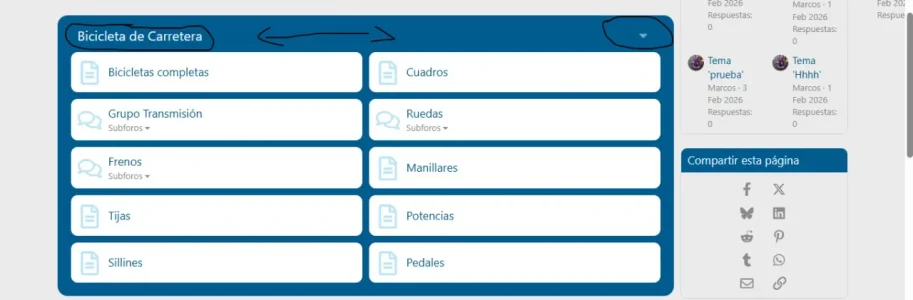
Make the category title do the same thing as the arrow on the right (open the category). Is that possible?

Thank you very much.
 

Attachments

  • 11221122.webp
    11221122.webp
    25 KB · Views: 11
Hello, good afternoon.
I love this resource; it's very practical.
But I'd like to know how to do the following:
Make the category title do the same thing as the arrow on the right (open the category). Is that possible?

Thank you very much.
Sorry, I haven't seen that arrow before, it's not related to this resource. Is it another addon?
 
Hello, good afternoon. Well, honestly, I wouldn't know. I made several modifications, used various resources... I thought it would work... However, did you understand what I wanted to do?
 
Back
Top Bottom