XF 2.3 Moderator dropdown menu has disappeared

GarthVader

New member
Hi

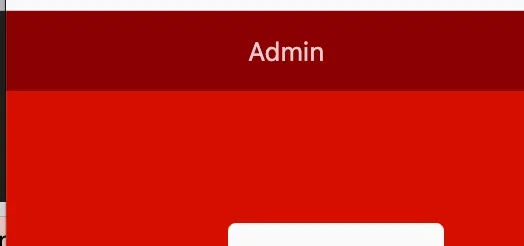
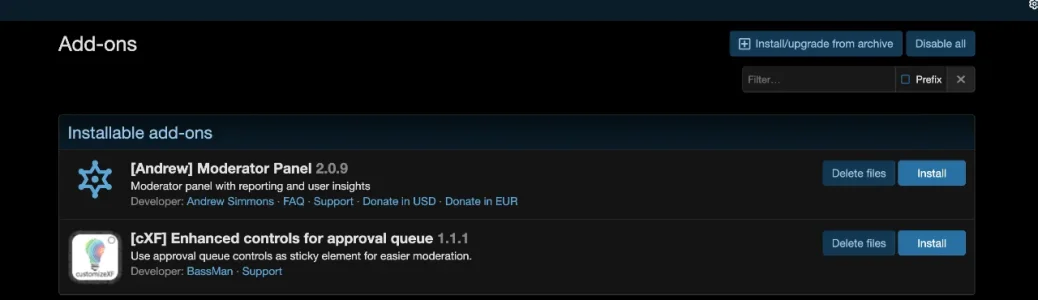
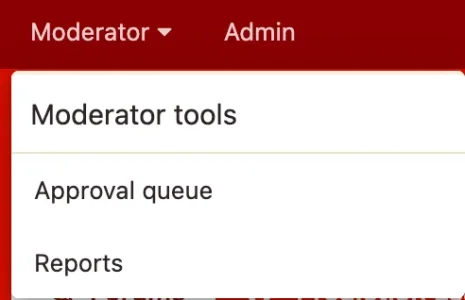
I don't know whether iit was to do with installing [Andrew] Moderator Panel or [cXF] Enhanced controls for approval queue , but I noticed within the dropdown reports and approval queue were missing. I assumed this was due to it the dropdown just showing the Andrew moderator panel that was now under there. So I removed the addon and the moderator menu disppaeared entirely. Then removed the cxF addon and still nothing changed.

If I try to access the urls directly, domain.com/index.php?approval-queue/ or domain.com/index.php?reports/ I get "Oops! We ran into some problems." and "You do not have permission to view this page or perform this action."

It's a bit of a pain as I have manual approval on users and no longer have a queue to do approve easily. Any ideas on how to sort please?

Thanks
 

Attachments

  • CleanShot 2026-02-20 at 10.03.33@2x.webp
    CleanShot 2026-02-20 at 10.03.33@2x.webp
    8.1 KB · Views: 2
  • CleanShot 2026-02-20 at 10.04.07@2x.webp
    CleanShot 2026-02-20 at 10.04.07@2x.webp
    1.8 KB · Views: 2
If I try to access the urls directly, domain.com/index.php?approval-queue/ or domain.com/index.php?reports/ I get "Oops! We ran into some problems." and "You do not have permission to view this page or perform this action."
Just to rule out the obvious, but can you double check the permissions for your account's primary&secondary groups?

So I removed the addon and the moderator menu disppaeared entirely. Then removed the cxF addon and still nothing changed.
Did you actually removed/uninstalled those add-ons or only disabled them?

One more question, if I may, is there any message logged in the forum 's error log pertaining to this?
 
Thanks for your reply

Just to rule out the obvious, but can you double check the permissions for your account's primary&secondary groups?

Registered doesn't have permissions to with a "no" flag and admins and moderators have the permission, of which I am a member of both. Added myself as a moderator as well to rule that out.

Did you actually removed/uninstalled those add-ons or only disabled them?

Both. Uninstalled, but still showing in addons as install/delete files.

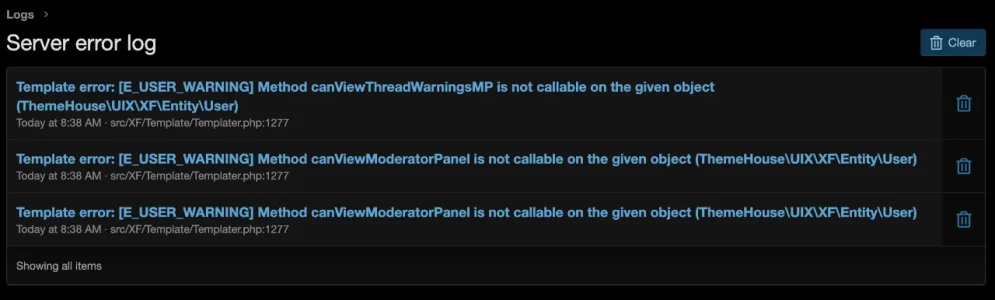
One more question, if I may, is there any message logged in the forum 's error log pertaining to this?

There are some errors that do look like they relate to the moderator - image attached
 

Attachments

  • CleanShot 2026-02-20 at 13.15.02@2x.webp
    CleanShot 2026-02-20 at 13.15.02@2x.webp
    23.9 KB · Views: 5
  • CleanShot 2026-02-20 at 13.16.05@2x.webp
    CleanShot 2026-02-20 at 13.16.05@2x.webp
    39.3 KB · Views: 5
I am not familiar with the add-on in question, but it looks like to me that it's related to the navigation tab that it adds. In theory the issues caused by an add-on should be gone after said add-on is uninstalled. Can you uninstall it completely by removing all of its files by clicking the Delete files button? It's worth a try imo. Hopefully this will solve the issue.
 
Does that error keeps getting logged in the logs again after the deletion of said add-on files?

If I were you I would post about this at that add-on support topic. Its author or other co-users will be able to help you out better imo.
 
Explicitly add yourself to the super moderator group. Just being an admin isn't enough. Just adding a 2nd user group of moderating is not enough.

admin.php?moderators/
I think that @GarthVader did that already.

Registered doesn't have permissions to with a "no" flag and admins and moderators have the permission, of which I am a member of both. Added myself as a moderator as well to rule that out.
 
Back
Top Bottom