• This forum has been archived. New threads and replies may not be made. All add-ons/resources that are active should be migrated to the Resource Manager. See this thread for more information.

Member Map

1.0.5 with XF 1.1
Can you try v1.0.5-2? Weren't able to reproduce the errors you got, but made a couple of changes to things I think could have caused that issue.

And to make it clear, these you got these errors when Taigachat wasn't installed too?
 
Strange. I uploaded new Member Map ( v1.0.5-2)and I can't see it on my forum :confused:
permissions are OK... upload is done and I made upgrade, too.
 
Hey,,

first of all thanks for this mod, really useful.

We run on 1.0.4 and i installed the 1.0.4-2 Version. What is a bit strange is that the map is not show in the full height. In the CSS i think the height is set to 800 px, but it only shows a small height, which gets bigger with more Users.

On my mobile phone again the map is shown immediately with the right height....is there any solution to this? I cant find the reason behind this..

Thanks in advance for any help, lagrange.
 
Just a quick post to say thank you - I've installed it this morning on CycleChat as a shoe-in for our previous IP.Board member map mod, and people are quite happily adding themselves to the map already. (y)

Cheers,
Shaun :D
 
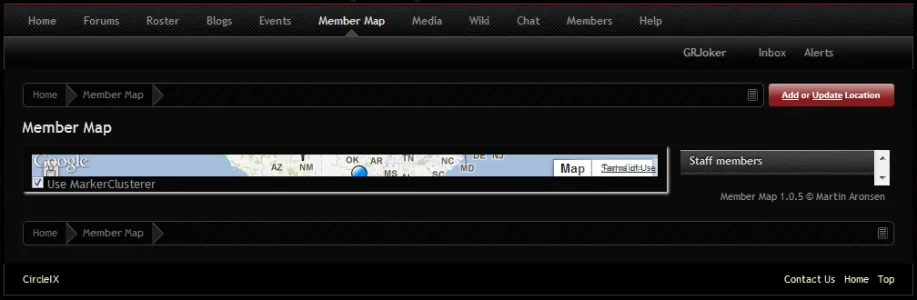
I have just updated from 1.0.4 to 1.10 and my member map messed up. If anyone could hep I would gladly appreciate it, I have uploaded a image of what it look s like now. I have updated to the newest version of the add-on you guys have here available for download.

Thank You
 

Attachments

  • Capture.webp
    Capture.webp
    24.8 KB · Views: 64
Hey,,

first of all thanks for this mod, really useful.

We run on 1.0.4 and i installed the 1.0.4-2 Version. What is a bit strange is that the map is not show in the full height. In the CSS i think the height is set to 800 px, but it only shows a small height, which gets bigger with more Users.

On my mobile phone again the map is shown immediately with the right height....is there any solution to this? I cant find the reason behind this..

Thanks in advance for any help, lagrange.


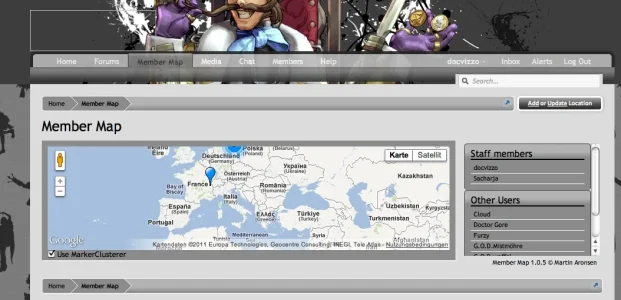
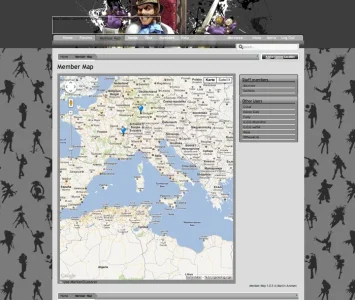
We have updated on xenforo 1.1 and i still have the problem with the height, cant find the solution to this. The height is to small. It only changes when i completely zoom out in my browser (see the pics). In this case the map adjusts....

Any idea? Here are my css settings...

Code:
#mainWrapper {
    height: 800px;
}
 
#mapWrapper {
    position: relative;
    overflow: hidden;
    margin-top: 10px;
    padding: 10px 10px 17px 10px;
    height: 800px;
    background-color: @primaryLightest;
    box-shadow: #e5e5e5 2px 2px 2px;
    -webkit-box-shadow: #e5e5e5 2px 2px 2px;
    -moz-box-shadow: #e5e5e5 2px 2px 2px;
}
 
#mapCanvas {
    width: 100%;
    height: 100%;
}
 
#panel {
    float: right;
}
 
#markerlist {
    margin: 5px 5px 0 15px;
    overflow: auto;
    /*width: 300px;*/
    line-height: 1.2em;
    max-height: 820px;
}
    #markerlist li {
        padding-left: 5px;
    }
 
#followedUsers {
    margin-bottom: 5px;
}
 
.title {
    border-bottom: 1px solid @primaryLighter;
    overflow: hidden;
    cursor: pointer;
    padding: 2px 0;
    display: block;
    text-decoration: none;
}
 
    .title:visited {
    }
   
    .title:hover {
        background: @primaryLighterStill;
    }
 
#mapOptions {
    float: left;
    color: @contentText;
}
 
#mapDetails {
      position: absolute;
      width: 300px;
      bottom: 15px;
      right: -320px;
      padding: 10px;
 
      /* Semi-transparent background */
      background-color: rgba(0,0,0,0.8);
      color: #D9E3ED;
      font-size: 20px;
 
      /* Rounded top left corner */
      border-top-left-radius: 15px;
      -moz-border-radius-topleft: 15px;
      -webkit-border-top-left-radius: 15px;
    }
 
    /* Fit the text nicely inside the box */
    #mapDetails h1 {
        font-family: sans-serif;
        margin-bottom: 0;
    }
   
    #mapDetails p {
        margin-top: 0;
        font-size: 16px;
    }
   
    #mapDetails img {
        float:left;
        margin-right: 5px;
        width: 48px;
        height: 48px;
    }
   
    #mapDetails a:link,
    #mapDetails a:visited {
        color: #D9E3ED;
    }
 

Attachments

  • map_normal.webp
    map_normal.webp
    62.7 KB · Views: 61
  • Map_zoomedout.webp
    Map_zoomedout.webp
    68.6 KB · Views: 64
from what i can tell this is a screen resolution problem it works great in 1920 x 1080 but sux more the lower you go
 
I have just installed this add-on and I totally love it.

I would love it even more if you added a possibility to automatically create markers from users location field - that would be awesome :)

And another suggestion: When you add you map location and your location field in user profile is empty it automatically fills it too.
 
I have just installed this add-on and I totally love it.

I would love it even more if you added a possibility to automatically create markers from users location field - that would be awesome :)

And another suggestion: When you add you map location and your location field in user profile is empty it automatically fills it too.
Basically what he ^ said with Admins being able to add markers under a different blimp color. Basically for a fighting game site to be able to add arcades and other venues.

This a possibility?
 
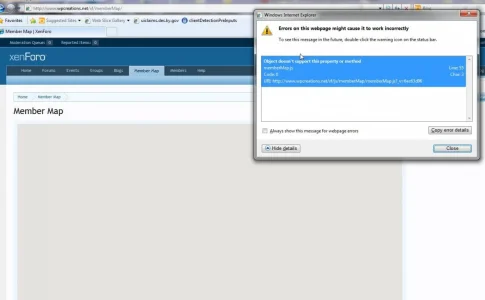
Is anyone having issues with XF 1.1 and member map 1.05 loading in IE only. It is totally blank
 

Attachments

  • Member Map  XenForo - Windows Internet Explorer_2012-01-31_08-40-51.webp
    Member Map XenForo - Windows Internet Explorer_2012-01-31_08-40-51.webp
    39.1 KB · Views: 40
Okay i have fixed it to show in IE but unsure what the moderator bar is ? I took the code out for the moderator bar and now it shows. I am sorry but maybe i missed a setting or something but unable to find it. Only thing i can think of is the XF bar at top . Your thoughts ?
this in in memberMap.js

setMapHeight: function()
{
browserHeight = $( window ).height();
moderatorBar = ( $( '#moderatorBar' ).outerHeight( true ) || 0 );
headerHeight = $( '#headerProxy' ).outerHeight( true );
footerHeight = $( '.footer' ).outerHeight( true ) + $( '.footerLegal' ).outerHeight( true );
contentHeight = $( '.titleBar' ).outerHeight( true ) + $( '.breadBoxTop' ).outerHeight( true ) + $( '.breadBoxBottom' ).outerHeight( true );

totalPageHeight = moderatorBar + headerHeight + footerHeight + contentHeight;
leftForMe = browserHeight - totalPageHeight + 20;

$( '#mainWrapper' ).css( { height: leftForMe + 'px' } );
$( '#mapWrapper' ).css( { height: ( leftForMe - 15 ) + 'px' } );
$( '#markerlist' ).css( { 'max-height': leftForMe + 'px' } );
},
 
Back
Top Bottom