Resource icon

Jazz up your bullet lists

Lisa

Well-known member
Licensed customer
Azhria Lilu submitted a new resource:

Jazz up your bullet lists - Bullets become pretty!

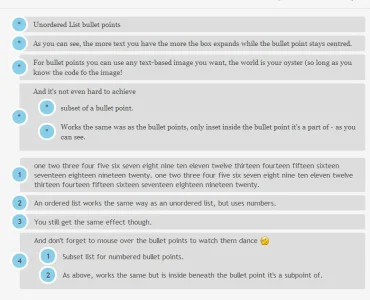
It's me again, with yet another odd little css change. This time we're going to funk up your lists and go from this:-
View attachment 48630

to this:-
View attachment 48631

All you need to do is add the following to your EXTRA.css.

Code:
.message ol{
    counter-reset: li; /* Initiate a counter */
    list-style: none; /* Remove default numbering */
    *list-style: decimal; /* Keep using default numbering for IE6/7 */
    font: 15px 'trebuchet MS', 'lucida sans';...

Read more about this resource...
 
:D Nice work. Had a lot of fun hovering over those bad boys. Excellent resource indeed. (y)
 
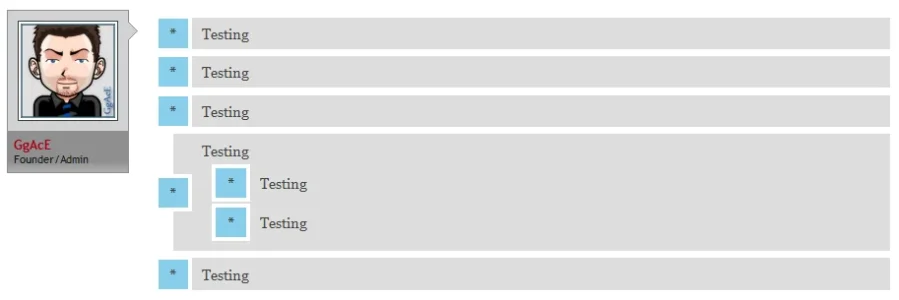
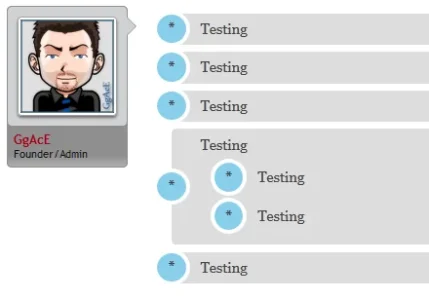
Currently, like this:-
subbullets.webp
I'll probably fiddle with it to change it somewhat though.
 
Thank you for your response. I have gone ahead & gave it a whirl. internet explorer 7 however looks funy while firefox is perfect as usual.

IE 8.webp firefox.webp
 
Nice job with this and thanks. Can anybody tweak the CSS Colors for a Dark Style? It from sudden feels too much light that i don't know what to change now.
 
Great work :)

Now if we can only get those circles to be "Mickey Mouse Ears" ;)

HAHAHAHA.. I'm not sure I can achieve that.. you could probably replace the inside image with mickey mouse ears though.
 
Hey any new work on this? I love the way it looks! But, I also tend to do sub-level bullet lists as well and wasn't thrilled at all with how they appear when you do more than one level on your lists. I would LOVE to use this, but just not unless it lays out sub-levels nicer.
 
Back
Top Bottom