
ITDarasgah submitted a new resource:
ITD Animated 3D Smiles Part 1 - ITD Animated 3D Smiles Part 1
Read more about this resource...
ITD Animated 3D Smiles Part 1 - ITD Animated 3D Smiles Part 1
Read more about this resource...



Are they transparent background of white?


Cheers. Using my phone so couldn't download them.
Very hard, but not impossible, its time consuming practiceAny chance of updating them to transparent instead of white?


Very hard, but not impossible, its time consuming practice
initially, i will try with few,if result become acceptable, then will do for allWell everyone in the xenforo world would love you for doing it! I love dark themes and these smiles are boss!

initially, i will try with few,if result become acceptable, then will do for all
Yes and yesDoes it make sense to install smileys that aren`t packed as a CSS sprite? Is it even possible to create a sprite image with animated smileys?
So, this is the best possible transparency of background i got after wasting some timeAwesome!


So, this is the best possible transparency of background i got after wasting some time
View attachment 75205
View attachment 75206
View attachment 75207
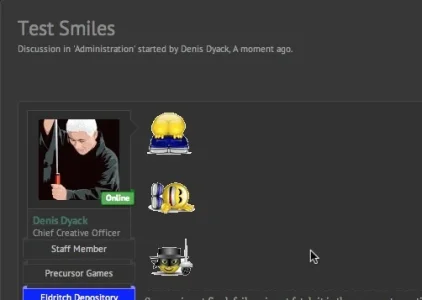
I am not sure this trick will helpGreat stuff! It really helps a great deal. I have one minor suggestion:
Here is what they look like on my forum
View attachment 75224
I would suggest using a neutral grey (127,127, 127) for a background to anti-alias to before added the transparent the mask instead of white. By doing this, the outline from the anti-alias will not stick out on either light or dark themes.

I am not sure this trick will help
View attachment 75282
you can notice the white edges are still showing around smiley and shades are also. And when i change its background to transparent, the result will be the same as i already shared before.

yes, but this is a "hard" project for meHrm - yah that does not look quite right. There should only be grey edge not a white edge. I believe this is done in one of two ways:
1) Create the graphic with a mask - no anti-alias and then anti-alias the masked image to a grey background.
2) The other is is anti-alias the image with a mask with the actually transparency layer. So the edges are actually more transparent.
Here is a an example of one that seems to be anti-aliased correctly for any background - light or dark.
View attachment 75285
Does this help explain?
i will try to do that if time allows me . . . . 
yes, but this is a "hard" project for me

You can upload complete folder to your web root or any place you like, then:Hi Guys , quick question.
I downloaded Waindigo's smilie importer add on. Then I downloaded these. I noticed they are not in a xml file.
How do I get these to show in the Smilies option in ACP? Also I am a new to sprites etc so I need pretty exact tutorial. thanks


We use essential cookies to make this site work, and optional cookies to enhance your experience.
