Bionic Rooster
Well-known member
Imagick support has been removed from PHP 7.4.15 Is it still needed and if so how do I re-enable it?
Thanks,
Thanks,
pecl install imagick
git clone https://github.com/Imagick/imagick
cd imagick
phpize && ./configure
make
make install
check these guys out they helped me to getting imagick to work https://www.apachelounge.com/viewtopic.php?p=40092#40092 even though its for windows, I assume same concept?upgraded to php8,
can't get imagick to work.
pecl nor phpize are available. is this something to install for php8?
What OS are you using, and how did you install/upgrade PHP?upgraded to php8,
can't get imagick to work.
pecl nor phpize are available. is this something to install for php8?
To install imagick on CENTOS 7 with PHP 8 installedcpanel easyapache running on centos7
# git clone https://github.com/Imagick/imagick
# cd imagick
# /opt/cpanel/ea-php80/root/usr/bin/phpize
# ./configure --with-php-config=/opt/cpanel/ea-php80/root/usr/bin/php-config
# make
# make install
# exit
[imagick]
extension = "imagick.so"
# rm -f -r imagick
# exit

Source: https://www.xf2addons.com/threads/imagick-installation-instructions-for-php-8.960/To install imagick on CENTOS 7 with PHP 8 installed
1) Login to WHM as root.
2) Open Terminal: WHM -> Server Configuration -> Terminal
Code:# git clone https://github.com/Imagick/imagick # cd imagick # /opt/cpanel/ea-php80/root/usr/bin/phpize # ./configure --with-php-config=/opt/cpanel/ea-php80/root/usr/bin/php-config # make # make install # exit
3) Edit PHP 8 INI: WHM -> Software -> MultiPHP INI Editor -> Editor Mode -> ea-php80
Insert code below and save:
Code:[imagick] extension = "imagick.so"
4) Restart Apache: WHM -> Restart Services -> HTTP Server (Apache)
5) Reopen Terminal to cleanup install: WHM -> Server Configuration -> Terminal
Remove install directory.
(This will delete the temporary imagick directory including all files and subdirectories.)Code:# rm -f -r imagick # exit
6) Verify imagick is now running under PHP 8: Open XenForo AdminCP.
Server Environment Report should now report Imagick Support as "Yes" when running under PHP 8.
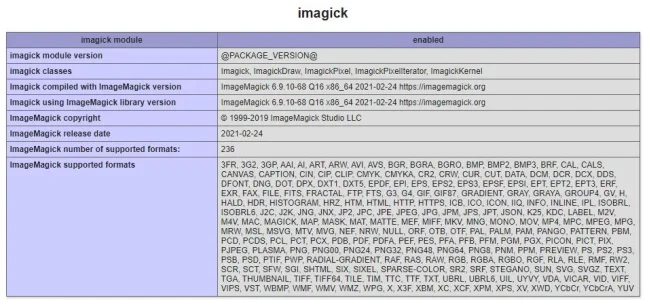
View attachment 252224
AdminCP -> Tools -> PHP Info
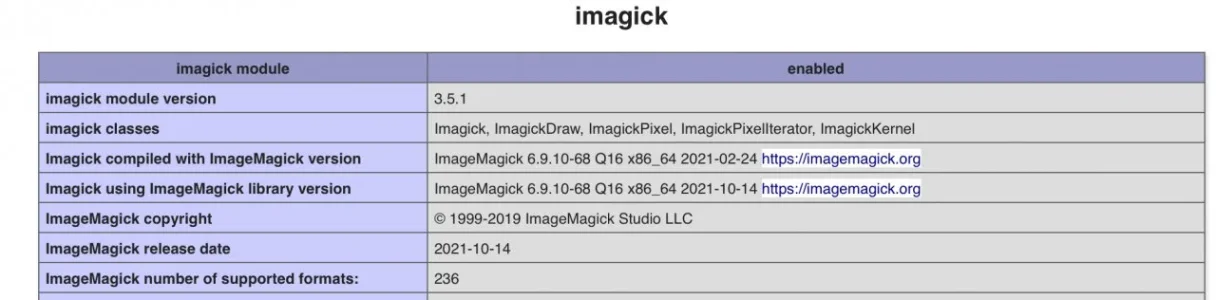
Should now contain imagick section when running under PHP 8.
View attachment 252225

Didn't use this source, but it is a nearly identical install solution.
Is yum installing the latest ImageMagic version 7 or is it still installing version 6?These instructions are for users with the following:
CENTOS 7.9
WHM/cPanel
PHP 8.0
Log into terminal as user:
$ yum install ImageMagick ImageMagick-devel -y
$ /opt/cpanel/ea-php80/root/usr/bin/pecl install imagick
We use essential cookies to make this site work, and optional cookies to enhance your experience.