We did say we'd see you again fairly soon and so here we are, hot on the heels of our push notifications announcement, to bring you an update on several more new features and improvements coming in XenForo 2.1. Remember, to ensure you're kept up to date, we strongly recommend smashing the...
We did say we'd see you again fairly soon and so here we are, hot on the heels of our push notifications announcement, to bring you an update on several more new features and improvements coming in XenForo 2.1. Remember, to ensure you're kept up to date, we strongly recommend smashing the...
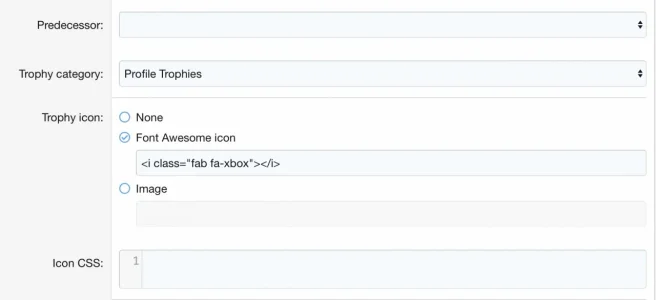
Awesome! I am trying to use them in trophies. Is there something specific I need to type in the section under trophies? Because I used the link it provided when I clicked “Start Using This Icon”. Yet it doesn’t seem to be showing up.
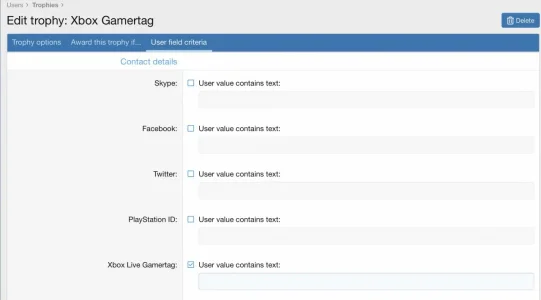
Now if I am trying to get it to unlock automatically for having a custom user field called Xbox, and all they have to do is put in their Gamertag, would simply checking it off where it says ”User value contains text” be enough? Because I have had that checked for about 30 min or so now and it still hasn’t unlocked on my profile. Do I have to put something in the box?
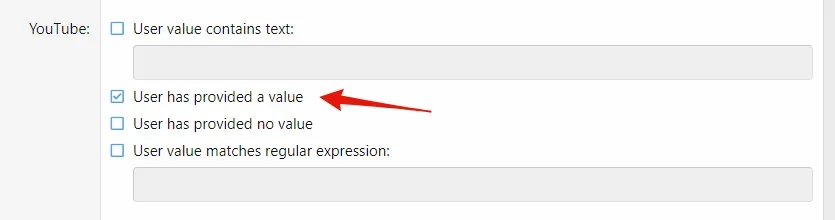
I think having the box empty is not allowed, but I haven't used that before. My guess would be that you input any text there and it unlocks as soon as the user value contains the text you entered in the box below. I don't think it works if the text is empty.
You could, however, check this by manually running the cron Update user trophies (Tools -> Cron Entries). It is supposed to run once every hour.
I think having the box empty is not allowed, but I haven't used that before. My guess would be that you input any text there and it unlocks as soon as the user value contains the text you entered in the box below. I don't think it works if the text is empty.
You could, however, check this by manually running the cron Update user trophies (Tools -> Cron Entries). It is supposed to run once every hour.