
- Home
- Forums
- XenForo resources and add-ons
- Resource and add-on releases [2.x]
- Template modifications [2.x]
You are using an out of date browser. It may not display this or other websites correctly.
You should upgrade or use an alternative browser.
You should upgrade or use an alternative browser.
![[cXF] Cookie Notice](/community/data/resource_icons/6/6452.jpg?1632687738)
[cXF] Cookie Notice 1.1.0
No permission to download
- Thread starter BassMan
- Start date

No, manually edit in extra.less should be your best option.Ok thanks. So do I need to set something in the style as well?
Simple browser inspector tool.So how did you get to see it in a different colour? Did you switch to default view instead of the style?
Add this to your extra.less:
Less:
[data-notice-id="-1"].notice--cookie .js-noticeDismiss.button--notice.button, .notice--cookieAdvanced .cookies-buttons .button--primary {
    color: #fcfcfc !important;
    background: #e8264d !important;
}
See if it changes anything.
Thank you. It has changed the button colours for Accept and Reject, but not to the colours I choseYes, use also this:
Less:[data-notice-id="-1"].notice--cookieAdvanced .cookies-buttons .button--link { color: #fdfdfc !important; background: #f23a02 !important; }
 They are now two different shades of red. I had set two different shades of green.
It's still on the leftSettings in style properties should work for these buttons too. It works fine on my side. Maybe it is overwriting something (from extra.less?).
You can do it manually with this in your extra.less template:
Less:@media (min-width: @xf-responsiveMedium) { .u-bottomFixer [data-notice-id="-1"] { left: auto; right: 20px; } }
 It doesn't matter - it's fine where it is
I also still seem to have a slight bit of the old cream colour round the edges - on the left particularly. As if the new colour is on top of the old one. Maybe to do with my style again?
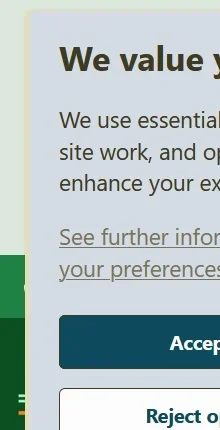
Last edited:
Thank you so much. It looks so much better on desktop, when floating, and information is clearer to see. On mobile however, whether floating or not, it takes up about half the screen (not related to this addon, just the fact it's the advanced cookie banner) - which is horrible! I hate that on websites! I guess that's just the nature of a full cookie banner.
Similar threads

- Replies
- 0
- Views
- 160

- Replies
- 6
- Views
- 140
D
- Replies
- 14
- Views
- 186