XF 2.1 Can you change the background colour between posts?

JamesAus

Active member
Licensed customer
I'm using the default XenForo style, and the large majority of my members are struggling with it as they feel posts are running together.

Is it possible to change the background colour between posts without changing the background colour for the whole page?
 
Add this to your extra.less template

CSS:
/* Alternating Post Color */
.block--messages .message:nth-child(even) {background-color: #add8e6 !important;}
.block--messages .message:nth-child(odd) {background-color: #ffffe0 !important;}

Adjust color as needed.
 
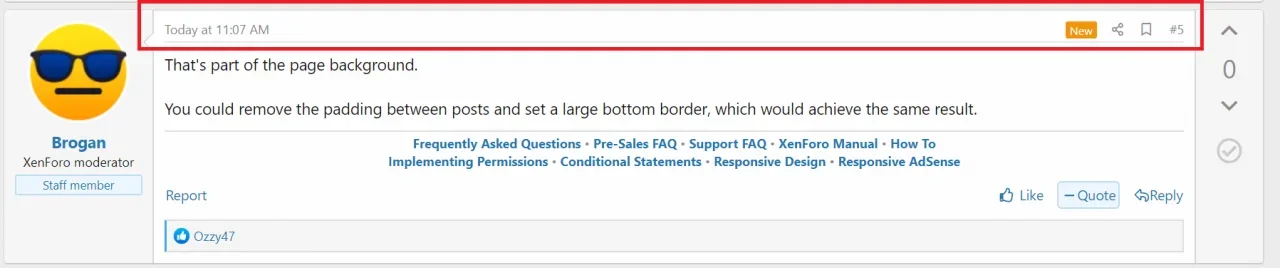
That's part of the page background.

You could remove the padding between posts and set a large bottom border, which would achieve the same result.

Thanks Brogan. I imagine it's outside of support you would provide as a staff member, but does anyone know how I would do that?
 
First thing to do is create a new style with no parent. That will duplicate the default style. Make it not publicly visible, admin will still be able to view it. Then start experimenting on that new style. Try stuff and learn from trial and error - it's easy to reverse any change you make. Find out what all you can do. Self teach!
 
First thing to do is create a new style with no parent. That will duplicate the default style. Make it not publicly visible, admin will still be able to view it. Then start experimenting on that new style. Try stuff and learn from trial and error - it's easy to reverse any change you make. Find out what all you can do. Self teach!

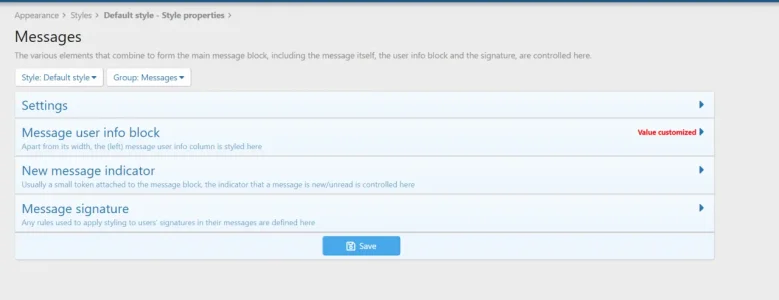
Already tried, by looking at the Messages colours section, and been playing around with colours there:

1596348203256.webp

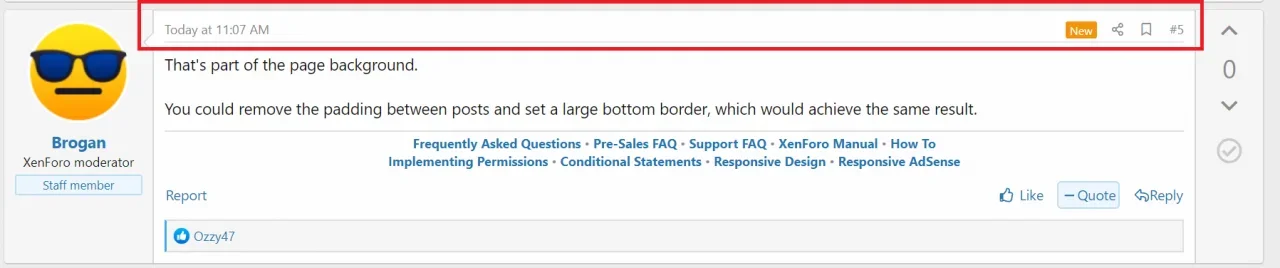
but nothing seems to adjust the colour of the post information:

1596348248452.webp
 
Back
Top Bottom