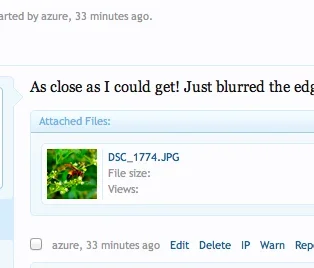
Smooth Active member Licensed customer Dec 28, 2011 #1 Hi, Quick one - I cant for the life of me remember where to switch off the blue 'Attached Files' box that sits round thumbnails in a post? In Kiers demo of 1.1 attachments, he attaches two thumbnails, and both sit as part of the post rather than:
Hi, Quick one - I cant for the life of me remember where to switch off the blue 'Attached Files' box that sits round thumbnails in a post? In Kiers demo of 1.1 attachments, he attaches two thumbnails, and both sit as part of the post rather than:
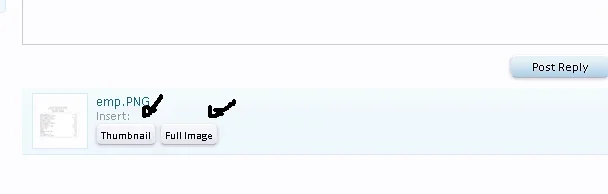
Fuhrmann Well-known member Licensed customer Dec 28, 2011 #2 Upload a file then the editor will open: Then click one of the buttons and the file will be part of the post. Upvote 0 Downvote
Upload a file then the editor will open: Then click one of the buttons and the file will be part of the post.
Smooth Active member Licensed customer Dec 28, 2011 #3 Hmm your right - it only happens when attaching using our forumrunner app. It didnt used to do it though with 1.0 - any ideas? Upvote 0 Downvote
Hmm your right - it only happens when attaching using our forumrunner app. It didnt used to do it though with 1.0 - any ideas?
P Paul B XenForo moderator Staff member Licensed customer Dec 28, 2011 #4 You will need to contact the developers of the forumrunner app and get them to update it to make it compatible with 1.1. Upvote 0 Downvote
You will need to contact the developers of the forumrunner app and get them to update it to make it compatible with 1.1.
Smooth Active member Licensed customer Dec 28, 2011 #5 Ah cool - thanks Brogan - would the 'Attached Files' bounding box appear any other way? Upvote 0 Downvote