Advanced Traffic Statistics: Live Radar & WAF Security

Advanced Traffic Statistics: Live Radar & WAF Security 1.8.1

No permission to download
Is there a way to reset the logs that store the visits used by the addon?

After I experienced tens of thousands of /misc/style-variation queries last month (multiples higher than my normal expected traffic), my graphs for Trend Last 30 Days, Historical Monthly Visitors, and Annual Comparison are so heavily skewed that for the future those graphs will barely be showing a little line of activity for an undetermined amount of time.

I have made the necessary robots.txt additions to prevent these queries from continuing, but my graphs will be showing that huge spike for a long time and basically making the following days, months, years seem really insignificant on the charts.
 
Is there a way to reset the logs that store the visits used by the addon?

After I experienced tens of thousands of /misc/style-variation queries last month (multiples higher than my normal expected traffic), my graphs for Trend Last 30 Days, Historical Monthly Visitors, and Annual Comparison are so heavily skewed that for the future those graphs will barely be showing a little line of activity for an undetermined amount of time.

I have made the necessary robots.txt additions to prevent these queries from continuing, but my graphs will be showing that huge spike for a long time and basically making the following days, months, years seem really insignificant on the charts.
Currently, there isn't a "reset" button directly in the XenForo Admin Control Panel. However, you can easily fix this directly in your database (via phpMyAdmin).
  • Open phpMyAdmin and find the table xf_statistiche_report_giornaliero.
  • Browse the table and look for the specific dates of the attack in the data_rif column.
  • You will see a massive number in the totale_unici column for those days. Just edit that number and change it to your normal daily average (e.g., change 35000 to 800).
  • Save. Your charts will instantly recalculate the scale and go back to normal!
(Note: Please always remember to make a quick database backup before running manual SQL queries or editing tables!)
 
Currently, there isn't a "reset" button directly in the XenForo Admin Control Panel. However, you can easily fix this directly in your database (via phpMyAdmin).
  • Open phpMyAdmin and find the table xf_statistiche_report_giornaliero.
  • Browse the table and look for the specific dates of the attack in the data_rif column.
  • You will see a massive number in the totale_unici column for those days. Just edit that number and change it to your normal daily average (e.g., change 35000 to 800).
  • Save. Your charts will instantly recalculate the scale and go back to normal!
(Note: Please always remember to make a quick database backup before running manual SQL queries or editing tables!)
Unfortunately my forum installation is hosted on the XF Cloud, and as such I do not have access to the server via phpMyAdmin or any other way.

And since my use of the advanced stats is new and I have considered it under beta test on my site, I wouldn't mind resetting all the counters to the initial settings and just starting fresh this month. But the cloud limits me.
 
Unfortunately my forum installation is hosted on the XF Cloud, and as such I do not have access to the server via phpMyAdmin or any other way.

And since my use of the advanced stats is new and I have considered it under beta test on my site, I wouldn't mind resetting all the counters to the initial settings and just starting fresh this month. But the cloud limits me.
Ok, the answer was right in front of me called...

The uninstall / install buttons.

Simple reset that worked. Problem solved. No more issues.
 
🛡️ Version 1.8.1 "The Hunter" is READY. Want it?

We have just finalized the development of version 1.8.1, and it's not just a minor fix. It's a complete game-changer for your forum's security.

What's inside the package?

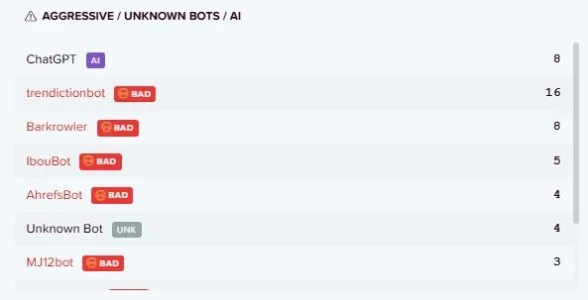
  • 🕵️‍♂️ Fake Bot Hunter: Automatically verifies Google, Bing, and other bots via Reverse DNS. Fakes are instantly tagged as [SPOOFED].
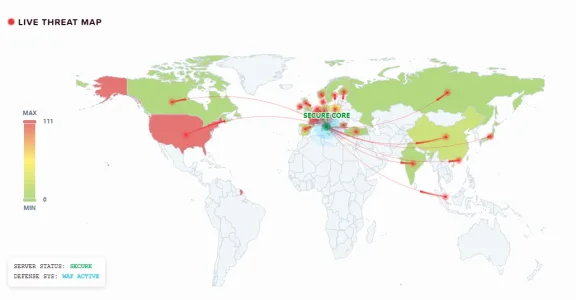
  • 🗺️ Tactical Heatmap: The 3D map is now alive. Countries change color dynamically (from green to deep red) based on the intensity of live attacks.
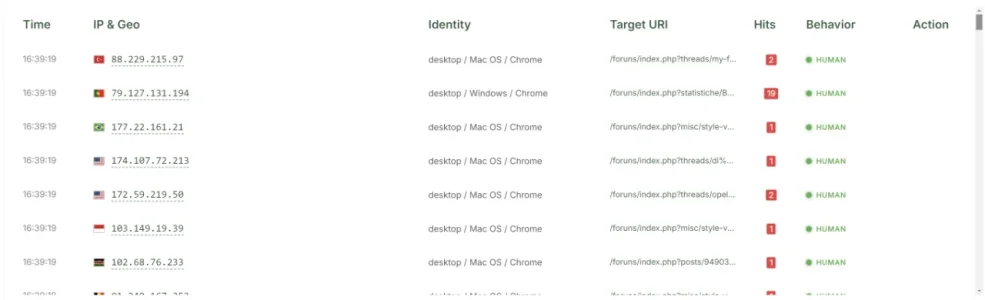
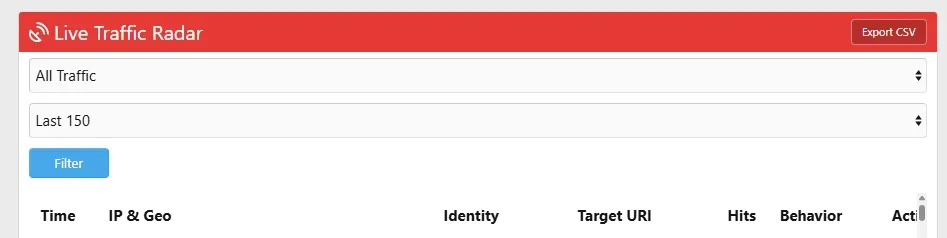
  • 📊 Real Threat Intelligence: See exactly who is getting blocked by the AI Shield or Junk Shield directly in the Live Radar with the new [BLOCKED] tag.
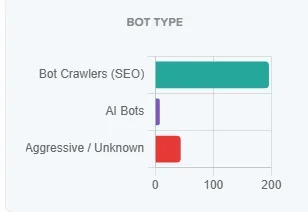
  • 📈 New Bot Classification Chart: We created a new horizontal bar chart that classifies bots, allowing you to distinguish at a glance between legitimate crawlers, AI, and malicious bots.
  • ⛔ One-Click Ban: Ban malicious IPs directly from the Live Radar interface without leaving the page.
  • ⚙️ Custom DNS Map: Full control over bot verification rules via Admin CP.
The code is ready, optimized, and tested.

If you use this add-on and it helps your community, take 1 minute to leave a review. We will release version 1.8.1 immediately as soon as this resource reaches 3 new positive reviews. :) :) Let's unlock the Hunter!

1772583800240.webp
1772583823333.webp1772583969094.webp
 
Large board here! Cannot see the frontend statistics after last update with 3D map. Error 504 after ~1minuto, no errors in AdminCP
 
Large board here! Cannot see the frontend statistics after last update with 3D map. Error 504 after ~1minuto, no errors in AdminCP
To confirm if this is the cause, could you try a quick test?


  1. Temporarily disable the 3D Map from the add-on options.
  2. Check if the statistics page loads correctly again.

If the issue persists even without the map, it might be due to something else. In that case, could you check if there are specific errors in the XenForo Server Error Log or in your web server's error log (nginx/apache) generated exactly at the time of the timeout?


Additionally, to help us better understand the environment and optimize the add-on, could you provide the following server specifications?


  • Operating System:
  • PHP Version:
  • Web Server Type (Apache, Nginx, LiteSpeed, etc.):
  • RAM Amount:
 
To confirm if this is the cause, could you try a quick test?


  1. Temporarily disable the 3D Map from the add-on options.
  2. Check if the statistics page loads correctly again.

If the issue persists even without the map, it might be due to something else. In that case, could you check if there are specific errors in the XenForo Server Error Log or in your web server's error log (nginx/apache) generated exactly at the time of the timeout?


Additionally, to help us better understand the environment and optimize the add-on, could you provide the following server specifications?


  • Operating System:
  • PHP Version:
  • Web Server Type (Apache, Nginx, LiteSpeed, etc.):
  • RAM Amount:

Temporarily disable the 3D Map and still 504.

XenForo Server Error Log: no errors

web server's error log (nginx/apache):
[Wed Mar 04 14:40:38.271185 2026] [proxy_fcgi:error] [pid 3692826:tid 3692862] (70007)The timeout specified has expired: [client xxx.68.xxx.179:0] AH01075: Error dispatching request to : (polling), referer: https://mywebsite.com/foruns/index.php

Server:
Ubuntu 24.04/x86_64/12 core/24 GB
PHP 8.3
Nginx
 
Temporarily disable the 3D Map and still 504.

XenForo Server Error Log: no errors

web server's error log (nginx/apache):


Server:
Ubuntu 24.04/x86_64/12 core/24 GB
PHP 8.3
Nginx
The error (70007)The timeout specified has expired in your web server log confirms that the PHP script is being terminated because it takes too long to execute (timeout).


If you manage a Large Board, it is very likely that the raw log table (xf_statistiche_log_accessi) has grown to contain millions of rows. Since the add-on calculates statistics in real-time, executing multiple aggregation queries on such a massive dataset takes longer than your server's timeout limit (usually 60s).

Reduce Log Retention: Go to the add-on Options and look for the "Log Retention" (or "Clean up logs every X days") setting.
  • If traffic is high, we suggest setting this to a low value
Emergency Fix (Truncate): If you cannot access the options page due to the 504 error, you need to empty the heavy table manually via phpMyAdmin or SSH using this SQL command:

Code:
TRUNCATE TABLE xf_statistiche_log_accessi;
 
Supergatto updated Advanced Traffic Statistics: Live Radar & WAF Security with a new update entry:

Version 1.8.1 "The Hunter" - Smart Radar, 504 Fix & New Filters

Hello everyone!We are incredibly proud to announce the release of Advanced Traffic Statistics 1.8.1, nicknamed "The Hunter".

This update focuses heavily on real-time threat unmasking, database performance for Large Boards, and giving you more control over your Live Radar.

🔥 What's New in 1.8.1:

  • [Added] Smart Signature Extractor: The Live Radar now features a dynamic algorithm that unmasks advanced bots and scrapers (such as HeadlessChrome or AI...

Read the rest of this update entry...
 
On the Live Threat Map, what is the slider max/min for?
Since the map visualizes threats and traffic from around the world, some areas might have a much higher concentration of hits than others.
  • Min Setting: Useful if you have a massive amount of traffic. It 'cools down' the map so that only the absolute highest density areas remain visible, preventing the map from becoming a solid block of color.
  • Max Setting: Boosts the sensitivity. It makes even single connections or smaller 'threat pockets' glow brightly, allowing you to spot isolated malicious attempts from less active region
 
Reduce Log Retention: Go to the add-on Options and look for the "Log Retention" (or "Clean up logs every X days") setting.
10 days os not enough for large boards. After Truncate the xf_statistiche_log_accessi table it last 2 days. I'll change Log Retention to 2 and see...
 
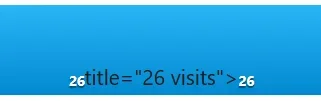
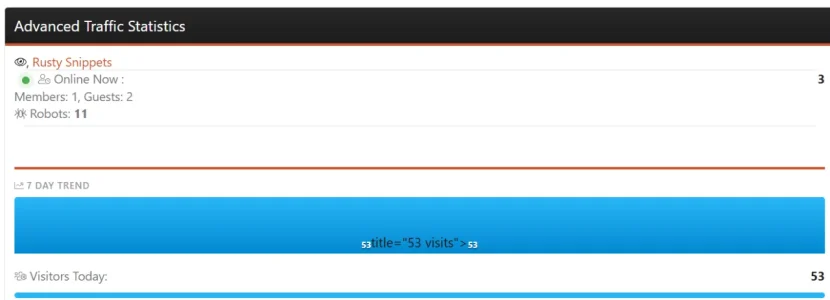
On the 7 Day trend, the Title is missing or messed up or something..............

View attachment 334665

Thanks.
"Hello! Thank you for reporting this.I have tried to replicate the issue on different browsers (Chrome, Edge) and OS without success, but looking at your output (title="26 visits"), I have a strong suspicion of what is happening.

Are you using Google Chrome's built-in auto-translate feature or a translation browser extension?

Sometimes, when auto-translation tools try to translate words inside HTML attributes (like the tooltips of the charts), they break the DOM structure of the page, causing fragments of HTML code to display as plain text.

Could you please try the following:
  1. Temporarily disable the page translation / browser extension.
  2. Refresh the page.
  3. Let me know if the chart displays correctly.
If that's not the case, could you please provide:
  • A screenshot of the issue.
  • Your Browser and Operating System.
  • Did you manually edit any of the add-on's HTML templates?
Let me know so we can investigate further!"
 
10 days os not enough for large boards. After Truncate the xf_statistiche_log_accessi table it last 2 days. I'll change Log Retention to 2 and see...
"Hello! Thank you for the update, but this is incredibly unusual.XenForo and MySQL are built to easily handle tables with millions of rows. We have tested this add-on on very large boards with 30 days of retention without any performance degradation or 504 errors.

If your server is timing out after just 1-2 days of data accumulation, it usually indicates either an extreme DDoS-level traffic volume or a bottleneck in the server's PHP/MySQL configuration (often related to a low innodb_buffer_pool_size in MySQL, which forces the database to swap to disk when the table grows).

To help us investigate this properly, could you please provide a few more details?

  1. Table Size: Right before the 504 error occurs (around day 2), roughly how many rows are inside the xf_statistiche_log_accessi table?
  2. Daily Traffic: What is your average daily traffic volume (Hits / Unique Visitors)?
  3. Environment: What version of PHP (e.g., 8.1, 8.2) and MySQL/MariaDB are you running?
  4. Server Specs: How much total RAM does your server have, and do you know how much is allocated to your database?
With these numbers, we can figure out if you are dealing with a massive bot attack flooding the database, or if it's a server tuning issue that we can help you fix. Let me know!"
 
"Hello! Thank you for reporting this.I have tried to replicate the issue on different browsers (Chrome, Edge) and OS without success, but looking at your output (title="26 visits"), I have a strong suspicion of what is happening.

Are you using Google Chrome's built-in auto-translate feature or a translation browser extension?

Sometimes, when auto-translation tools try to translate words inside HTML attributes (like the tooltips of the charts), they break the DOM structure of the page, causing fragments of HTML code to display as plain text.

Could you please try the following:
  1. Temporarily disable the page translation / browser extension.
  2. Refresh the page.
  3. Let me know if the chart displays correctly.
If that's not the case, could you please provide:
  • A screenshot of the issue.
  • Your Browser and Operating System.
  • Did you manually edit any of the add-on's HTML templates?
Let me know so we can investigate further!"
I use the Brave browser. Yes, the auto-translate setting is on. I disabled it and refreshed with no change in appearance. I run Windows 11 Pro (26200.7922). I have not edited any templates. Thanks.

ETA: I downloaded Firefox and it has the same problem.


Screenshot 2026-03-05 210141.webp
 
Last edited:
Back
Top Bottom