XF 2.1 170x250 avatar sizes
- Thread starter kray
- Start date
I just used this code and replaced the dimensions with the ones I wanted to use and replaced height with auto and it works like gangbusters!
Thank you so much @XenArabia! I really appreciate your help!
@kray if you use auto on the height and fill in the max-height to whatever you want there's no stretching.Code:.avatar.avatar--o { max-width: 150px; width: 150px; height: auto; max-height: 200px; }
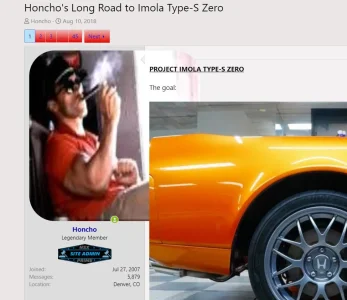
It works!
.avatar.avatar--o {
    max-width: 150px;
    width: 150px;
    height: auto;
    max-height: 350px;
}<xf:avatar user="$user" size="o" defaultname="{$fallbackName}" itemprop="image" />Did you replace this line in message_macros?
Code:<xf:avatar user="$user" size="o" defaultname="{$fallbackName}" itemprop="image" />

I got it to work on Pixel's Core style. So there may be something blocking you, but it's hard to say.I did yeah. Could it be because the style (flatawesome+) im using is preventing it from doing so?
Edit: It works on default style, but flatawesome+ is preventing the code to go through
I got it to work on Pixel's Core style. So there may be something blocking you, but it's hard to say.

Core has a similar property page and I was able to get it. As long as you swapped l for o in the message macros that style option doesn’t matter. Because after selecting Large there your style will swap it with the o css you put in extra.less.
If you changed the height to auto there should be no more stretching.
I don’t have flat awesome, but I am perfectly willing to help fix it on your site. Send me a PM if you want to talk in private.It works perfectly on the default style. Would you mind trying it on flatawesome+, or be willing to fix it on my site?

.avatar.avatar--o {
max-width: 165px;
width: auto;
height: auto;
max-height: 310px;
}<xf:avatar user="$user" size="m" defaultname="{$fallbackName}" itemprop="image" /><xf:avatar user="$user" size="o" defaultname="{$fallbackName}" itemprop="image" />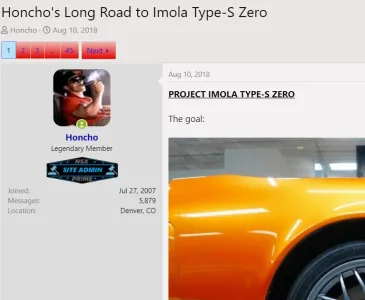



We use essential cookies to make this site work, and optional cookies to enhance your experience.