
You are using an out of date browser. It may not display this or other websites correctly.
You should upgrade or use an alternative browser.
You should upgrade or use an alternative browser.
![[XB] Floating Menu: Quick Navigation & Action Buttons](/community/data/resource_icons/6/6458.jpg?1793298911)
[XB] Floating Menu: Quick Navigation & Action Buttons 2.3.0
No permission to buy ($25.00)
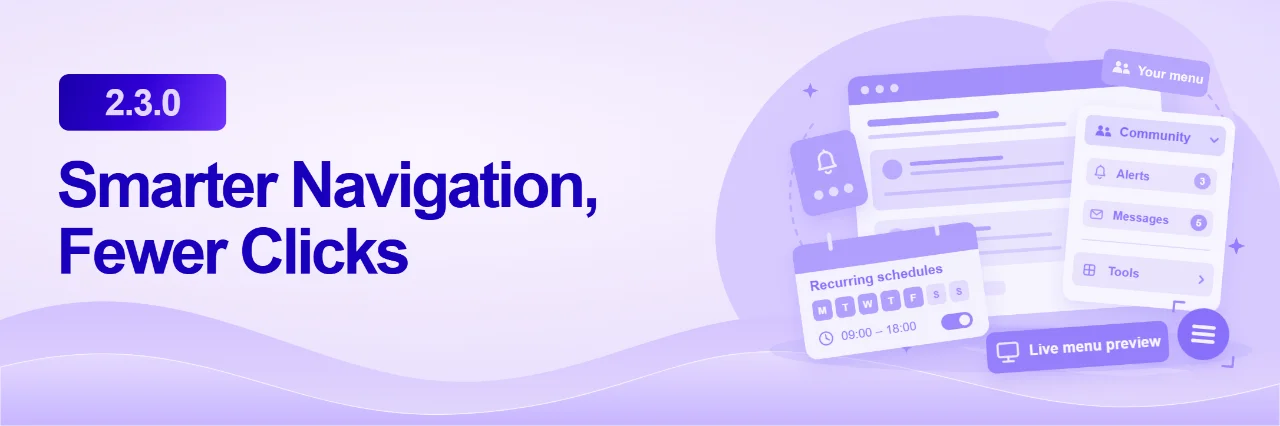
This major update significantly expands Floating Menu with four menu layouts, personal positioning, animations, customizable button groups, and member preferences. It also introduces live counters, ready-to-use actions, recurring schedules, and improved ACP tools, alongside performance, accessibility, and compatibility fixes.
New Layouts, Personalization & More Control
Important: The minimum required XenForo version is now 2.3.0
This add-on now requires [XB] Core Library version 1.0.2 or newer
New Features
Menu Layouts & Appearance
- Added four menu layouts:
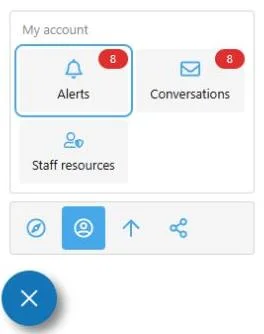
- Side Flyout - Compact groups with wrapping actions, direct access to ungrouped buttons, and selectors aligned with the main button (default)
- Two Tiers - A two-level menu layout
- Panels - The original menu layout, retained as an alternative
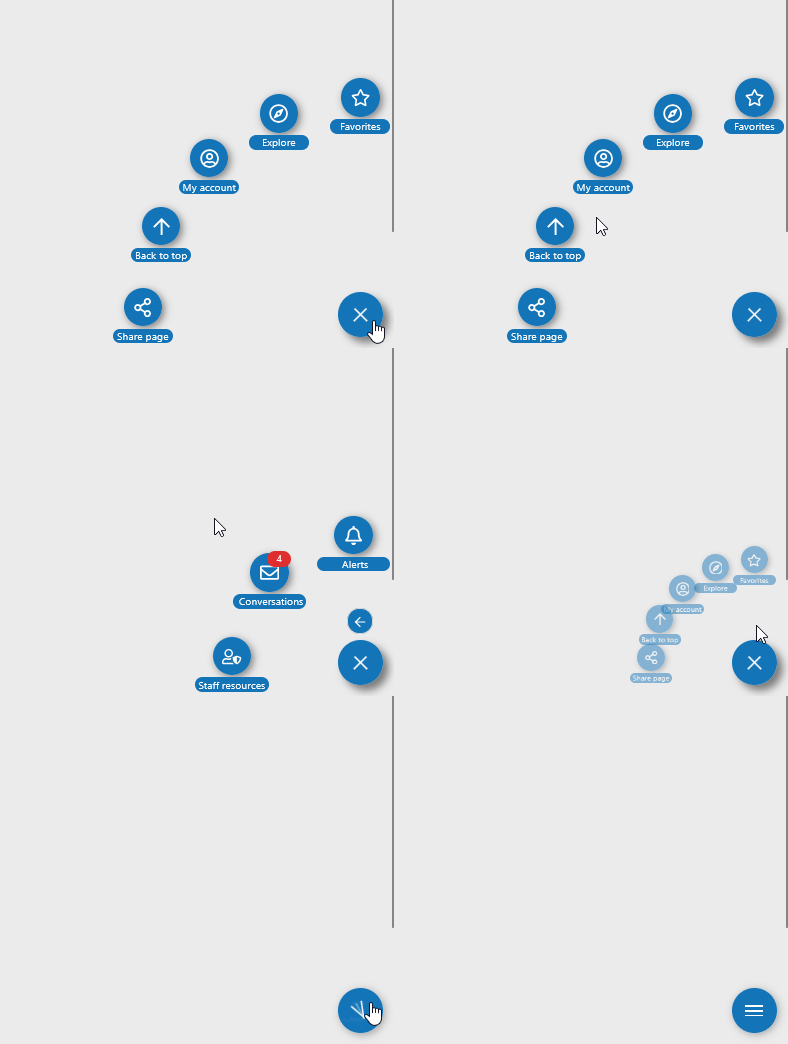
- Fan - Buttons arranged in compact arcs around the main button, with group navigation and configurable pagination
- Added per-member Menu Layout Selection, controlled by permission, with automatic fallback to the current style's default layout
- Added three selectable Menu Animations per layout, with adjustable duration, an option to disable animations, ACP previews, and reduced-motion support
- Added separate Style Properties for each layout, including colors, icon sizes, shadows, dimensions, corner radii, and layout-specific controls
- Added independent icon, label, background, border, and folder marker styling options, including support for style variations
- Added optional folder markers for compact group selectors
- Added per-button Show When Menu Is Collapsed to keep selected shortcuts accessible beside the main menu button
Personalization & Positioning
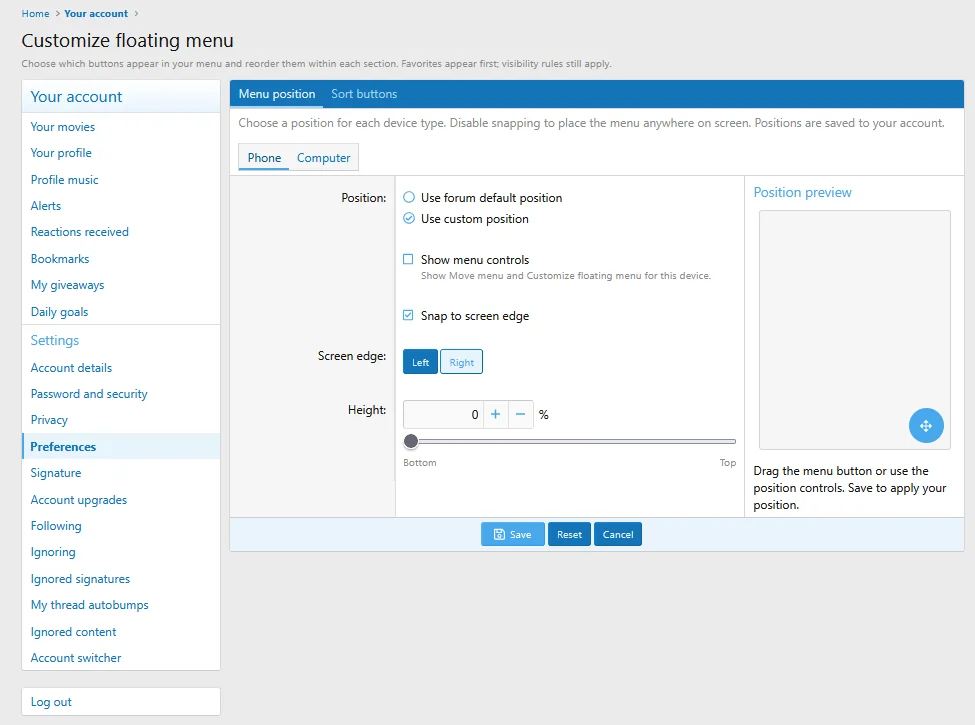
- Added Personal Menu Positioning, enabled by default, with separate phone and computer positions, free placement, edge snapping, zoom-aware docking, and account-wide saving
- Added Press-and-Hold Positioning on the main menu button, with a configurable activation delay and automatic saving
- Added an optional Show Menu Controls setting for positioning controls, with layout-specific placement (disabled by default)
- Added Member Menu Personalization with favorites, hidden buttons, custom ordering, required administrator buttons, and account-wide preferences
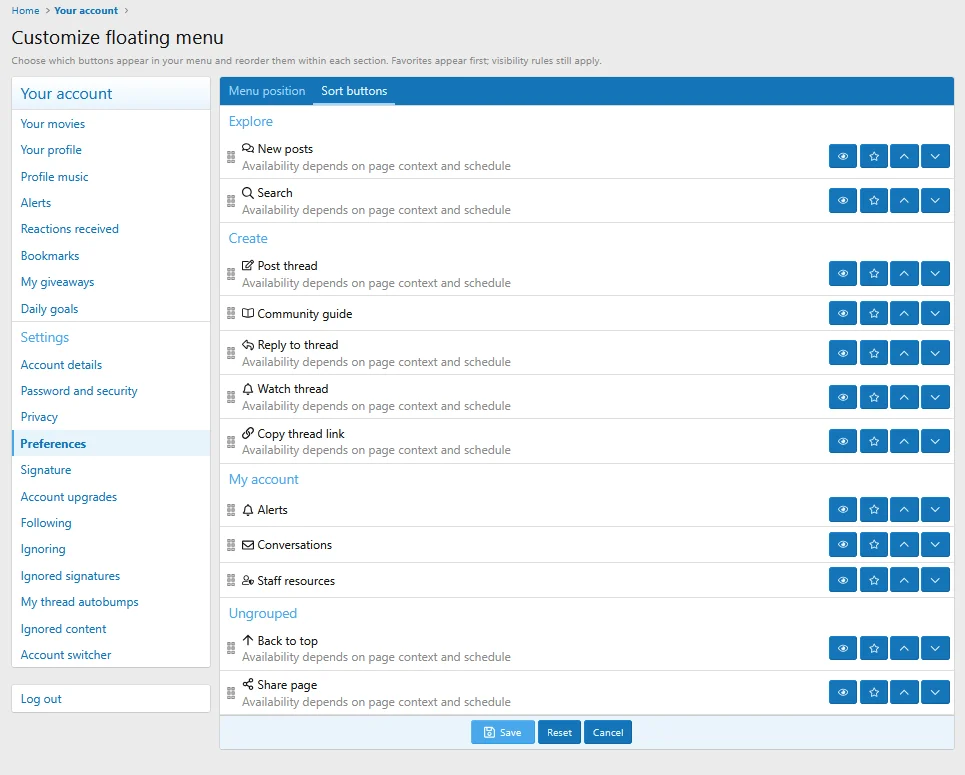
- Added Collapsible Button Groups with icons, display order, visibility controls, and live previews
- Added drag-and-drop button sorting between groups, including ungrouped buttons
- Added configurable Automatic Scroll Behavior for desktop and mobile, including edge docking, scroll thresholds, focus protection, and mobile keyboard handling
- Added optional browser memory for the last expanded button group
Counters, Actions & Scheduling
- Added Button Counters for unread alerts and conversations, with automatic updates and compact 99+ badges
- Added Moderation Counters for approval queues and active reports, including reports assigned to the current moderator and support for additional counter sources
- Added ready-to-use button actions:
- Search
- Create Thread with a forum chooser or fixed destination
- New Posts
- Back to Top
- Share Page
- Copy Page Link
- Added context-aware thread and forum actions with automatic destinations, permission checks, notification controls, and live previews
- Added Recurring Button Schedules with weekday selection, time zones, overnight windows, and schedule-aware previews
ACP Management
- Added XML Import & Export for selected buttons and groups, including import review, destination group selection, and preservation of visibility settings, schedules, and actions
- Added a Live Button Preview with public style selection, mobile sizing, and sample counter states
- Added a shared Font Awesome Icon Picker to the button editor
- Added a Copy action to create a new button from an existing configuration
- Added a grouped ACP button list with group editing, deletion, and empty-group notices
- Added icon validation and fallback handling for unavailable icons
Improvements
- Moved menu visibility and customization settings to account Preferences
- Reorganized personal menu positioning and button sorting into separate tabs with native XenForo controls and a side-by-side preview
- Improved grouped button presentation with compact rows, inline icons, labels, and counters
- Improved menu performance by caching buttons and compiled link templates
- Improved keyboard navigation, focus indicators, and accessible expanded states
- Improved menu scrolling and label readability on desktop and mobile
- Improved menu JS initialization and cleanup to prevent duplicate event handlers
- Improved custom button ID handling to avoid conflicts and generate valid fallback IDs
- Improved ACP navigation, route naming, and resource organization
- Improved permission handling by hiding unavailable controls and skipping menu loading for visitors without access
Bug Fixes
- Fixed menu opening and closing behavior involving overlays, outside clicks, and mobile visibility settings
- Fixed tooltip click behavior and hover settings with cached stylesheets
- Fixed invalid button links, double-escaped query parameters, and missing visitor or page variables in link templates
- Fixed button validation, missing error messages, and integration error handling
- Fixed ACP button counters, navigation, breadcrumbs, page titles, and menu visibility controls
- Fixed minor interface issues and removed unused scripts and redundant lookups

2.2.1 Patch Level 3
Fix: hide floating menu if there no buttons inside
Fix: add-on causes errors when rendering "Quick search content types" option
2.2.1 Patch Level 1
- Fixed
[E_DEPRECATED] Return type of XP\FM\ButtonList::getIterator() should either be compatible with IteratorAggregate::getIterator()
error on PHP 8.1+- Fixed page criteria work
- Adding buttons template variable has been moved to the "app_pub_render" listener
- Button list template variable has been renamed from
$xf.buttonList
to
$xpFmButtonList- Changed the title in the navigation menu to fit into the block
Changed: ACP menu name to [OzzModz] Floating Menu
Changed: Price from $45 to $30
Changed: Addon name to [OzzModz] Floating Menu
Removed: Branding and option to turn branding off.
Removed: Xen-Pro icon from the ACP addon page.
Added: Support for XF 2.1 and 2.2
Fixed: The option to hide the floating menu on mobile devices now works.
Added:
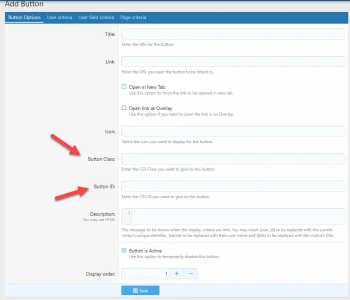
A new field to let you add Class for each button
A new field to let you add ID for each button
What is the usage?
Sometimes you need to do something in your site, when a specific element with a specific class or id is clicked (for example, in my Tours and Hints add-on, the tour and the hint will start as soon as you click on an element with the class of xftours and xfhints). Now you can add those buttons in the floating menu and give them the appropriate class and/or id.
Attachments
Easily add a floating menu to your XF2 site.
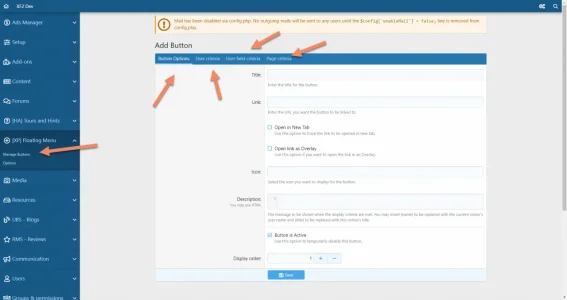
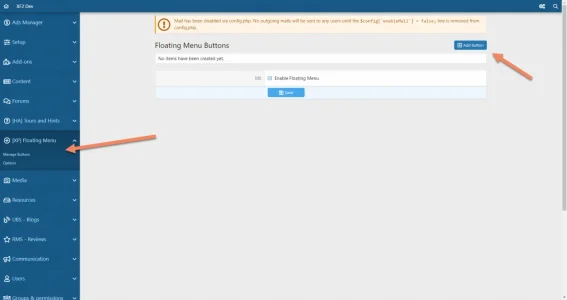
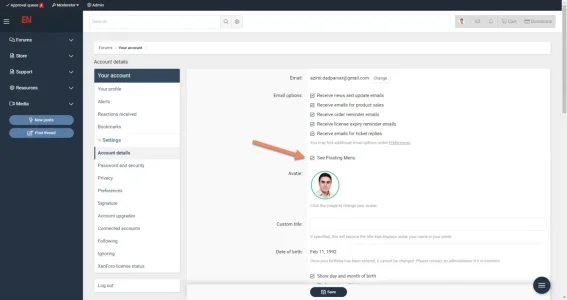
Customize any link/button based on user and page criteria, and also let users show/hide the menu from their account details page.
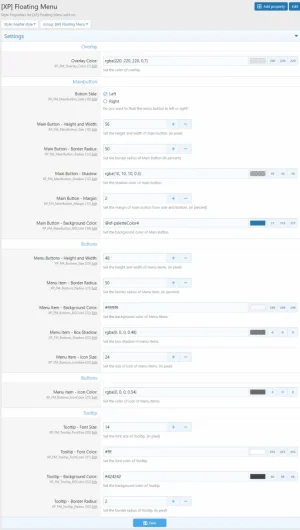
Using style properties, options, add-button panel, and user group permission you can customize and personalize the buttons as well.
User Group Permissions:
User Account Details Options:
- Can See Floating Menu
- Can Show/Hide Menu
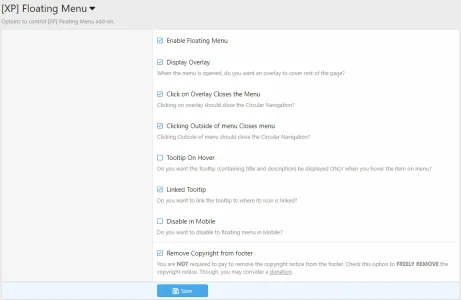
Options:
- See Floating Menu
Style Properties:
- Enable Floating Menu
- Display Overlay
- Click on Overlay Closes the Menu
- Clicking Outside of menu Closes menu
- Tooltip On Hover
- Linked Tooltip
- Disable in Mobile
Add-Button Panel:
- Overlay Color
- Button Side
- Main Button - Height and Width
- Main Button - Border Radius
- Main Button - Shadow
- Main Button - Margin
- Main Button - Background Color
- Menu Buttons - Height and Width
- Menu Item - Border Radius
- Menu Item - Background Color
- Menu Item - Box Shadow
- Menu Item - Icon Size
- Menu Item - Icon Color
- Tooltip - Font Size
- Tooltip - Font Color
- Tooltip - Background Color
- Tooltip - Border Radius
- Title
- Link
- Open in New Tab
- Open link as Overlay
- Icon
- Description
- Button is Active
- Display order
- Full User Criteria
- Full User Field Criteria
- Full Page Criteria
- Full Date Criteria
Attachments

Fixed: admin search not working and generating an error when doing admin search (now works properly)
- Fixed: "Open in New Tab" was not working
- Change: "Button Side" moved from Options to Style Properties