

- Compatible XF 2.x versions
- 2.3
- Additional requirements
- XenForo 2.3.0 or later (tested on 2.3.13). Pure style, no add-on required.
- License
- Commercial license, one live forum per license
- Updates duration
- 1 year of updates included, renewal 29 EUR
- Visible branding
- Yes, but removable with payment
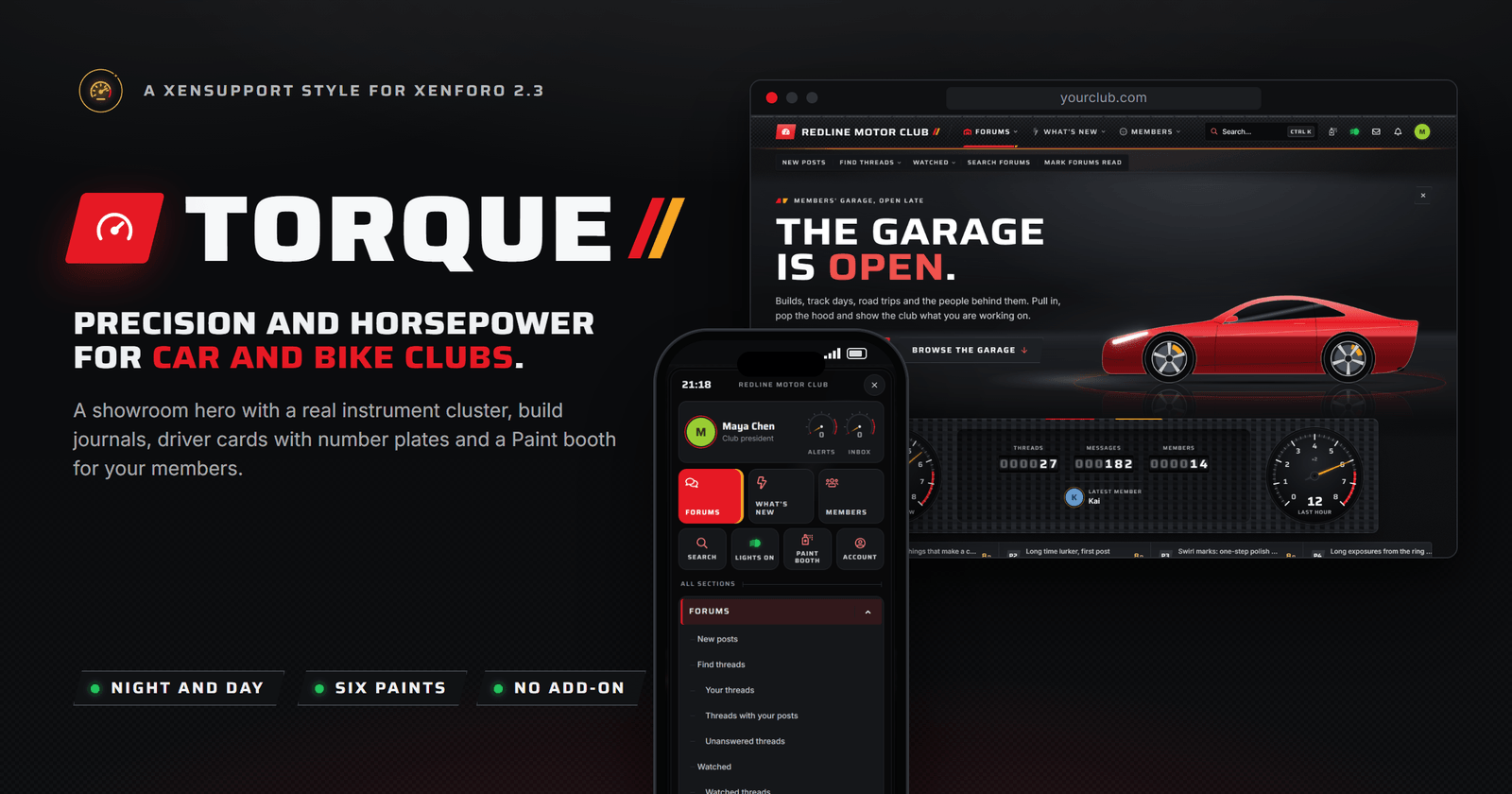
Torque turns your board into a members' garage at night. A dashboard header with shift lights, a showroom where a vehicle stands under studio lights above a real instrument cluster, forums laid out as garage bays, threads that read like a timing sheet, build threads as journals with a stage rail, and driver cards beside every post with the member's ride, power and number plate. Night garage is the default, with a Day paddock mode that is just as finished. Built for owners' clubs, build-thread forums, track day groups, classic and restomod clubs, detailing and DIY communities and bike clubs. Everything is configurable from your admin panel: 260 options in 21 groups, no code and no add-on required.
Launch price: 49 EUR instead of 59 EUR until December 10, 2026.
Live demo: see a real car club board in Torque, with build journals, driver cards and number plates.
Buy: Torque on xen-support.com, single forum license, with an optional Remove branding key.
Highlights
- Showroom hero. An original coupe, hot hatch or motorcycle on a turntable under studio lights, with a floor reflection, lights that glow at night and a light sweep along the paint. Painted in your paint or drawn as a technical line drawing, or replaced by your own image or looping video.
- Instrument cluster. Two analog dials, members online and visitors in the last hour, with a redline at your online record, and mechanical odometers for threads, messages and members. On the first page of a visit the needles do an ignition sweep.
- Meets and track days. A meet card with the date in each visitor's time zone, an "Open in maps" link, the entry list and an RSVP button, a countdown that ends with five start lights going out, a featured build card and a live timing strip.
- Garage bays. Forums as numbered bays with a light strip, a status LED for unread, odometer counts and a carbon feature bay. Members online line up on a starting grid.
- Timing sheet threads with sticky threads in pole position on a checkered edge, slanted livery decals for prefixes and an eight-LED rev meter on the busiest threads.
- Build journals. Threads in the forums or with the prefixes you choose open with a cover photo, the owner's spec sheet and number plate, and a stage rail built from the headings of the first post.
- Driver cards beside every post: the member's garage fields as a spec sheet, their number plate (Euro style, US style, yellow or plain, all generic) and an odometer for their messages. Tables become spec sheets, code a diagnostic readout.
- Dashboard header with a model badge or number plate wordmark, motoring icons (the steering wheel turns when you point at Members), shift lights while a page loads, a headlight switch for Night and Day, a center console option and a command palette (Ctrl K).
- Telltales in the account menu, with a bulb check when the menu opens, and an infotainment screen menu on phones with a carbon dock.
- Six paints (Rosso, Racing green, Petrol blue, Papaya, Signal yellow, Stealth) or your own palette, and four shape languages: slanted, machined, rounded or square.
- Respectful motion: every animation follows the Motion option and the visitor's reduce motion setting. Nothing animates while you scroll.
A quick tour
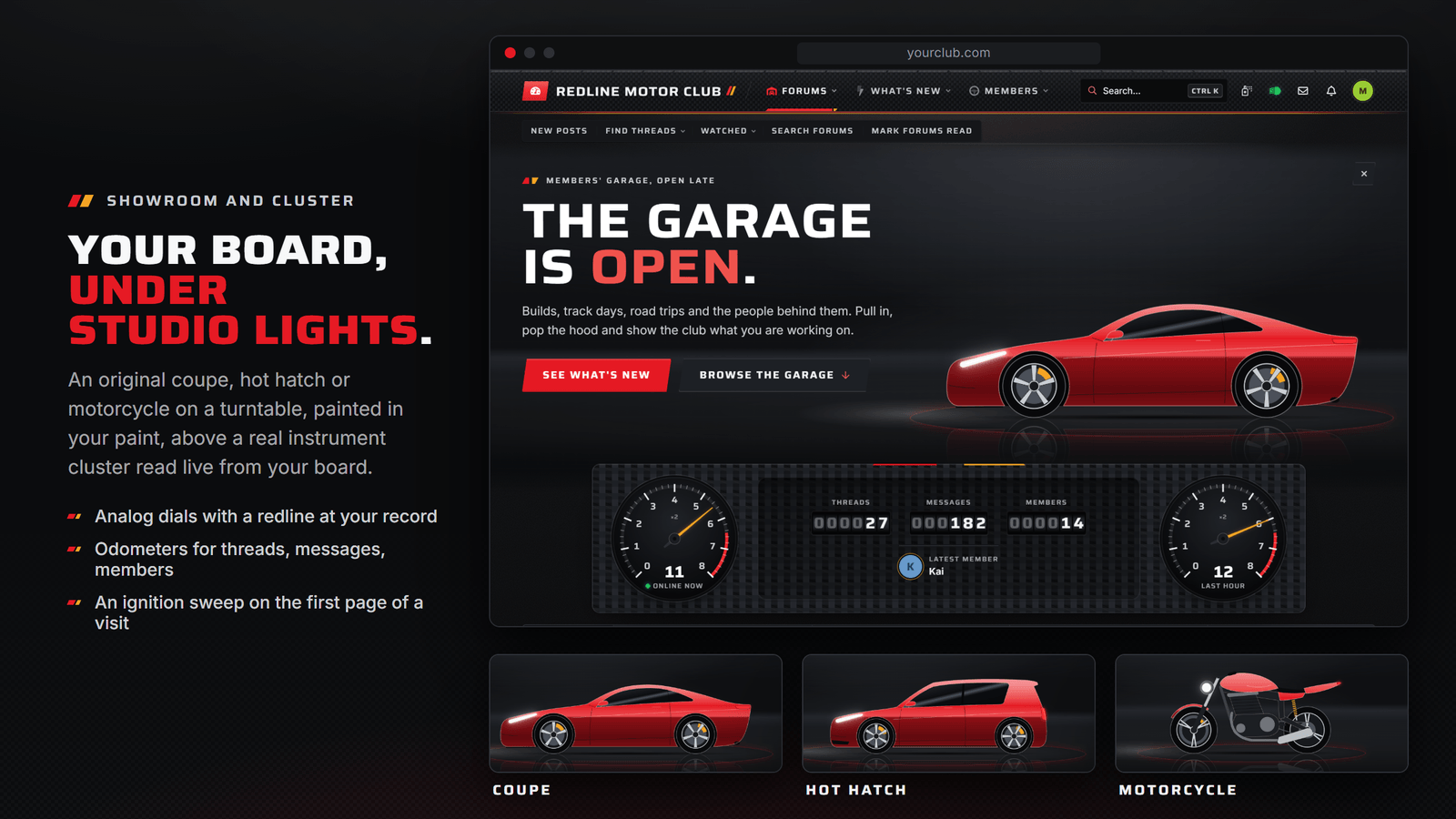
An original coupe, hot hatch or motorcycle under studio lights, above an instrument cluster read live from your board.
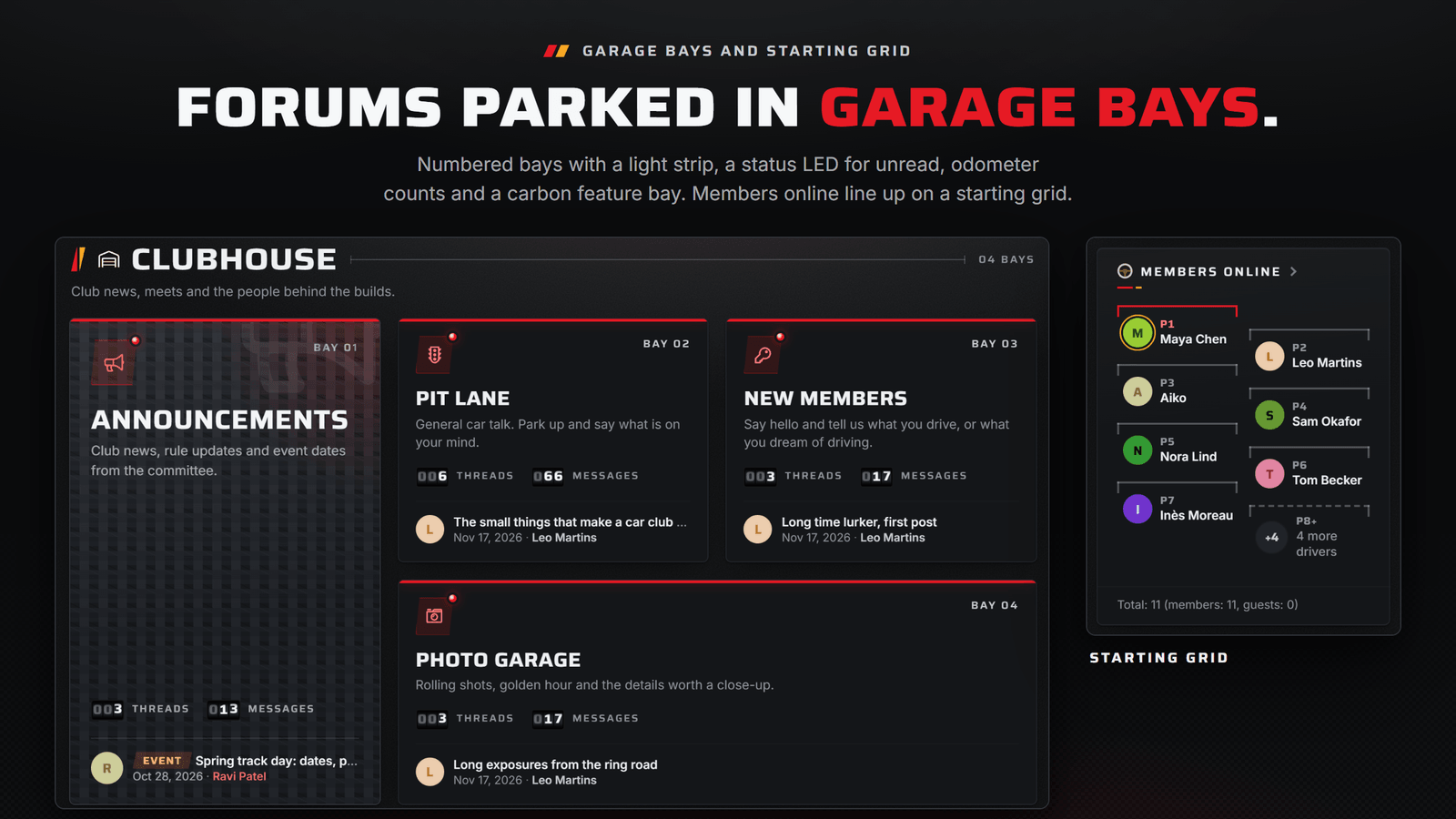
Forums parked in numbered garage bays, and members online on a starting grid.
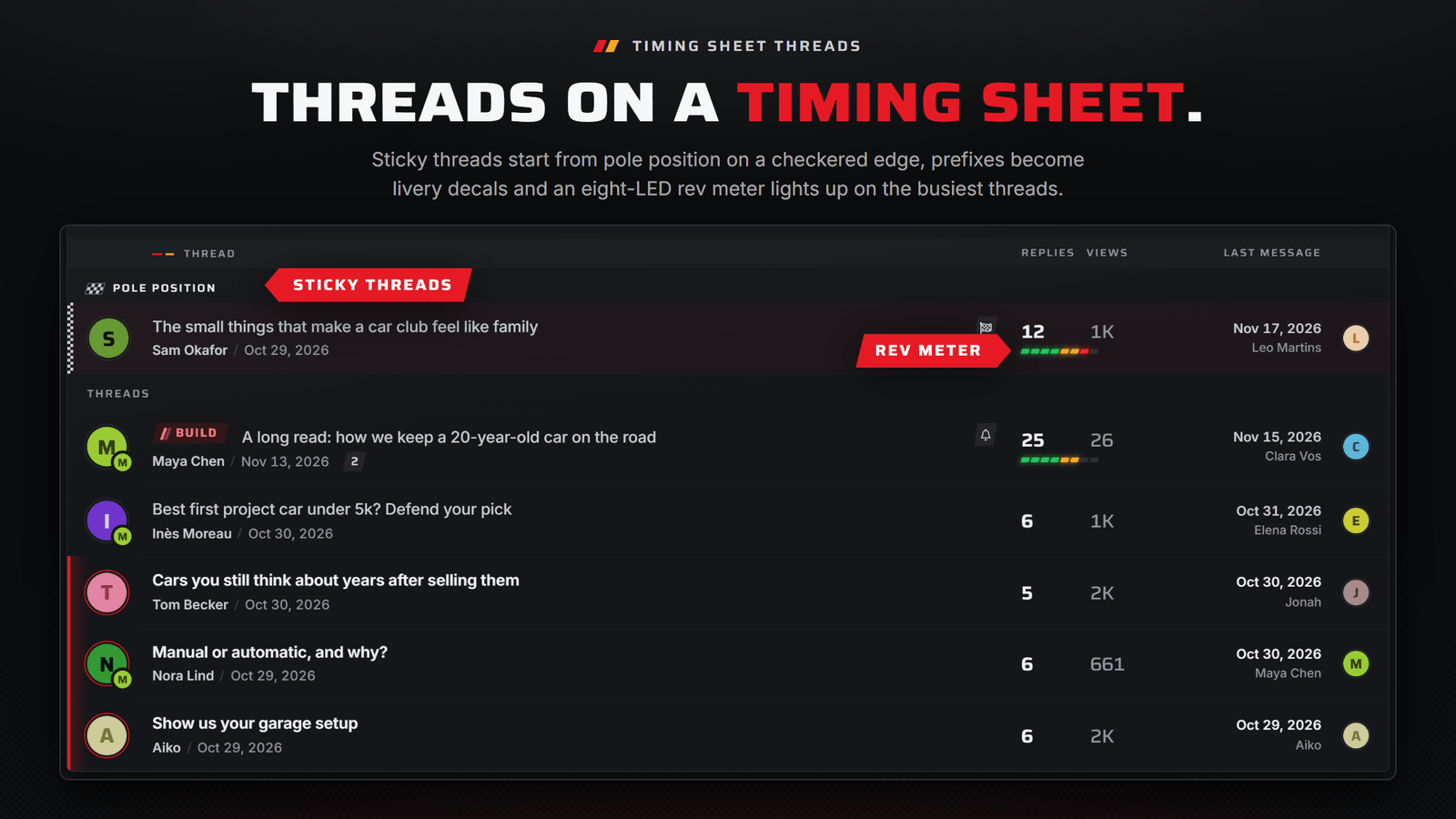
Thread lists that read like a timing sheet, with pole position and a rev meter.
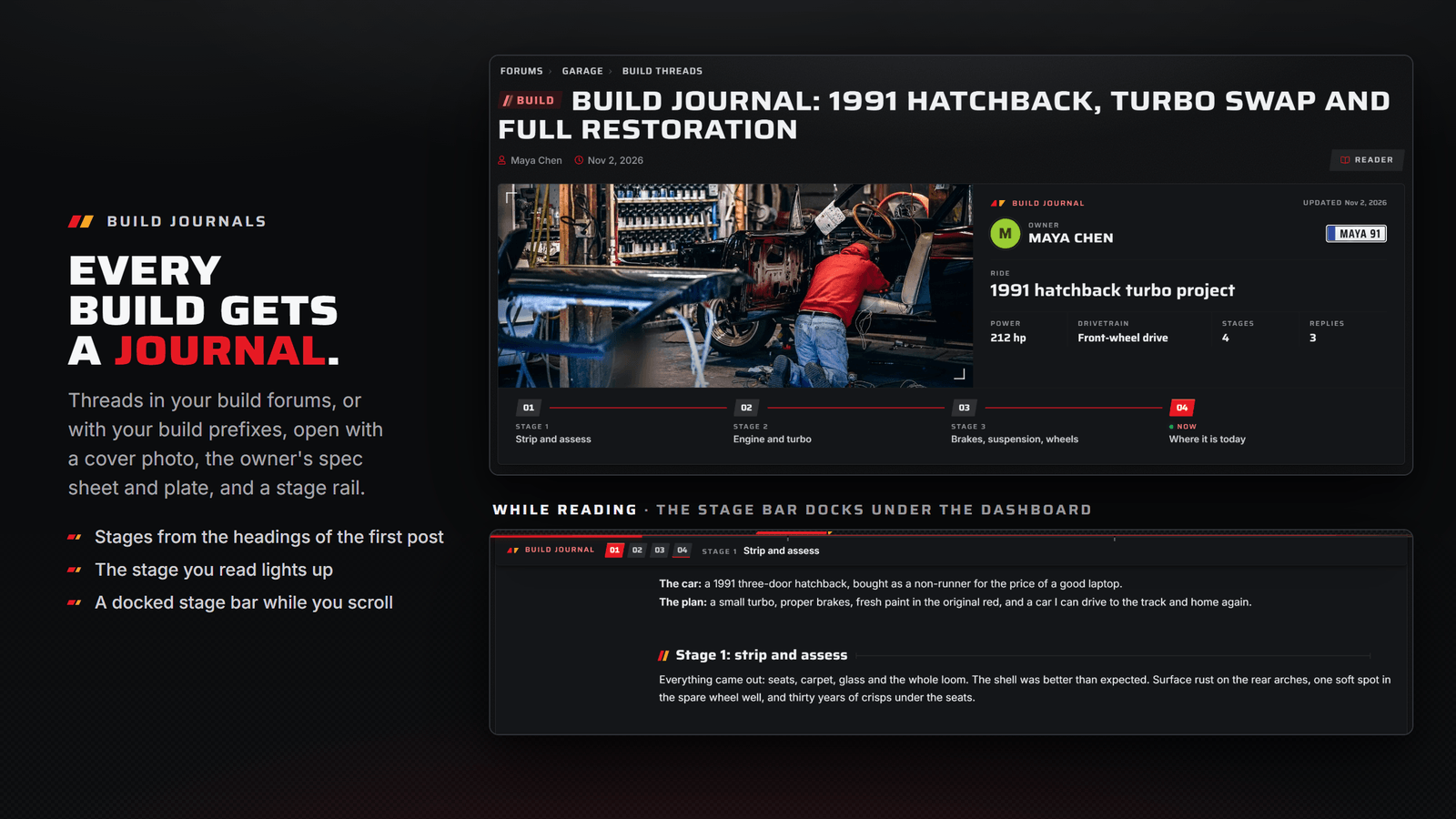
Build journals with a cover photo, the owner's spec sheet and plate, and a stage rail.
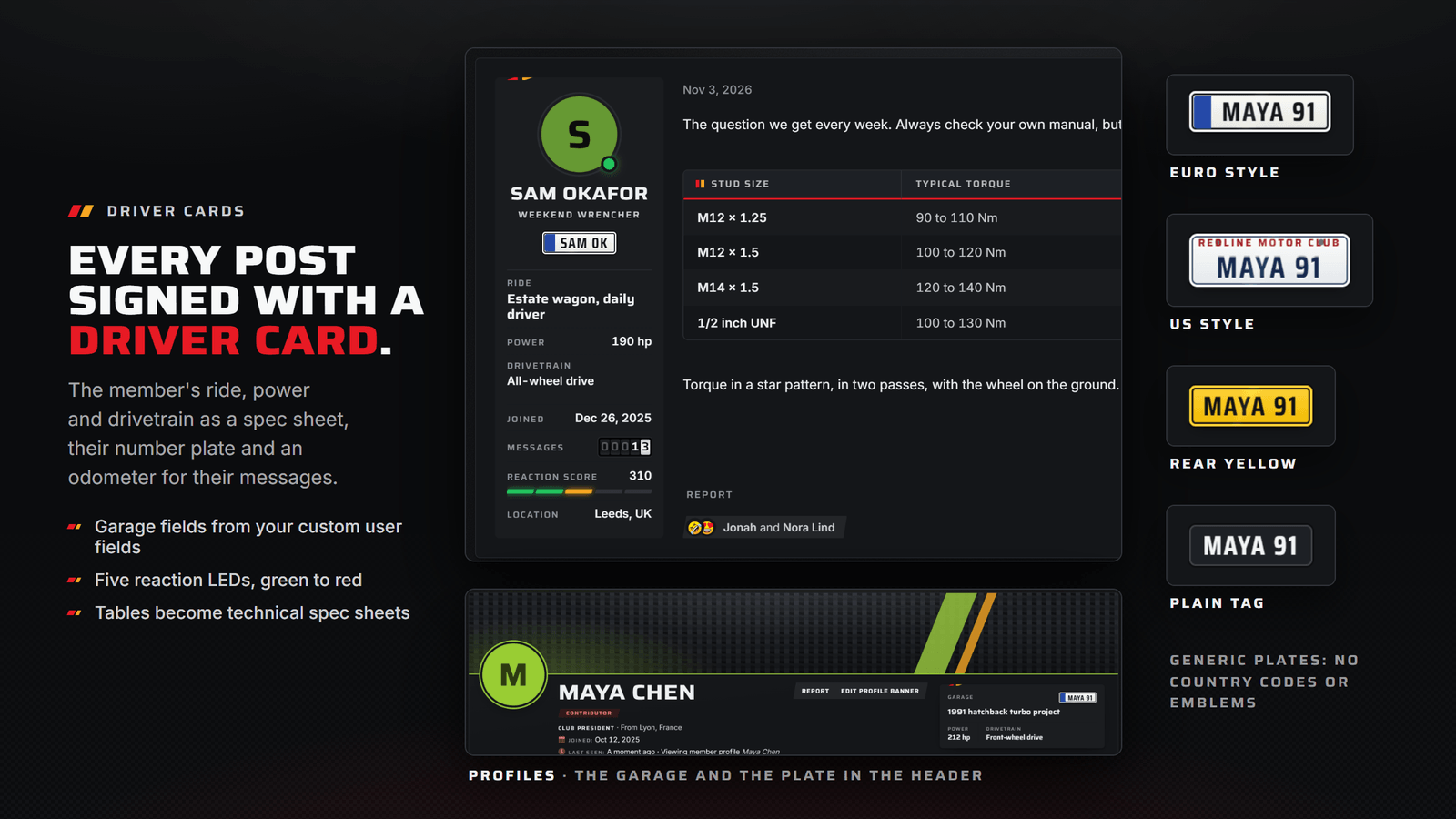
Driver cards with the member's garage, a number plate and an odometer.
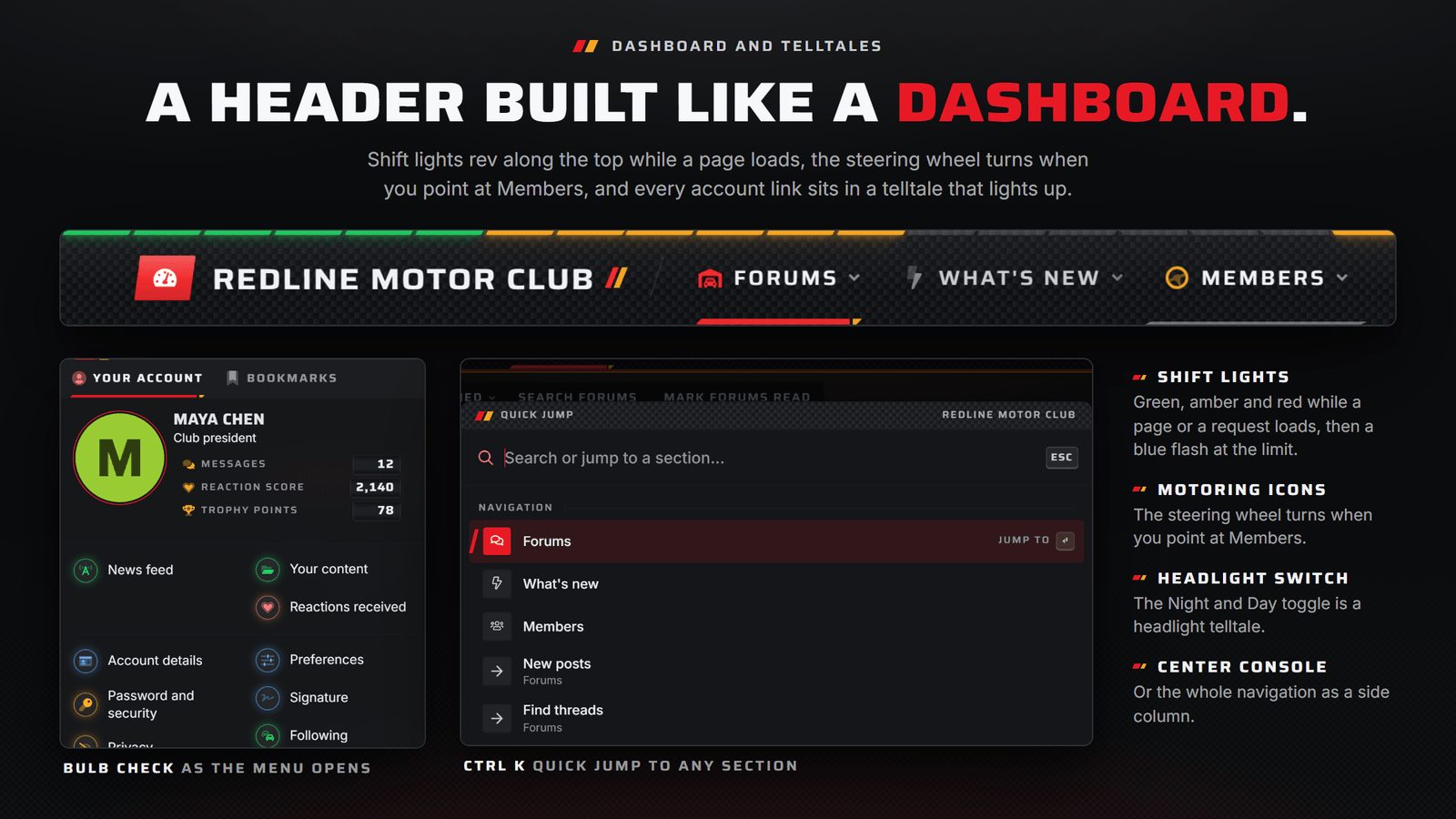
A dashboard header with shift lights and motoring icons, telltales in the account menu and a Ctrl K quick jump.
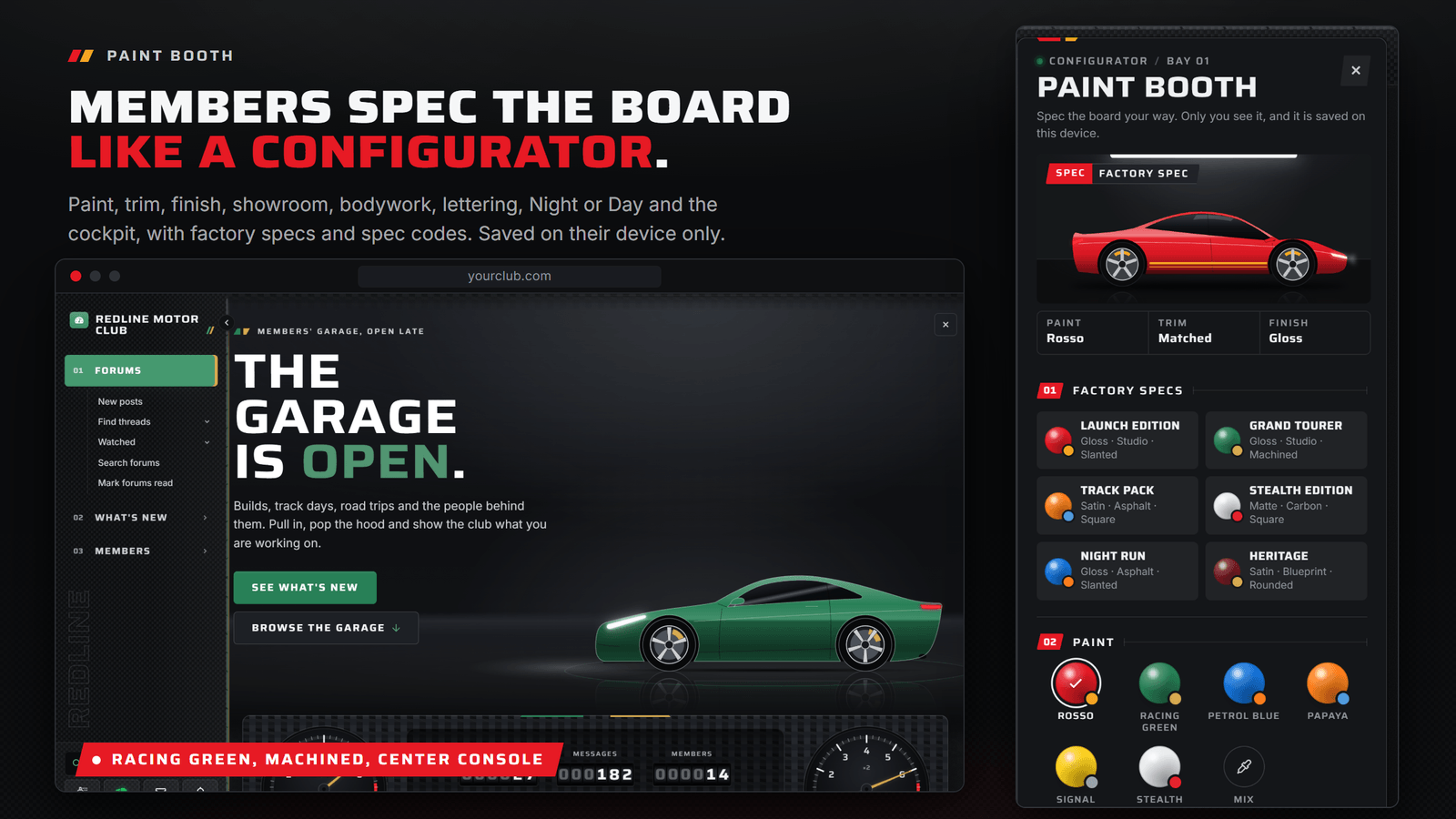
The Paint booth: each member specs the board like a car configurator.
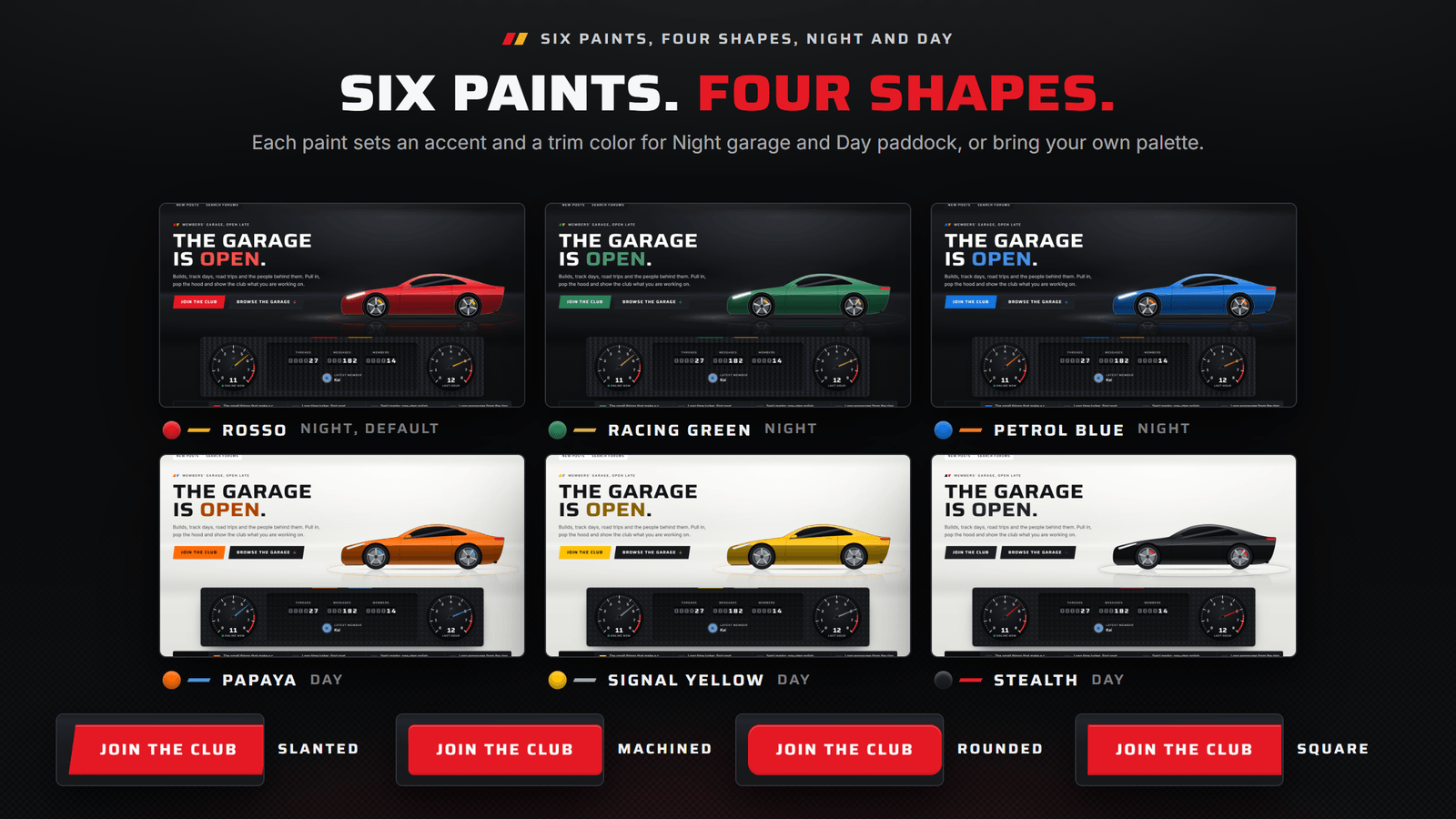
Six paints in Night garage and Day paddock, and four shape languages.
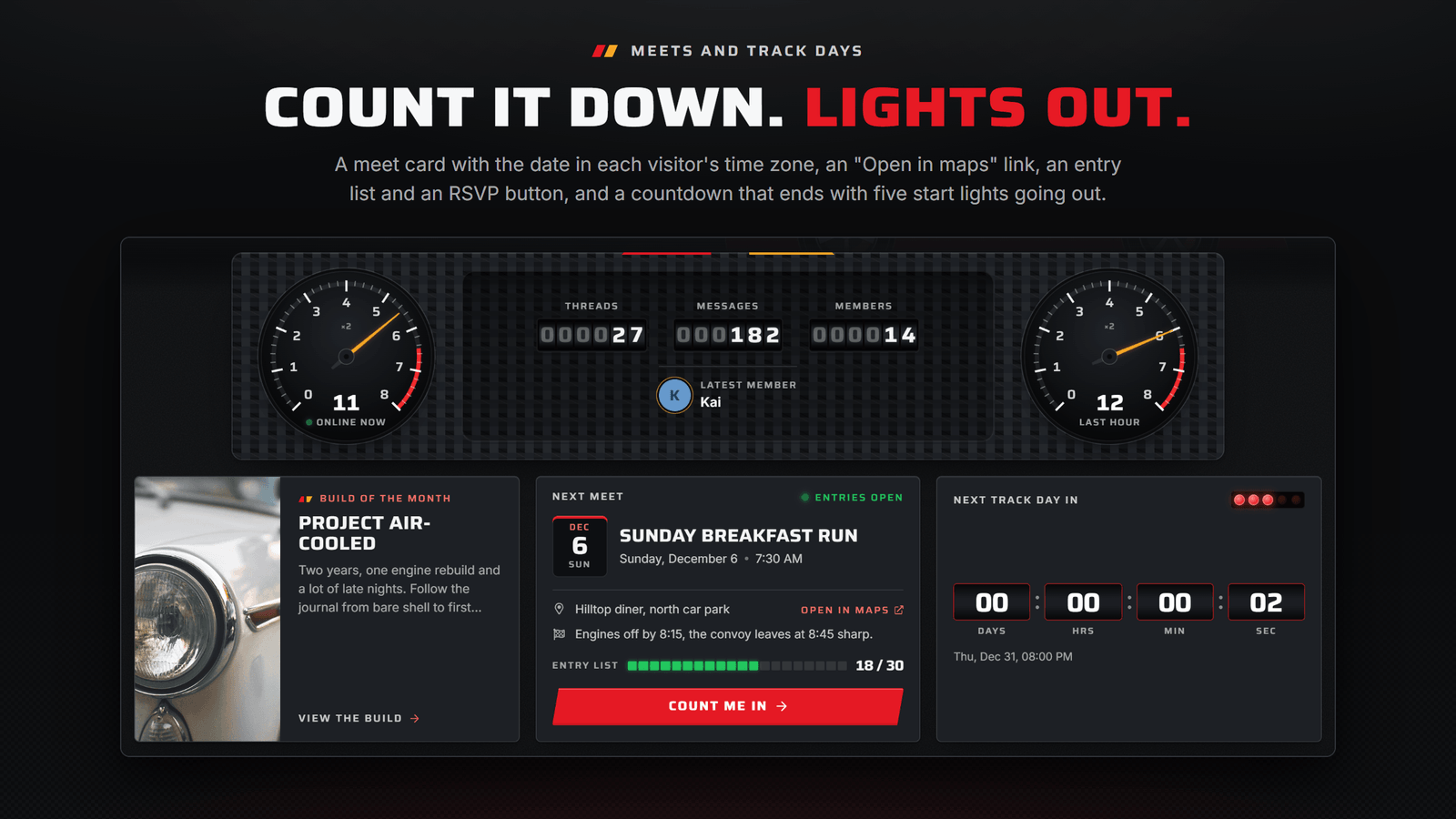
A meet card with an RSVP button, and a countdown that ends with five start lights.
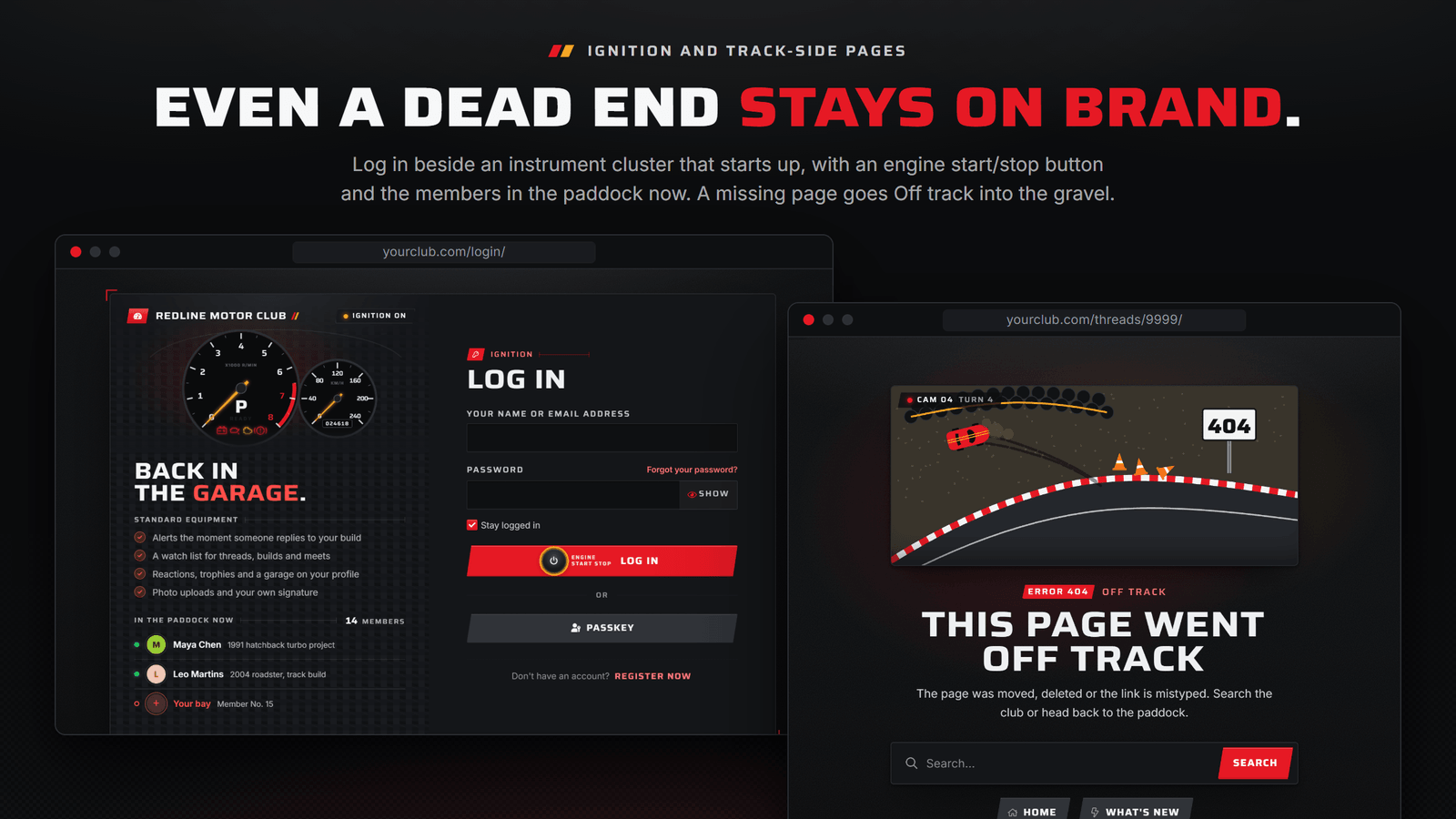
Ignition sign-in with an engine start/stop button, and an Off track page not found.
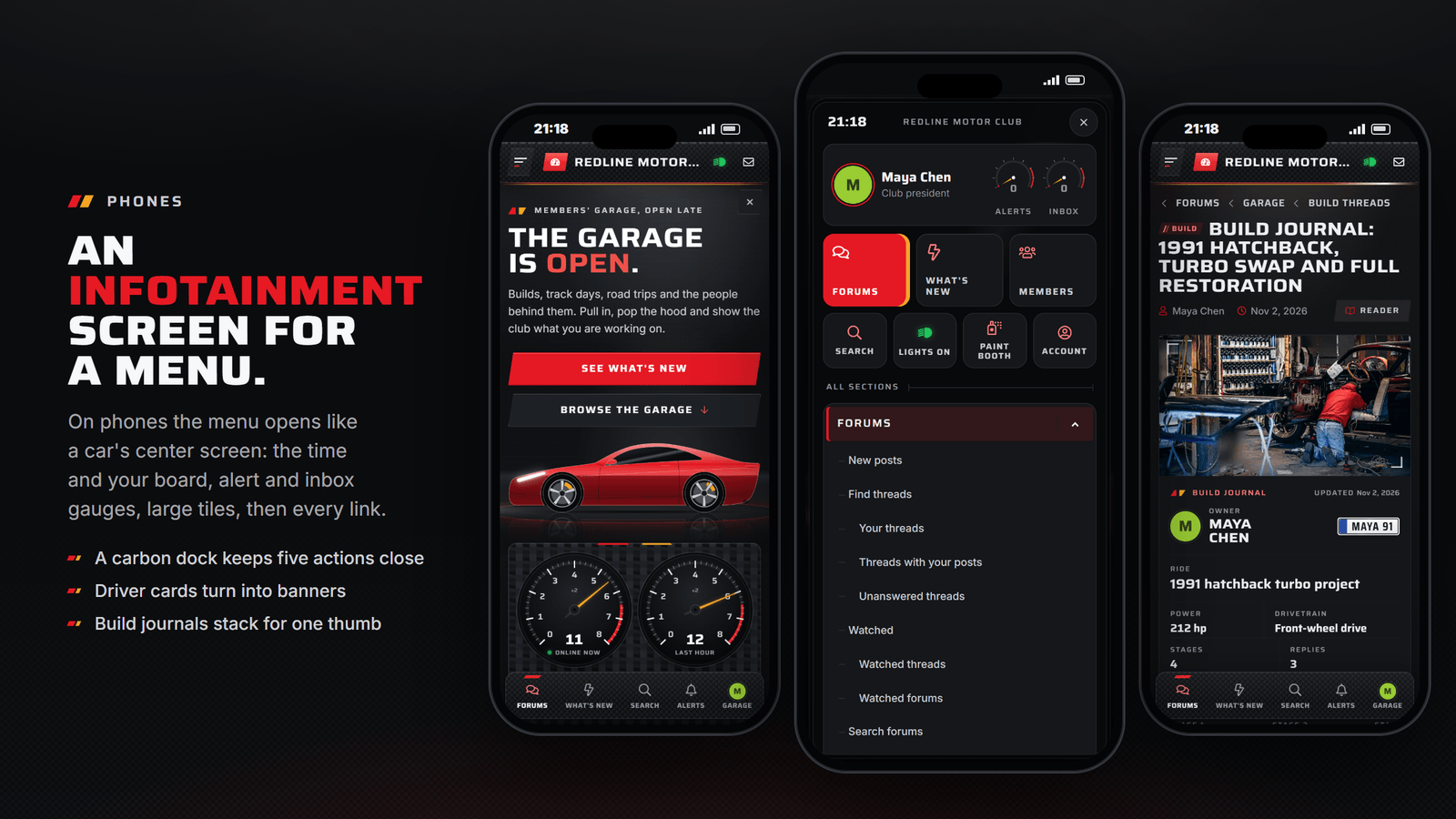
On phones, the menu opens as an infotainment screen.
See it in motion
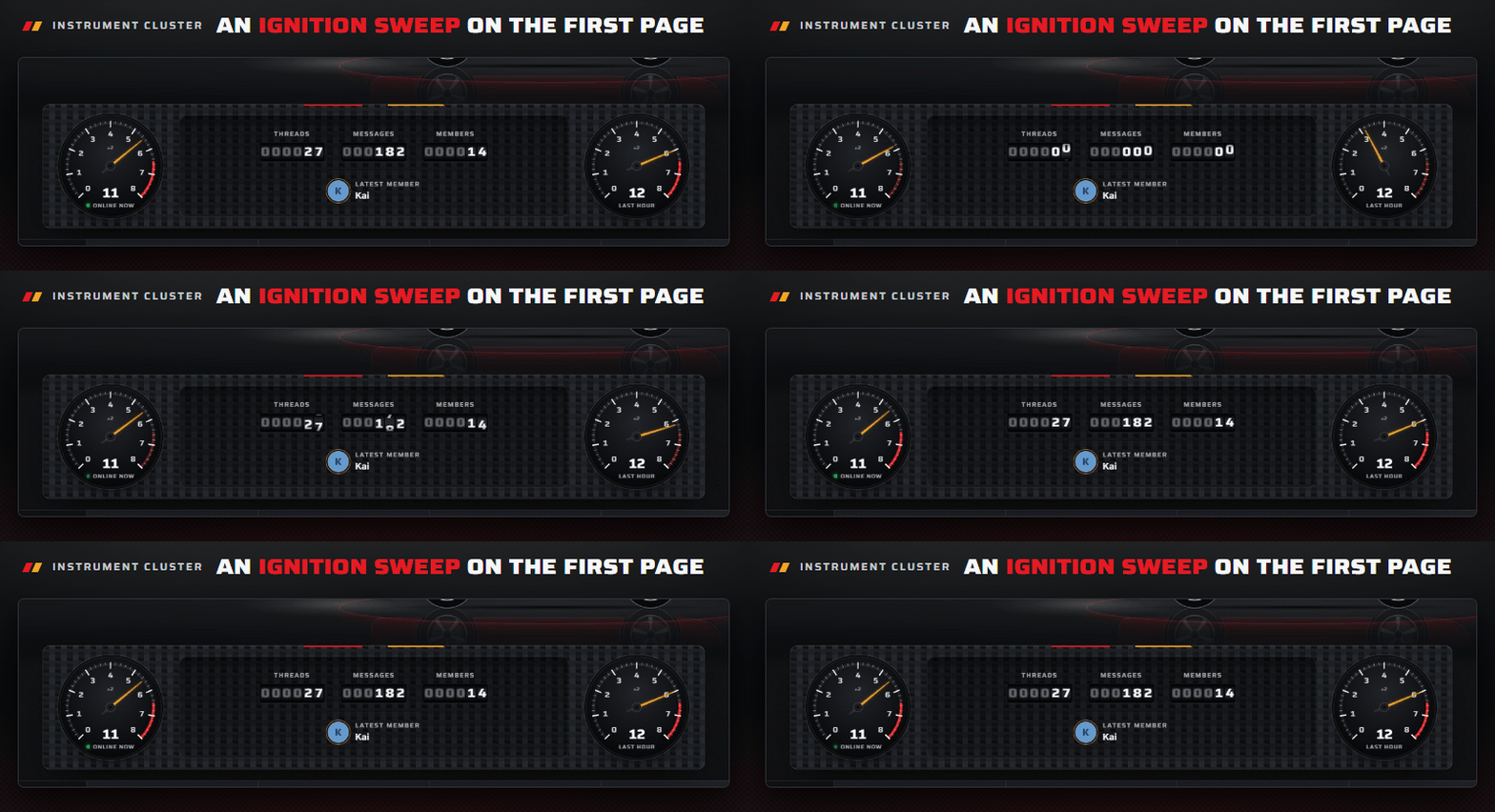
On the first page of a visit the needles sweep to the limit and back and the odometers roll.
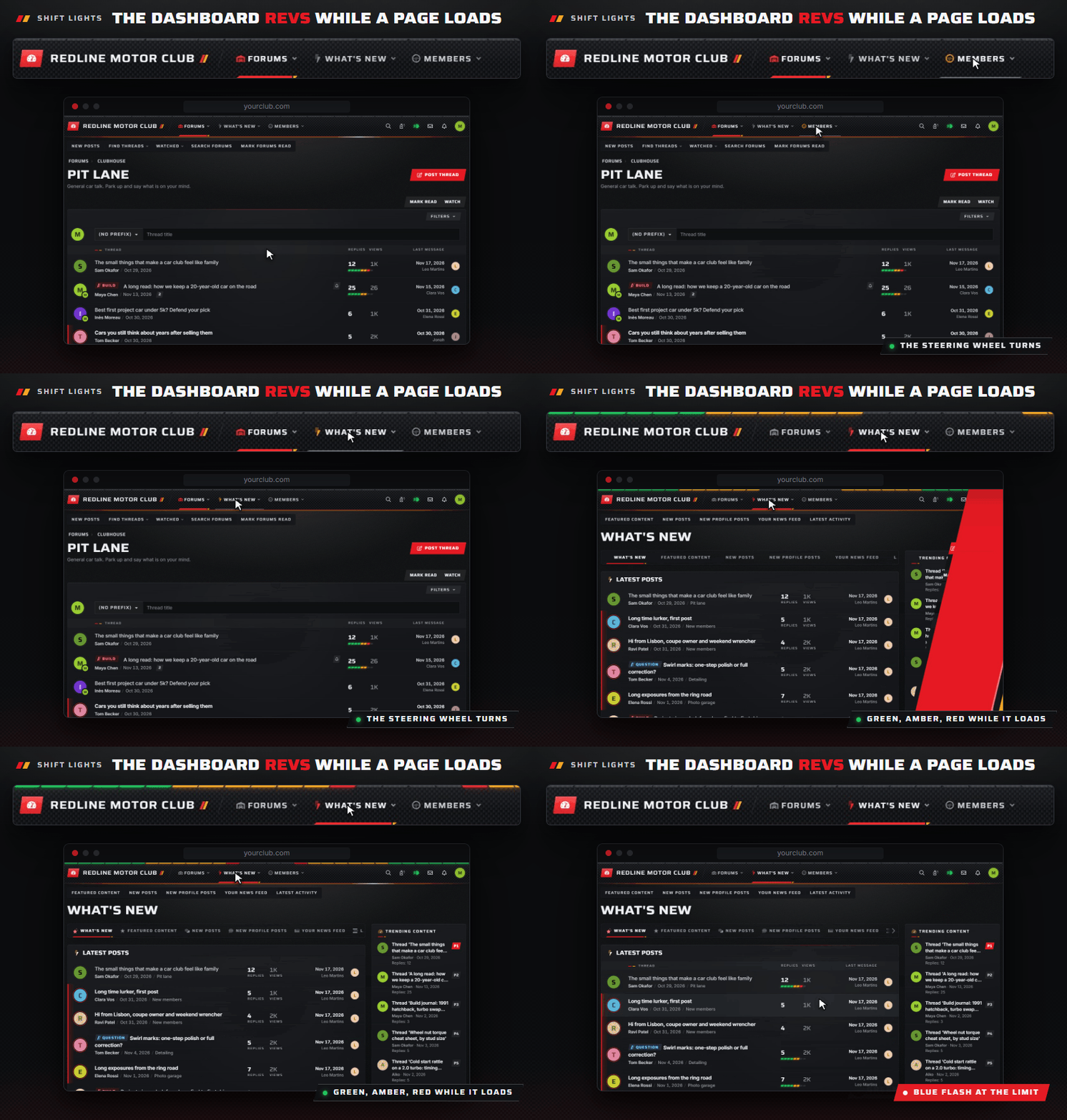
The steering wheel turns, and the shift lights rev while the next page loads, then flash blue at the limit.
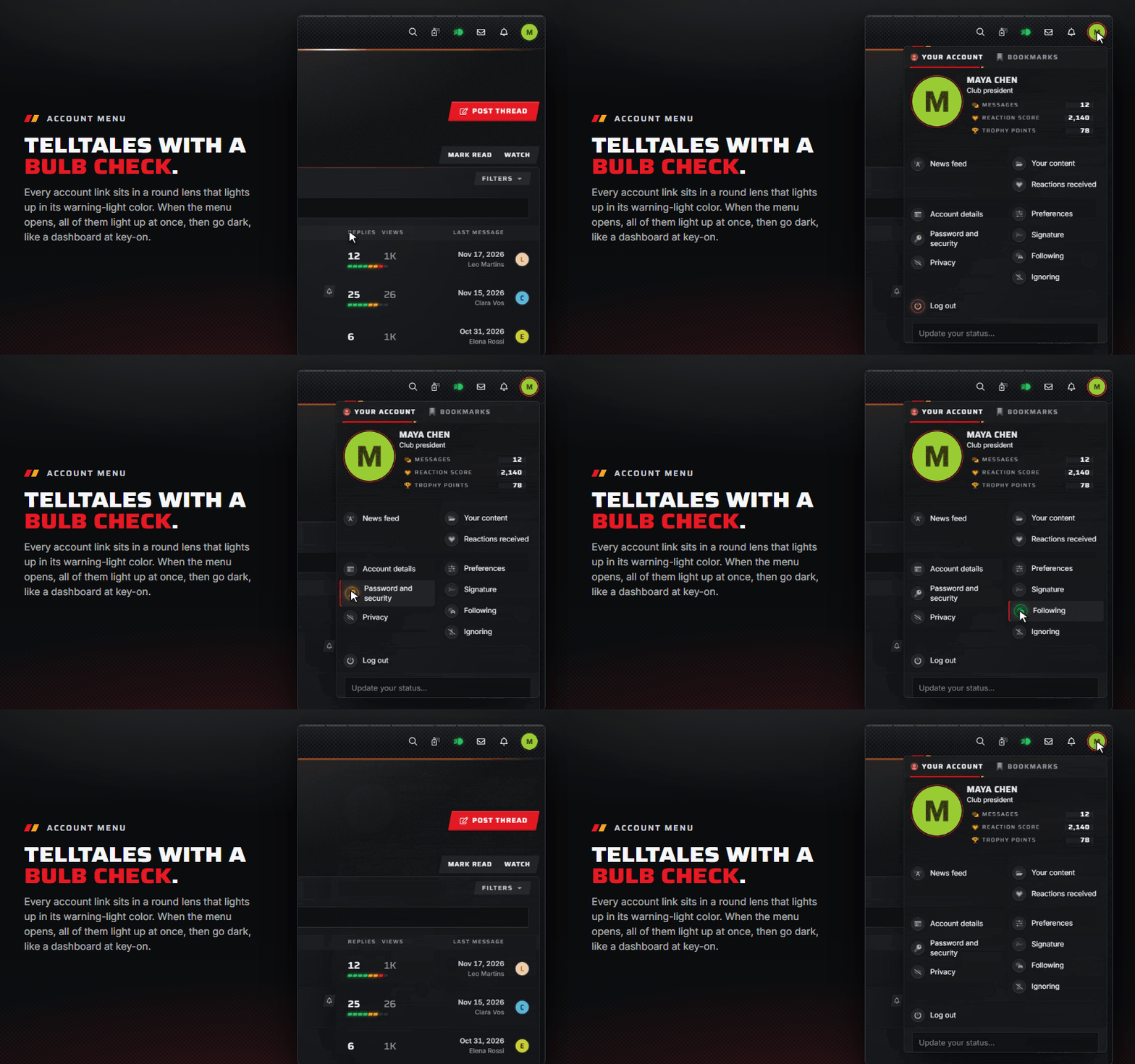
The account menu opens with a bulb check of every telltale.
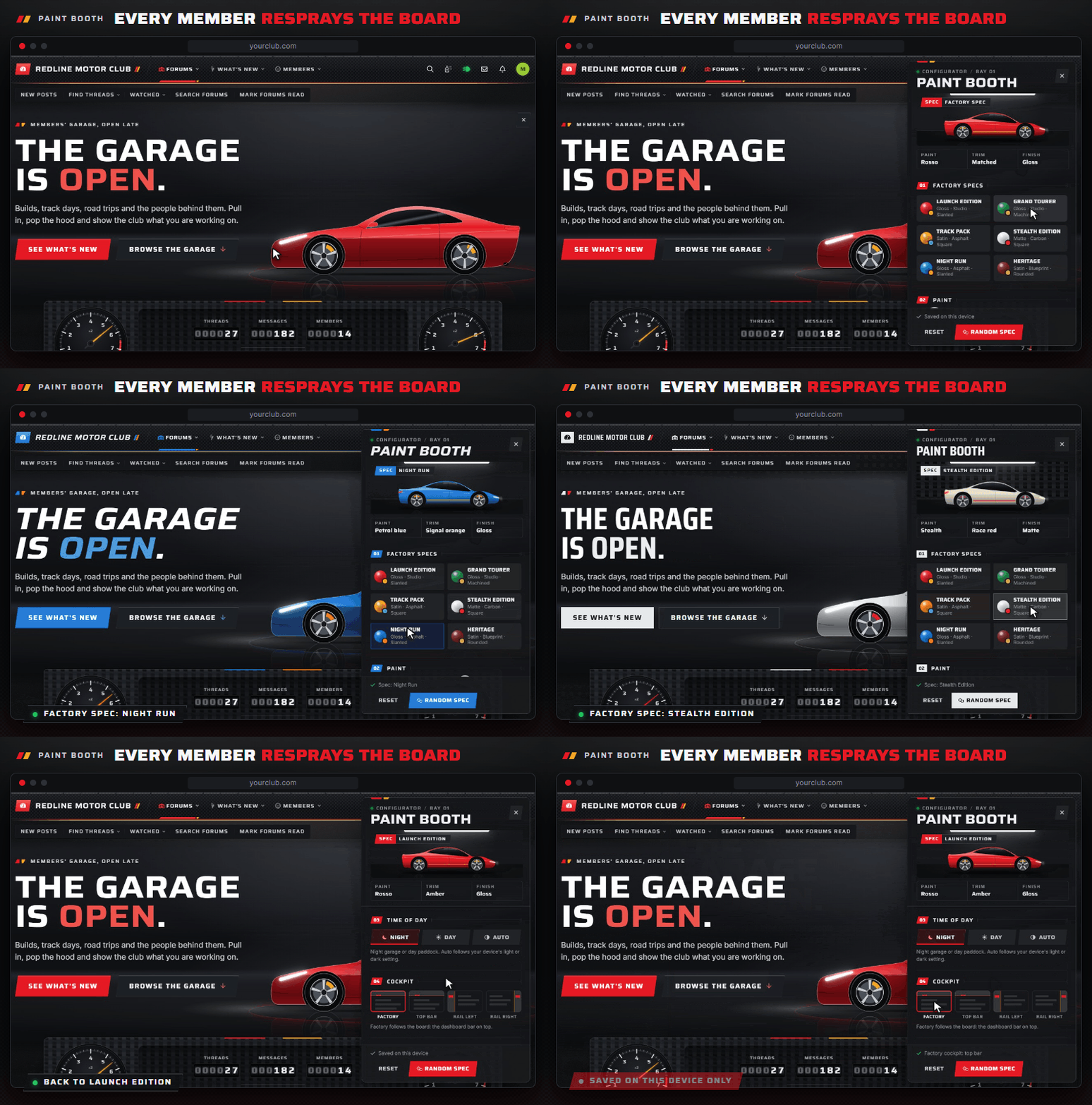
A member tries four factory specs in the Paint booth and moves the navigation to the center console.
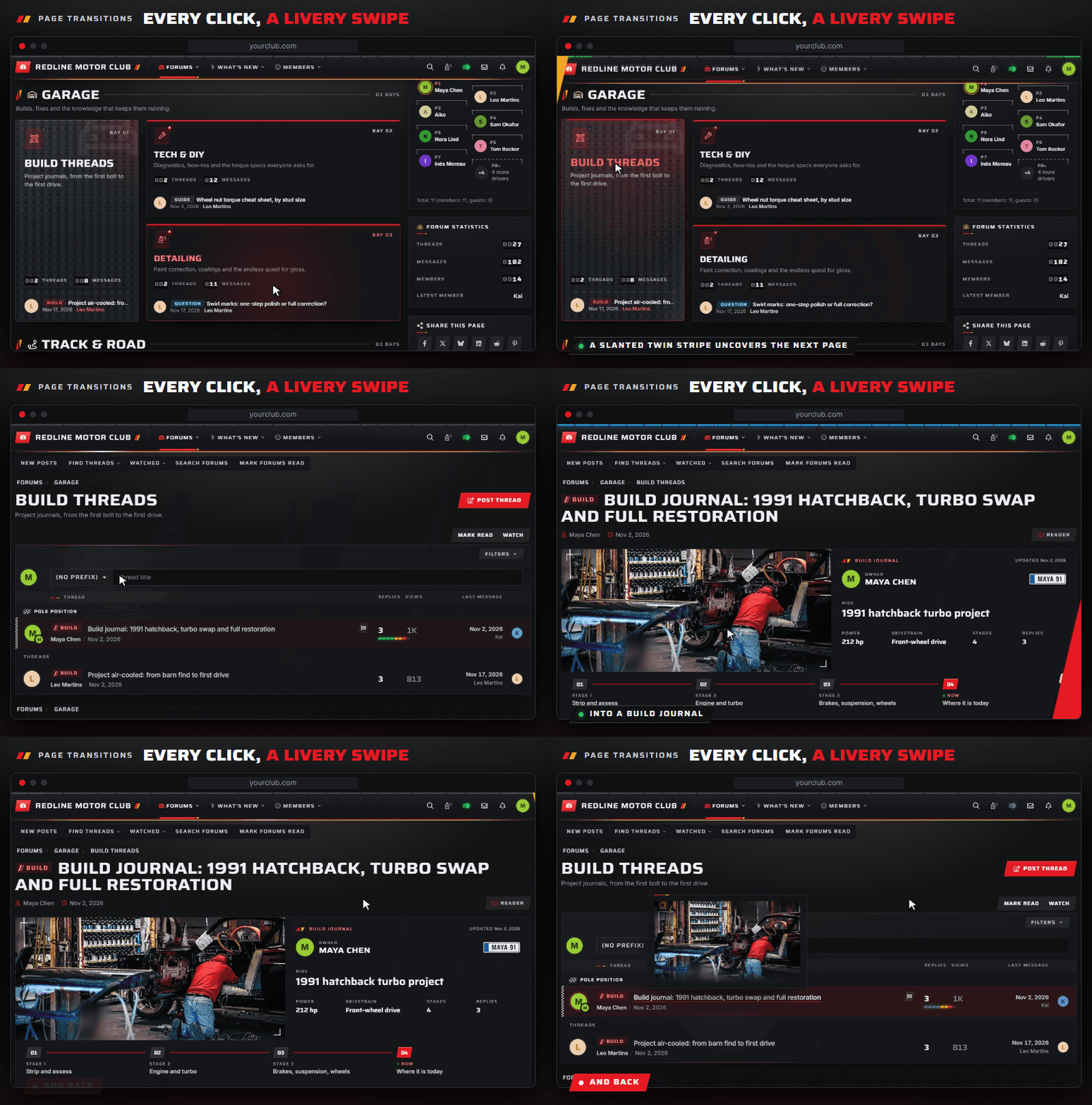
Every click is a livery swipe across the screen.
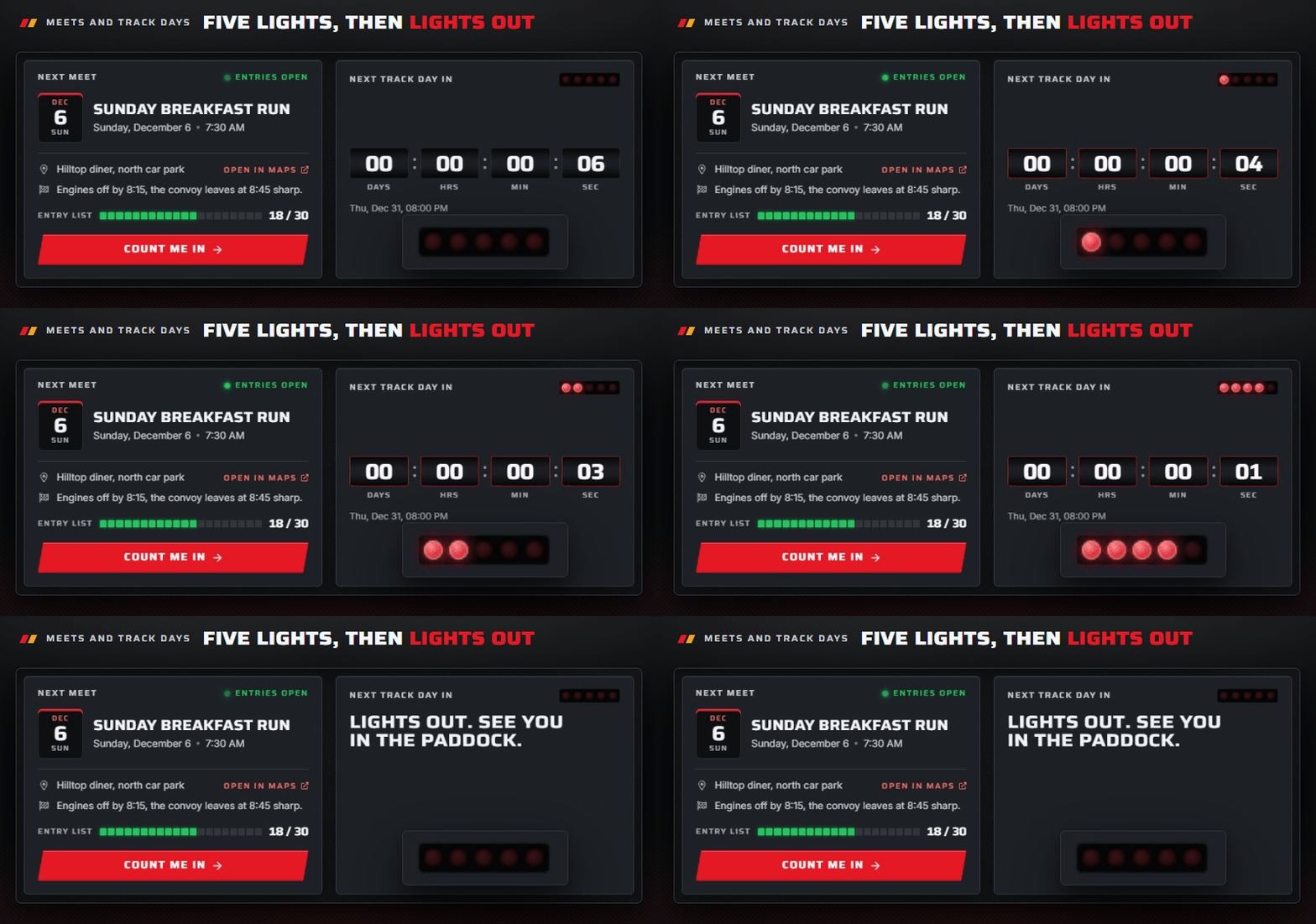
Five red lights, then lights out.
Paint booth for your members
Each visitor can respray the board for themselves from the Paint booth, opened from the spray can button in the dashboard, the Ctrl K palette or the phone menu, with a live studio car that takes the paint, trim and finish as they change.- Paint, trim and finish: the six paints, six trim colors, Gloss, Satin or Matte, or a custom mix.
- Showroom background, bodywork (solid, glass or outline panels; slanted, machined, rounded or square controls), lettering, Night or Day and motion.
- The cockpit: the dashboard bar on top, or the center console on the left or on the right.
- Factory specs such as Launch Edition, Grand Tourer or Stealth Edition, and spec codes that club mates can share.
- Saved on the visitor's device only and applied before the page shows, so nothing flickers. Your settings stay the factory spec for everyone else.
Every page designed
Ignition sign-in and registration with an engine start/stop button and the members in the paddock now, track-side system pages (Off track, Members only paddock, In the pits), a lit trophy cabinet, profiles with the member's garage and plate, the member directory as classification cards, direct messages as chat bubbles, account, search and help pages. Plus livery page transitions, forum paints, a pit board announcement bar, lap progress and a reader mode for long threads, and a finish line footer.260 options, zero code
Every option lives in Appearance > Style properties, in 21 "Torque:" groups with plain-English descriptions. Your settings live in a child style, so updates never touch your values, custom CSS or template edits.Compatibility and requirements
- XenForo 2.3.0+ (tested on 2.3.13).
- No add-on required: Torque is a pure style.
- Modern browsers. Page transitions need Chrome, Edge 126+ or Safari 18.2+; other browsers load pages normally.
- Self-hosted typefaces, no request to any third-party server with the default options.
- Garage fields and number plates read ordinary XenForo custom user fields that you create once.
- Interface texts added by Torque are in English and can be translated in the matching torque_* templates.
- Torque is an original style: it contains no vehicle maker's, motorsport series' or sponsor's names, logos, badges or artwork, and its vehicle drawings are generic.
- Visible branding: yes, a small "Torque style by XenSupport" plate in the footer (or a free discreet emblem), removable with payment: the "Remove branding" option (29 EUR) on Torque in the XenSupport store.
Support
Support, updates and the changelog are on xen-support.com. Please include your XenForo version and a link to your board.- Related resources


