- Compatible XF 2.x versions
- 2.3
- Additional requirements
- PHP 8.0 or newer. XenForo Resource Manager 2.3 is optional.
- Visible branding
- No
Download Countdown & Downloaders
Make visitors wait a few seconds before a file download starts, and see who downloaded each file. Works for forum post attachments and for XenForo Resource Manager files. XFRM is optional: without it, the add-on simply covers forum attachments.
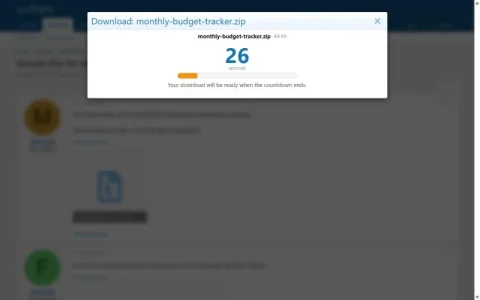
The countdown is enforced on the server
Many countdown add-ons only hide the link in the browser, so anyone who copies the file address skips the wait. Here the file itself is refused until the wait is over:
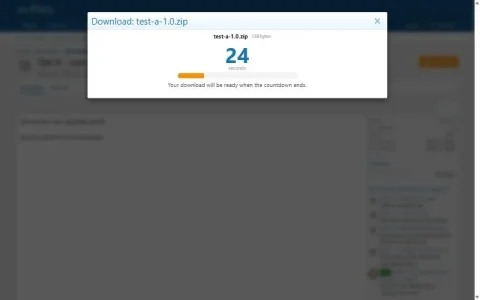
- Opening the direct file address shows the countdown, never the file.
- Time is counted on the server. Flooding the timer or running it in parallel does not make it faster.
- One finished countdown is good for one download, and only for the visitor who waited.
- A visitor can run one countdown at a time.
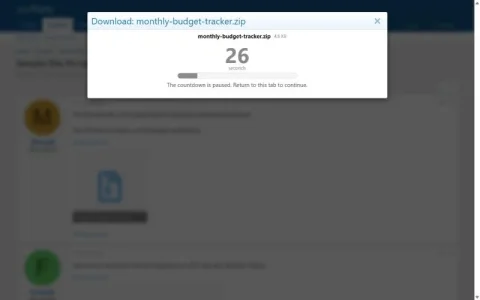
- The countdown pauses while the tab is in the background and continues when the visitor returns.
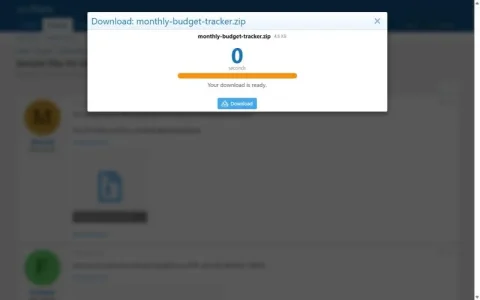
- The Download button appears only when the countdown has finished.
The visitor's browser reports whether the tab is visible. A scripted client could claim the tab is visible, but it still has to wait the full time.
Separate permissions for forums and resources
Two permission groups, placed next to the forum and resource permissions:
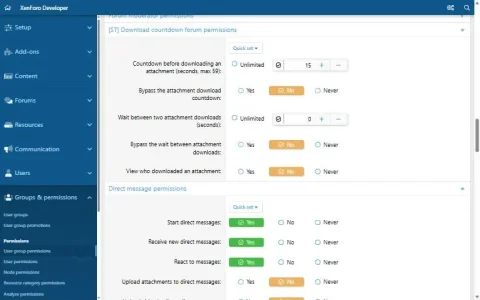
- [ST] Download countdown forum permissions
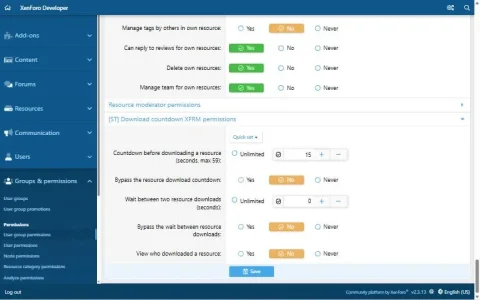
- [ST] Download countdown XFRM permissions
Each group has the same five permissions:
- Countdown before a download (seconds, up to 59; 0 = no countdown)
- Bypass the countdown
- Wait between two downloads (seconds; 0 = no wait)
- Bypass the wait between downloads
- View who downloaded a file
They are standard XenForo content permissions, so you can set them per user group and override them per forum or per resource category. Example: 20 seconds for guests, 5 seconds for members, none for supporters, and no countdown at all in one specific forum.
Downloaders
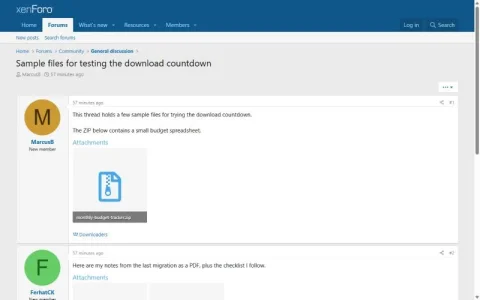
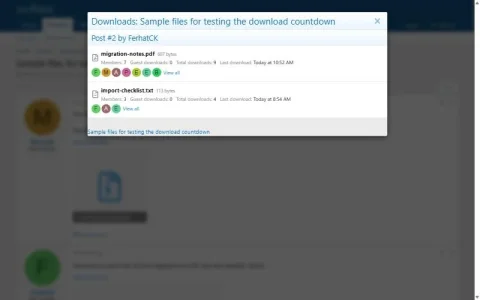
- A Downloaders link in the action bar of every post that has a downloadable file.
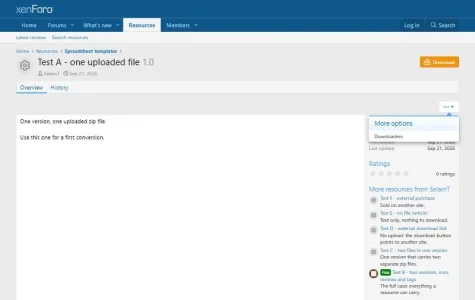
- A Downloaders entry in the thread tools menu and in the resource tools menu.
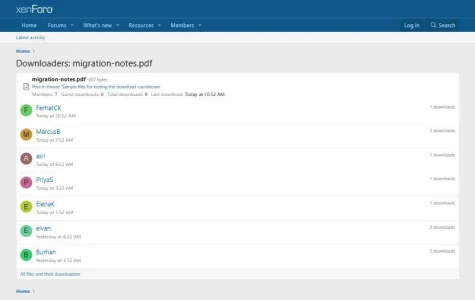
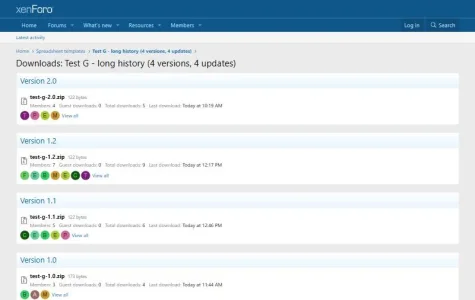
- Per file: members who downloaded it, how many times and when, plus the number of guest downloads.
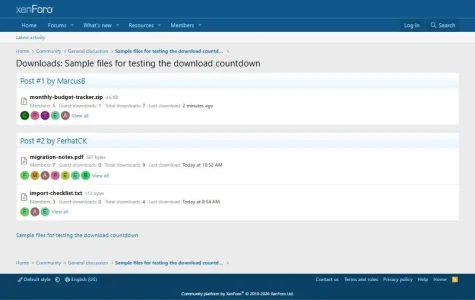
- Per thread and per resource: every file grouped by post or by version.
- The links are shown only to visitors who have the permission.
- When XFRM is installed, its existing download history is imported on installation.
Which files
- Forum post attachments with the extensions you list in the options (zip, rar, 7z, xlsx, pdf and more by default). Leave the list empty to cover every attachment that is not an image, video or audio file.
- Images, videos and audio attachments are never affected.
- XFRM: resource files, external download links and attachments of resource updates.
Built the XenForo way
- No template edits: four template modifications, all removed on uninstall.
- No inline CSS or JavaScript; styling uses your style's own colours, so it follows light and dark variations.
- No jQuery, no external requests, no licence checks, no call-home.
- Guest addresses are never stored; the guest cooldown uses a salted hash that is deleted after a day.
- Uninstalling removes every table, phrase, permission and option.
- English and Turkish included; all text is in phrases.
Live demo
You can try the add-on on our demo board,
forumino.com, running the default XenForo style. Log in with one of the demo accounts (regular members, no admin access):
- User name: dltest1 or dltest2
- Password: ForuminoDemo2026
Where to look:
Members on the demo board wait 15 seconds before each download. Leave the tab during the countdown to see it pause.
Requirements
- XenForo 2.3
- PHP 8.0 or newer
- XenForo Resource Manager 2.3 (optional)
Developed and tested on XenForo 2.3.13 with PHP 8.0, 8.4 and 8.5, on the default style.
Installation
- Upload the contents of the
upload folder to your XenForo root, or install the ZIP from the admin control panel.
- Install the add-on from Add-ons.
- Set the wait times under Groups & permissions > User group permissions. Nothing changes for your visitors until you do.
- Optionally adjust the file extensions under Options > [ST] Download countdown.
-
02-countdown-running.webp
8.9 KB
· Views: 7
-
04-download-ready.webp
8.4 KB
· Views: 8
-
03-countdown-paused.webp
8.5 KB
· Views: 7
-
01-thread-attachment.webp
18.5 KB
· Views: 7
-
05-post-downloaders.webp
14.9 KB
· Views: 7
-
06-file-downloaders.webp
17 KB
· Views: 7
-
07-thread-downloads.webp
27.2 KB
· Views: 6
-
10-resource-countdown.webp
7.8 KB
· Views: 6
-
09-resource-menu.webp
21.2 KB
· Views: 5
-
08-resource-downloads.webp
23.2 KB
· Views: 5
-
11-acp-forum-permissions.webp
28.7 KB
· Views: 4
-
12-acp-xfrm-permissions.webp
30.4 KB
· Views: 4
-
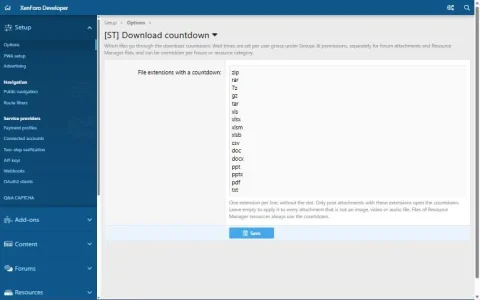
13-acp-options.webp
19.6 KB
· Views: 3
-
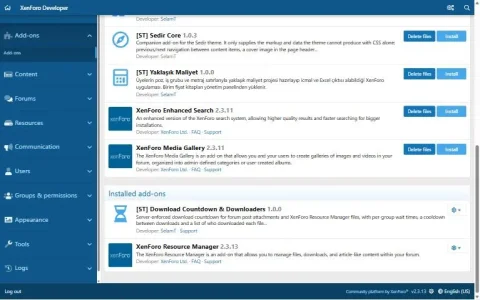
14-acp-installed-add-on.webp
43.2 KB
· Views: 4


