- Compatible XF 2.x versions
- 2.3
- Updates duration
- $20.00 / 12 mo. renewal
- Visible branding
- Yes, but removable without payment
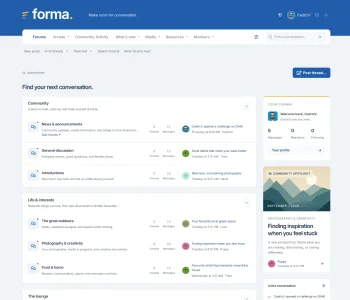
Forma is a three-piece theme pack for XenForo, offering three distinct takes on the same design: a modern look, a touch of classic forum nostalgia, and something in between.
Each style has its own character, while sharing consistent layouts, familiar controls and the same customisation features. You can choose the one that suits your community, or install all three and let your members decide.
Demo
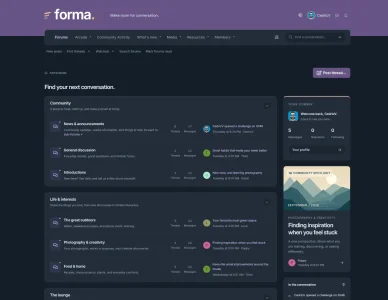
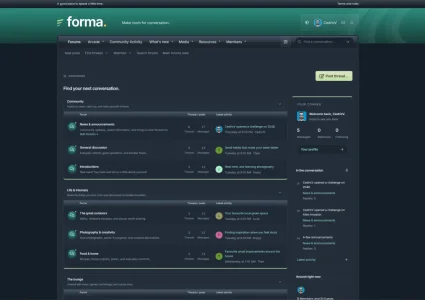
Modern Nostalgic brings back some of the character of older forum themes. Silver category headers, darker navigation and a little gloss give it that familiar look, with proper support for mobile and dark mode.
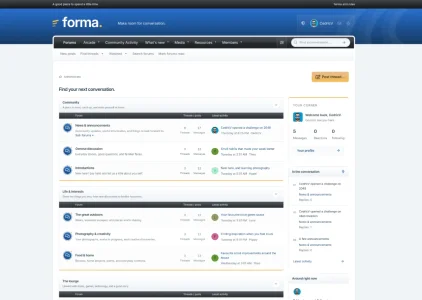
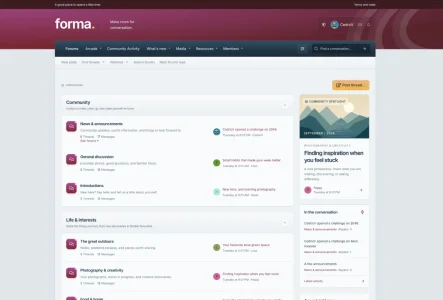
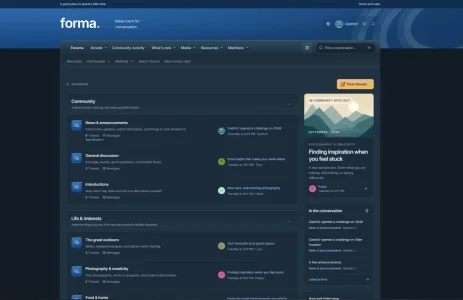
Modern Heritage sits in the middle. It has a bit more depth than Modern 2026, but with a detailed header and rounded forum panels, and takes a quieter approach than Nostalgic. It also includes a community spotlight for highlighting a discussion from your forum that you can customize.
Some of the changes include:
Modern 2026 and Modern Nostalgic include Your corner, showing signed-in members a small overview of their account, and A little more connection, a widget for your community message.
Modern Heritage includes the Community spotlight. You can choose a forum to draw discussions from, or let it use the latest visible discussion across your board, completely optional. You can also switch back to your board’s configured sidebar widgets if you prefer your existing setup.
Each style has its own character, while sharing consistent layouts, familiar controls and the same customisation features. You can choose the one that suits your community, or install all three and let your members decide.
Demo
The three styles
Modern 2026 is the cleanest of the three. It uses flat surfaces, floating navigation and a lighter layout, with less decoration around the content.Modern Nostalgic brings back some of the character of older forum themes. Silver category headers, darker navigation and a little gloss give it that familiar look, with proper support for mobile and dark mode.
Modern Heritage sits in the middle. It has a bit more depth than Modern 2026, but with a detailed header and rounded forum panels, and takes a quieter approach than Nostalgic. It also includes a community spotlight for highlighting a discussion from your forum that you can customize.
Make it fit your community
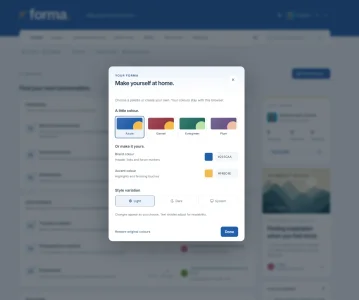
Every style includes a color customizer. Open it using the sliders button beside search, then choose one of the four included palettes:- Azure
- Garnet
- Evergreen
- Plum
What’s included
The design extends beyond the forum index. Topic lists, posts, profiles, menus and posting screens have all received attention.Some of the changes include:
- Forum rows with clearer statistics and latest-post information.
- Mobile layouts with avatars aligned alongside topic titles and timestamps.
- A mobile action sheet for thread options.
- A reading toolbar with shortcuts for replying, bookmarking and returning to the top, where available.
- Updated buttons, forms, menus and editor styling.
- Subtle animations, with support for reduced-motion preferences.
Sidebar widgets
Forma includes a few sidebar widgets with recent discussions, online members and a few additions depending on the style.Modern 2026 and Modern Nostalgic include Your corner, showing signed-in members a small overview of their account, and A little more connection, a widget for your community message.
Modern Heritage includes the Community spotlight. You can choose a forum to draw discussions from, or let it use the latest visible discussion across your board, completely optional. You can also switch back to your board’s configured sidebar widgets if you prefer your existing setup.