- Compatible XF 2.x versions
- 2.3
- Additional requirements
- AC-XenFrame
- Updates duration
- $12.50 / 12 mo. renewal
- Visible branding
- Yes, but removable without payment
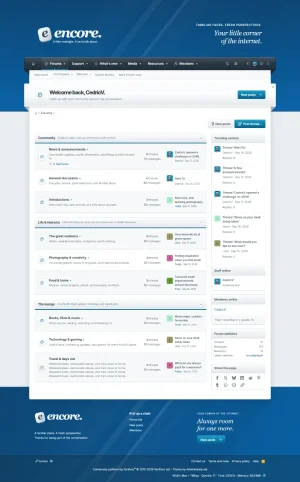
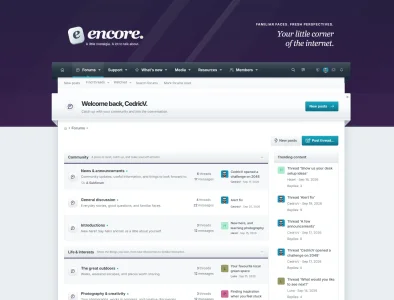
Encore takes its inspiration from our earlier themes, with diagonal stripes, a little gloss and folded ribbons that feel right at home in 2010.
Demo
A familiar face
The striped header sets the tone. A dark navigation ribbon sits beneath your logo, with folded edges and a bright underline on the selected tab. The welcome ribbon carries the same finish, greeting new visitors and welcoming members back by name.
The forum body drops into a full-width footer, with matching stripes, space for a few words about your community and links to keep people moving.
Light and dark
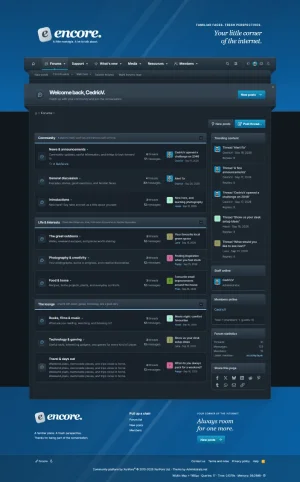
Encore comes with light and dark versions. Members can pick either or follow their device through the appearance button in the navigation. Their choice is remembered in their browser.
Three familiar colours
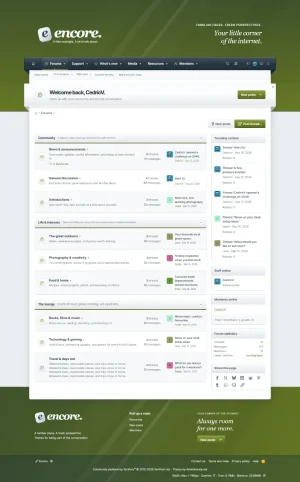
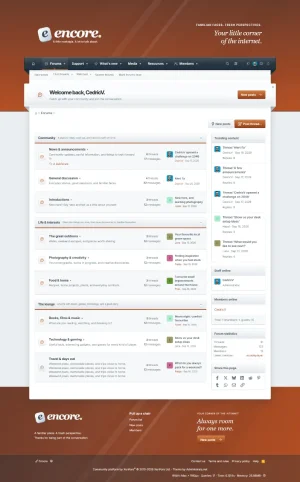
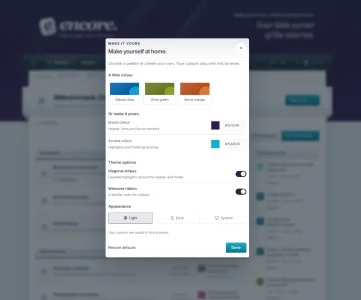
Classic blue, Olive green and Burnt orange are included. Pick the one that suits your community, or choose your own colours through XenFrame. Members can also switch the stripes and welcome ribbon on or off.
Make it yours
Change the header message, welcome text and footer content through Style Properties. Logos, fonts and page widths use XenForo’s usual settings. XenFrame brings the appearance panel and puts staff links together behind a shield icon, showing the tools each member has permission to use.
Requirements and installation
Encore requires XenForo 2.3.13 or newer within the 2.3 series, and XenFrame 1.1.0 or newer. XenFrame 1.1.0 is included in the download.
Extract Encore-1.0.0.zip first. Install AC-XenFrame-1.1.0.zip through Admin CP → Add-ons → Install/upgrade from archive. Then import Encore.zip through Admin CP → Appearance → Styles → Import, as a new style with no parent. The logos, icons, font and script come along with the import, so there’s nothing to upload by hand.
Already using XenFrame 1.1.0 or newer with another theme? You can skip the add-on installation. Create a child style for your own customizations. The footer has a small “Theme by Administrata.net” credit, which can be removed with a copyright removal code under Admin CP → Options → XenFrame.
Demo
A familiar face
The striped header sets the tone. A dark navigation ribbon sits beneath your logo, with folded edges and a bright underline on the selected tab. The welcome ribbon carries the same finish, greeting new visitors and welcoming members back by name.
The forum body drops into a full-width footer, with matching stripes, space for a few words about your community and links to keep people moving.
Light and dark
Encore comes with light and dark versions. Members can pick either or follow their device through the appearance button in the navigation. Their choice is remembered in their browser.
Three familiar colours
Classic blue, Olive green and Burnt orange are included. Pick the one that suits your community, or choose your own colours through XenFrame. Members can also switch the stripes and welcome ribbon on or off.
Make it yours
Change the header message, welcome text and footer content through Style Properties. Logos, fonts and page widths use XenForo’s usual settings. XenFrame brings the appearance panel and puts staff links together behind a shield icon, showing the tools each member has permission to use.
Requirements and installation
Encore requires XenForo 2.3.13 or newer within the 2.3 series, and XenFrame 1.1.0 or newer. XenFrame 1.1.0 is included in the download.
Extract Encore-1.0.0.zip first. Install AC-XenFrame-1.1.0.zip through Admin CP → Add-ons → Install/upgrade from archive. Then import Encore.zip through Admin CP → Appearance → Styles → Import, as a new style with no parent. The logos, icons, font and script come along with the import, so there’s nothing to upload by hand.
Already using XenFrame 1.1.0 or newer with another theme? You can skip the add-on installation. Create a child style for your own customizations. The footer has a small “Theme by Administrata.net” credit, which can be removed with a copyright removal code under Admin CP → Options → XenFrame.