

- Compatible XF 2.x versions
- 2.3
- License
- MIT License
- Visible branding
- No
Cryptopunk Avatar Gallery
Cryptopunk Avatar Gallery is a seamless customization for XenForo that integrates a premium collection of 125 8-bit style avatars directly into the user account area.
This add-on extends the native avatar upload functionality, offering users a curated gallery of high-quality avatars without leaving the page.
Uses
Give your community instant personality with a diverse set of 125 unique Cryptopunk avatars. Instead of forcing users to search for and upload images manually, they can browse and select a distinct digital identity with a single click.
Updates are handled instantly. When a user selects an avatar, it is applied immediately using native XenForo avatar upload systems
Feature List
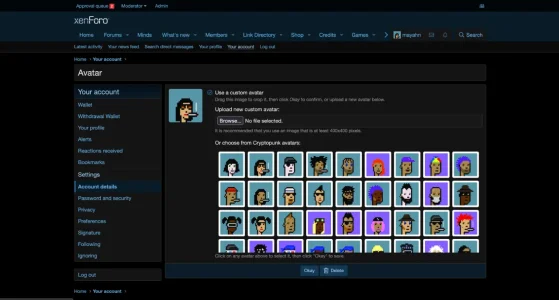
Seamless Integration: The gallery is injected directly into the existing Avatar management page in User Account settings.
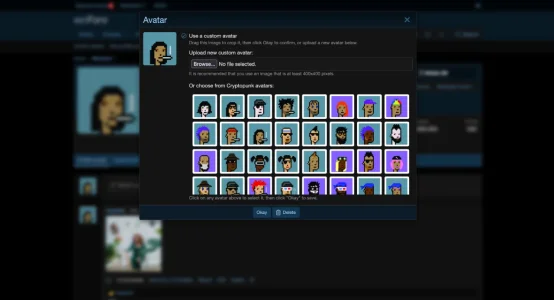
Instant Application: Leveraging XenForo's native Javascript framework, avatar updates are applied immediately to the page header, sidebar, and profile without refreshing.
125 Unique Assets: Includes a complete set of 200x200px avatars, optimized for XenForo's standard avatar sizes.
Installation
Usage
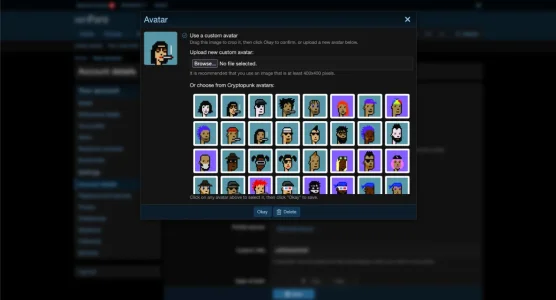
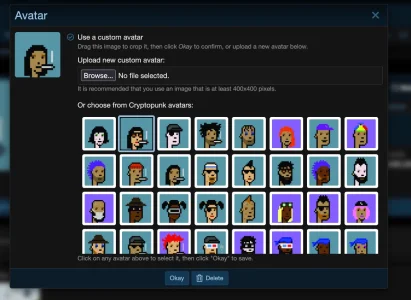
Once installed, users can navigate to Account details > Avatar. A new section "Or choose from Cryptopunk avatars" will be visible. Clicking any avatar instantly updates their profile photo.
Cryptopunk Avatar Gallery is a seamless customization for XenForo that integrates a premium collection of 125 8-bit style avatars directly into the user account area.
This add-on extends the native avatar upload functionality, offering users a curated gallery of high-quality avatars without leaving the page.
Uses
Give your community instant personality with a diverse set of 125 unique Cryptopunk avatars. Instead of forcing users to search for and upload images manually, they can browse and select a distinct digital identity with a single click.
Updates are handled instantly. When a user selects an avatar, it is applied immediately using native XenForo avatar upload systems
Feature List
Seamless Integration: The gallery is injected directly into the existing Avatar management page in User Account settings.
Instant Application: Leveraging XenForo's native Javascript framework, avatar updates are applied immediately to the page header, sidebar, and profile without refreshing.
125 Unique Assets: Includes a complete set of 200x200px avatars, optimized for XenForo's standard avatar sizes.
Installation
- Upload Add-on: Upload the contents of the
uploaddirectory to your XenForo root. - Upload Images: Download the Cryptopunk Avatar Files and place them in the correct data directory:
- Place the
CryptopunkAvatarfolder inside your forum'sdata/gallery_avatars/directory. - Final path should be:
your-forum.com/data/gallery_avatars/CryptopunkAvatar/CryptopunkAvatar_001.jpg(etc).
- Place the
- Install via AdminCP: Go to Add-ons, find "Cryptopunk Avatar Gallery", and click Install.
Usage
Once installed, users can navigate to Account details > Avatar. A new section "Or choose from Cryptopunk avatars" will be visible. Clicking any avatar instantly updates their profile photo.
-
 Screenshot 2025-12-30 at 04.11.11.webp
 -
 Screenshot 2025-12-30 at 04.10.39.webp
 -
 Screenshot 2025-12-30 at 04.10.00.webp
 -
 Screenshot 2025-12-30 at 04.09.50.webp


