Resource icon

Tip Tap Editor for Xenforo 1.4.38

No permission to download
Not bad, gives me some hope. :)

On my test env, it is not possible to fully install this addon due to some errors.

\XF::app()->updateOptions(['yhtTiptapEditorEnabled' => 1]); - Line 19 in Setup.php throws an error: Error: Call to undefined method XF\Admin\App::updateOptions(). It appears the addon is expecting something that just doesn't exist on a fresh install of the addon.

However, bypassing this entire function, allows it to somewhat install... but XF2 treats it as not installed. On the front-end/client side, it acts as installed.

The editor...
1. When swapping to plain-text markup and not the WYSIWYG editor, nothing will render.
2. Even if the language tool is disabled, the button on the client side editor remains visible.
3. The Code markup button originally will insert a 100% width code 'bubble' to the UI, but when you swap it to the non-markup plain-text version and swap back, it defaults to monospaced text with no bubble markup.
4. New-line spacing is being randomly stripped and all blank lines are being smashed together.

After more poking about, installing process will fail at "Template Modifications" step.
 
Last edited:
Not bad, gives me some hope. :)

On my test env, it is not possible to fully install this addon due to some errors.

\XF::app()->updateOptions(['yhtTiptapEditorEnabled' => 1]); - Line 19 in Setup.php throws an error: Error: Call to undefined method XF\Admin\App::updateOptions(). It appears the addon is expecting something that just doesn't exist on a fresh install of the addon.

However, bypassing this entire function, allows it to somewhat install... but XF2 treats it as not installed. On the front-end/client side, it acts as installed.

The editor...
1. When swapping to plain-text markup and not the WYSIWYG editor, nothing will render.
2. Even if the language tool is disabled, the button on the client side editor remains visible.
3. The Code markup button originally will insert a 100% width code 'bubble' to the UI, but when you swap it to the non-markup plain-text version and swap back, it defaults to monospaced text with no bubble markup.
4. New-line spacing is being randomly stripped and all blank lines are being smashed together.

After more poking about, installing process will fail at "Template Modifications" step.
Fixing it
 
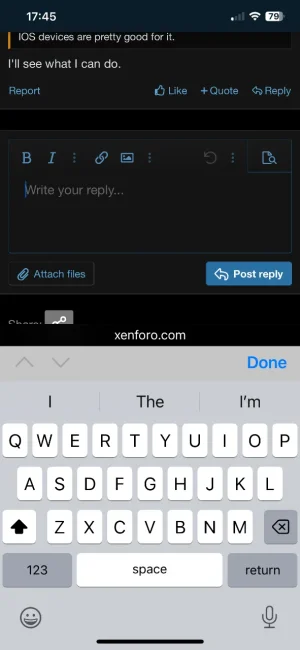
is it possible to setup TipTap to mostly post on mobile by speech to text ?

IOS devices are pretty good for it.
 
looks like you've some hardcoded paths in there (/styles/yht/tiptap-editor.css) so it 404s if the forum is in a subdirectory
 
When upgrading, yhtTiptapEditorEnabled re-defaults back to on/true, even if it was disabled/unchecked.

When your editor is active, XenForo is still appearing to include the froala_editor from ./js/vendor/froala/froala-compiled.js.

Button active outlines/background color, and hover color/bg-color appear to not respected from the template editor.

Two H buttons exist, for two different header options, needs to have H1 and H2 rather both just being H.

Highlight buttons (four of them) never render into the BBCode element of XenForo as highlight doesn't natively exist.
 
Back
Top Bottom