
I don't block them... no need.


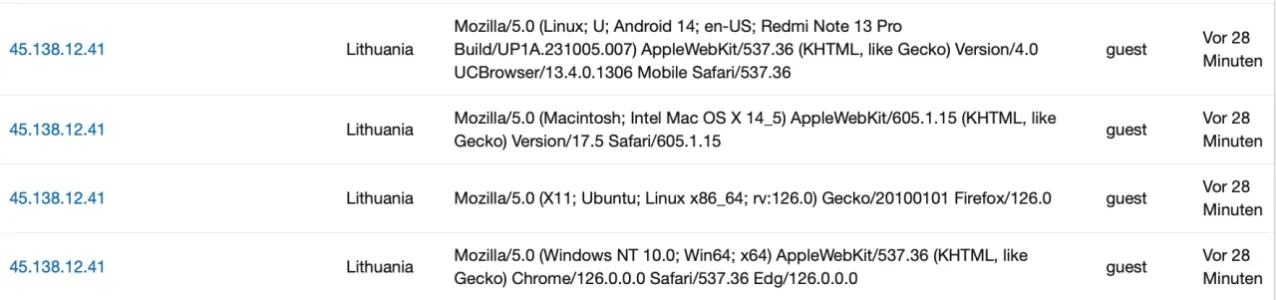
When you IP ban CIDRs or wildcard ranges on XenForo, XenForo is configured to throw a 403 to the client. On the web server daemon, it should be "seeing" that being sent from XenForo's PHP code, and throws that 403 Forbidden HTTP header code to the client. In most configurations, the modified phrase/text isn't even needed.I figured it out, it's actually the new Muse training thing, they are hitting sites like crazy to train muse, their new AI model.
Just block IP 57.141.* using the star and it goes away in 2 days. Also add a 403 message to the block IP phrase if you know how.
View attachment 345179

root@box006:~# curl -s -o /dev/null -A "Mozilla/5.0 (Windows NT 10.0; Win64; x64)" -w "%{http_code}\n" [...]
200root@box006:~# curl -s -o /dev/null -A "Mozilla/5.0 (Windows NT 10.0; Win64; x64)" -w "%{http_code}\n" [...]
403proxy_intercept_errors, apache: ProxyErrorOverride On), you can actually intercept HTTP codes of your choosing to replace it with a custom override page. Which further reduces all bandwidth & CPU processing requirements at the XenForo level, as it is now handled directly at the web server and not PHP. 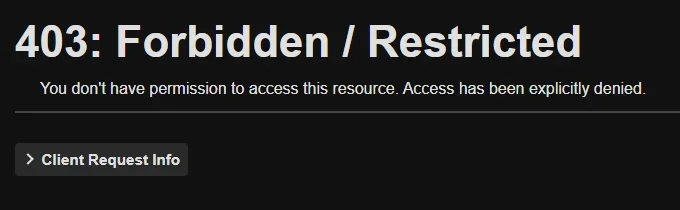

When you IP ban CIDRs or wildcard ranges on XenForo, XenForo is configured to throw a 403 to the client. On the web server daemon, it should be "seeing" that being sent from XenForo's PHP code, and throws that 403 Forbidden HTTP header code to the client. In most configurations, the modified phrase/text isn't even needed.
If the site that you manage is what you have set on your profile... it is indeed sending 404s and 403s correctly to the browser via the status code header.I don't think that is the same on cloud, I banned an IP from my phone and got the Oops IP banned message from my forum and I added the 403 error.








You could beef up the setup by creating a private network between the hosts and only the firewall having a public IP.
 That is how these cloud servers are set up. The database and Elasticsearch servers only connect via non-public IP addresses in the 10.0.0.0/8 block, and their firewalls reject everything else except the other two servers' IP addresses, my own IP address, and from a couple other servers at other hosts, so I always have a backdoor to get in if my home IP changes. The Apache server connects to the Internet, but only CF's IP addresses are allowed, and the small number of other ports I need like SSH are again permitted only via just a couple of IP addresses. (The hosting company also has their own console through my account.)
I'm also allowing Amazonbot for that reason. Even though it shows up as an AI crawler in Cloudflare.Regarding Amazon's bots...
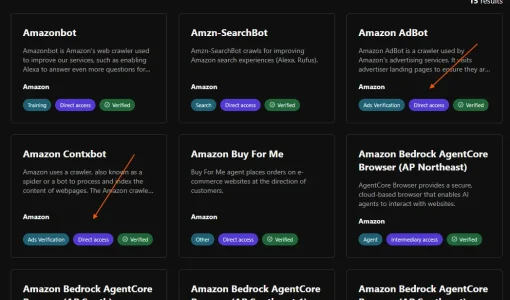
I whitelist two of Amazon's bots. We are Amazon affiliates and two of their crawlers might be checking to see if the links are valid and within their terms (not verified that they do this, but why take the chance?). Amazon is flaky in that regard, and will send warnings if anything varies from normal. These would also apparently be used if a site hosted their dynamic widgets that update based on site content.
Amazon Contxbot. User-Agent: contxbot
Amazon AdBot. User-Agent: AmazonAdBot
 )
)

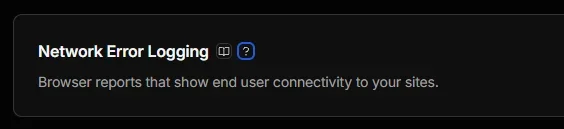
Could it be an ASN challenge somewhere?I mean, where would we even find the results of this setting?
View attachment 345218
CF's menus have gotten too dense and unorganized, and full of too many clickbait menu items that try to get us to upgrade to other plans. If we have a free plan, we shouldn't see any additional settings or options not available at our account level. I don't have an hour to dig through everything to find some obscure set of logs that they don't make easy to find.
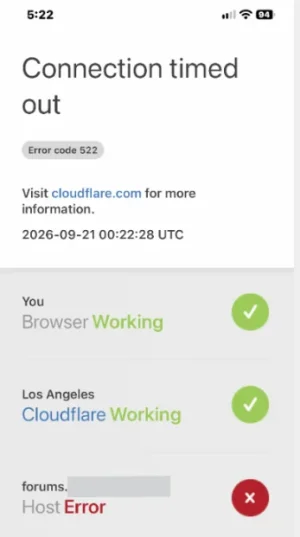
I've seen these here on the forums as well from time to time and also more or less often on other websites - with some of them relatively frequently, with most rather rarely.Yet the forum owner sent an email saying he's been getting CF errors all weekend, and seemingly "every other time" he tries to access us. Another pal on the staff says he sees it occasionally but nowhere near as often
CF 522 error. Can't reach the origin server.

The server's firewall has all the correct IPv4 and IPv6 addresses.
I haven't seen it myself, and I'm often monitoring things during my workday.
It's a connection error between CF and the origin, so no rules/challenges apply. Basically the origin isn't responding as quickly as CF would like.Could it be an ASN challenge somewhere?
Amazon Contxbot. User-Agent: contxbot
Amazon AdBot. User-Agent: AmazonAdBot
I'd assume that these three are not the same bot. As many of the big techs Amazon has more than one bot, serving different purposes - i.e. here they name three:I'm also allowing Amazonbot for that reason. Even though it shows up as an AI crawler in Cloudflare.

Amazonbot
Amazonbot is used to improve our products and services. This helps us provide more accurate information to customers and may be used to train Amazon AI models.
Example User Agent String: Mozilla/5.0 AppleWebKit/537.36 (KHTML, like Gecko; compatible; Amazonbot/0.1) Chrome/W.X.Y.Z Safari/537.36
I'm tracking down a few server settings, as I don't know if Keep-Alive is set properly (which CF recommends). This is a handy checklist to work through:I've seen these here on the forums as well from time to time and also more or less often on other websites - with some of them relatively frequently, with most rather rarely.
Also:I'd assume that these three are not the same bot. As many of the big techs Amazon has more than one bot, serving different purposes - i.e. here they name three:
Our other staffer says it happens infrequently.I've seen these here on the forums as well from time to time and also more or less often on other websites - with some of them relatively frequently, with most rather rarely.


We use essential cookies to make this site work, and optional cookies to enhance your experience.

