It does seem a bit more difficult than expected.
If you log in to your Customer Account and then go to https://xenforo.com/purchase/self-hosted at the bottom it lets you add it to the cart. I’ve not been through the entire purchase but I think that should add the purchase to your existing account.
It would seem they’re missing a trick by not having “buy another license” link on the account page but it could be that the “purchase new” and “purchase extensions” etc journeys are separate.
As above ^^^ if you click https://xenforo.com/purchase/self-hosted - Click build your Xenforo package then add package to cart
It will take you to your account with the new purchase then all you do is pay and your new licence will show.
I have two licenses under my account although to be honest, it was so long ago that I got them (2010 and 2011) that I've forgotten how I did it. (It's possible I might have had someone on the staff combine them into one account.)
Purchase XenForo software licenses and add-on products for installation on your own infrastructure
xenforo.com
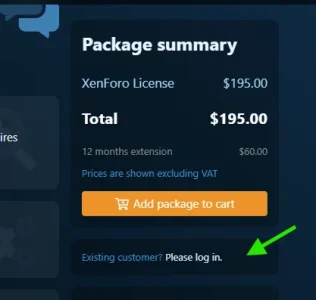
You'll see the XF package. Below the "add to cart" button is an option to log in.
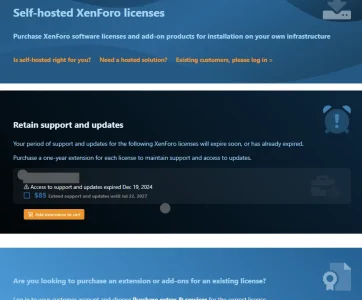
Once you do that, you might see the following if you have a license due for renewal:
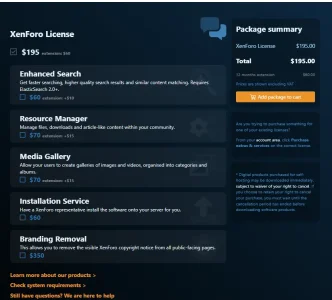
...but scroll down past that, and you'll see the choices available to you for configuring the package:
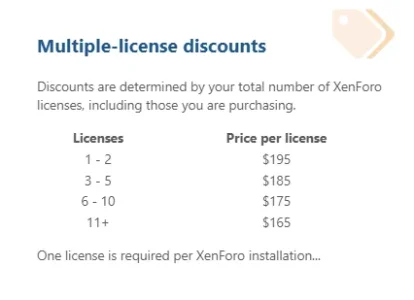
This isn't convoluted or difficult but, I will say that I'm just now looking at this as I haven't needed to purchase a license in many years. By logging in, this consolidates the licenses under one account and, if you buy a third, fourth, etc, license in the future, there is a volume discount available. Further down: