It has been running for the last 48 hours. What pic or stats would you like to see to make sure it's working well? There are so much data on the dashboard.Hey Andy, just following up to see how you got on with Light DB mode?

You are using an out of date browser. It may not display this or other websites correctly.
You should upgrade or use an alternative browser.
You should upgrade or use an alternative browser.

XF Bot Guard 1.4.1
No permission to download
- Thread starter zeeb0t
- Start date

Message sent!@zeeb0t replied: Please send the support bundle by DM so I can take a look. Thanks!
I will gladly dot this, but I do not know what you mean!

It has been running for the last 48 hours. What pic or stats would you like to see to make sure it's working well? There are so much data on the dashboard.
Feel free to send me screenshots and the support bundle via DM.


Have run into issues where a few tables from this add-on grow uncontrollably and will end up completely filling the available disk space if not caught in time. Had one that ended up hitting a total of almost 30gb between all of the xf_zee_botguard_* tables and checked other clients who have installed this and found a few cases where the
Is this a known issue with a workaround? Have cleared out some of the bigger tables to at least prevent it from continuing to grow short term
xf_zee_botguard_counter table alone hit over 40gb:
Code:
42.7G    ./xf_zee_botguard_counter.ibd
18G      ./xf_zee_botguard_event_detail.ibd
13G      ./xf_zee_botguard_event.ibd
2.6G     ./xf_zee_botguard_event_reason.ibd
2.0G     ./xf_zee_botguard_fp_ip.ibd
1.1G     ./xf_zee_botguard_ip.ibd
3.8G     ./xf_zee_botguard_report_snapshot_metric.ibd
17G     ./xf_zee_botguard_session.ibd
1.3G    ./xf_zee_botguard_shadow_canary.ibd
1.7G    ./xf_zee_botguard_visitor.ibd
Is this a known issue with a workaround? Have cleared out some of the bigger tables to at least prevent it from continuing to grow short term

Same. I didnt want to take a chance with known exploits.We upgraded to XF 2.3.13, and the latest version of Bot Guard is just humming along fine.
I did disable XF Botguard first, and re enabled it afterwards.
The is a very helpful addon. Thank you for developing it.
I have run into a problem that I likely created myself. I installed XF Bot Guard on a new server I was rolling out for JetBoaters.net. At the time of the install the server was configured as new. jetboaters. net in Xenforo setup. When it went live I removed new. from the configuration.
I also attempted to configure Cloudflare Edge Enforcement which I failed at then turned off.
After turning off Cloudflare Edge Enforcement and changing the Board URL setting to https://jetboaters.net I rebuilt XF Bot Guard from the Add-ons menu in Xenforo Admin.
I am having an issue with non logged in page loads going from "Validating browser..." to "502 Bad Gateway".
Logged in page loads work fine, as expected.
I am thinking that I may need to remove then reinstall XF Bot Guard.
I would appreciate any advice on how to fix these 502 Bad Gateway issues.
Thank you.
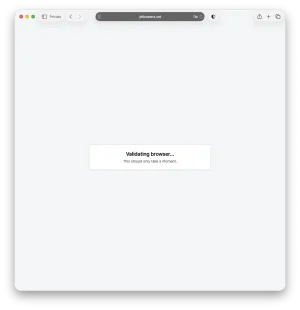
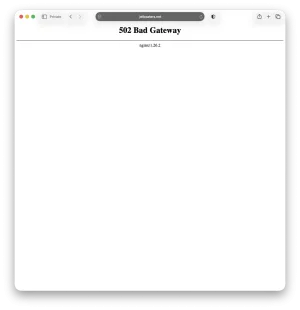
I have run into a problem that I likely created myself. I installed XF Bot Guard on a new server I was rolling out for JetBoaters.net. At the time of the install the server was configured as new. jetboaters. net in Xenforo setup. When it went live I removed new. from the configuration.
I also attempted to configure Cloudflare Edge Enforcement which I failed at then turned off.
After turning off Cloudflare Edge Enforcement and changing the Board URL setting to https://jetboaters.net I rebuilt XF Bot Guard from the Add-ons menu in Xenforo Admin.
I am having an issue with non logged in page loads going from "Validating browser..." to "502 Bad Gateway".
Logged in page loads work fine, as expected.
I am thinking that I may need to remove then reinstall XF Bot Guard.
I would appreciate any advice on how to fix these 502 Bad Gateway issues.
Thank you.
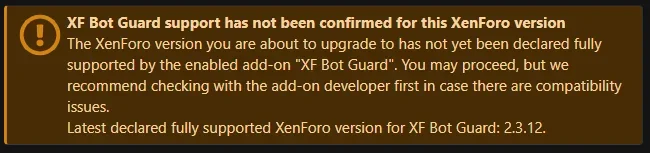
@zeeb0t does XF Bot Guard already fully support Xenforo 2.3.13. At the update page I get a warning wit this:
View attachment 344265
I wan't to update to the latest version, but I don't want to corrupt Bot Guard by doing so.
I will get around to doing a full analysis soon and officially boosting the declared supported version. But as others and yourself report, it does look to be fine - even on my own install

Is this a known issue with a workaround? Have cleared out some of the bigger tables to at least prevent it from continuing to grow short term
You can change the default data retention / clean up settings and this will help keep the DB usage (in terms of data size) lower, as it will prune it more often. There is also the Light DB mode, which should make the DB usage minimal (after the records are pruned over time), or minimal from the beginning on a fresh install.
So, yes - it is known... if your forum is busy, and you do not change default settings or use the Light DB mode, it will store a lot of data as there is a lot of data to sample and record. But there is an intentional Light DB mode for exactly this reason. You can find it in the quick settings area.
The is a very helpful addon. Thank you for developing it.
I have run into a problem that I likely created myself. I installed XF Bot Guard on a new server I was rolling out for JetBoaters.net. At the time of the install the server was configured as new. jetboaters. net in Xenforo setup. When it went live I removed new. from the configuration.
I also attempted to configure Cloudflare Edge Enforcement which I failed at then turned off.
After turning off Cloudflare Edge Enforcement and changing the Board URL setting to https://jetboaters.net I rebuilt XF Bot Guard from the Add-ons menu in Xenforo Admin.
I am having an issue with non logged in page loads going from "Validating browser..." to "502 Bad Gateway".
Logged in page loads work fine, as expected.
I am thinking that I may need to remove then reinstall XF Bot Guard.
I would appreciate any advice on how to fix these 502 Bad Gateway issues.
Thank you.
View attachment 344329View attachment 344330
Hard to say from here... you could send me the support bundle by DM, it may provide the insight we need to diagnose it. Go to XF Bot Guard -> Health check -> Support bundle -> Copy bundle, and DM it to me. Thanks!
Hard to say from here... you could send me the support bundle by DM, it may provide the insight we need to diagnose it. Go to XF Bot Guard -> Health check -> Support bundle -> Copy bundle, and DM it to me. Thanks!
Just sent it.
Just sent it.
Thanks!
I ran a few live redirect checks and found a likely cause.
Code:
http://jetboaters.net/ -> https://jetboaters.net/ [200]
http://www.jetboaters.net/ -> https://www.jetboaters.net/ [200]
https://www.jetboaters.net/ -> https://www.jetboaters.net/ [200]
http://new.jetboaters.net/ -> https://new.jetboaters.net/ [200]
https://new.jetboaters.net/ -> https://new.jetboaters.net/ [200]
The
www and old new hosts are serving the Bot Guard validation page directly instead of redirecting to https://jetboaters.net/ first. Since XenForo's Board URL is https://jetboaters.net, that can cause the browser validation collector to arrive from the wrong origin/context, which matches the collector_bootstrap_origin_invalid and collector_nonce_context_mismatch rows in your support bundle.I would fix the redirects first, not reinstall the add-on. Please configure the web server or Cloudflare so all of these redirect permanently to the canonical host, preserving the path/query:
Code:
http://jetboaters.net/*      -> https://jetboaters.net/*
http://www.jetboaters.net/*  -> https://jetboaters.net/*
https://www.jetboaters.net/* -> https://jetboaters.net/*
http://new.jetboaters.net/*  -> https://jetboaters.net/*
https://new.jetboaters.net/* -> https://jetboaters.net/*
After that, purge Cloudflare/host caches, clear the browser’s site cookies for JetBoaters, and retest as a logged-out guest. If a 502 remains after the redirects are fixed, the next place to check is Cloudflare/WAF/nginx/PHP-FPM logs for the exact
/bot-guard/collect (or any /bot-guard/ path) request or the page immediately after validation.
Yesterday afternoon my users were saying that sometimes pages were taking up to 20 seconds to load. It was random and hard to track down.
I couldn't find anything wrong and my logs looked good, so I asked ChatGPT which had me start doing a bunch of tests.
After about 2 hours, it found that the "Score confirmed hosting/datacenter reverse DNS" setting was causing the issue. I unchecked it and the site has been flying again.
So if your running into strange problems try turning this off and see if it helps you.
I couldn't find anything wrong and my logs looked good, so I asked ChatGPT which had me start doing a bunch of tests.
After about 2 hours, it found that the "Score confirmed hosting/datacenter reverse DNS" setting was causing the issue. I unchecked it and the site has been flying again.
So if your running into strange problems try turning this off and see if it helps you.

I’m inclined to think that v2.3.13 is causing these issues. This phenomenon wasn't occurring as of this afternoon. Three hours later—and without having made any changes to the system in the meantime—I’m experiencing these massive delays here, too! It’s the same story with the XENTR and Eggy forums!
I haven't upgraded yet still on 2.3.12 here. So its not that.I’m inclined to think that v2.3.13 is causing these issues. This phenomenon wasn't occurring as of this afternoon. Three hours later—and without having made any changes to the system in the meantime—I’m experiencing these massive delays here, too! It’s the same story with the XENTR and Eggy forums!

