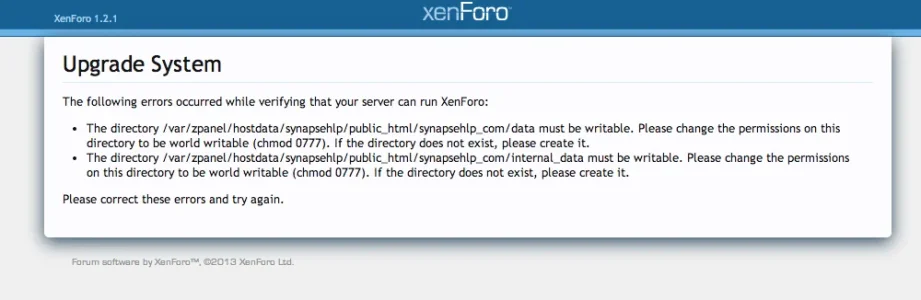
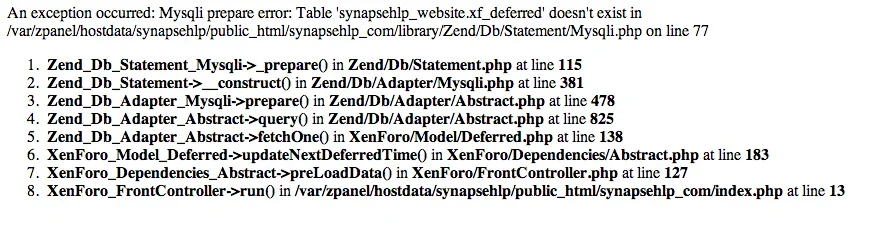
iFullyPro Member Licensed customer Sep 1, 2013 #1 The first screenshot is what appears when going to www.example.com/update Secondary screenshot is seen when visiting the site itself. Upgraded from 1.1.
The first screenshot is what appears when going to www.example.com/update Secondary screenshot is seen when visiting the site itself. Upgraded from 1.1.
P Paul B XenForo moderator Staff member Licensed customer Sep 1, 2013 #2 The first error indicates the permissions on the directories are incorrect. You will need to change them to writable as stated. The second error is because you haven't yet upgraded. Upvote 0 Downvote
The first error indicates the permissions on the directories are incorrect. You will need to change them to writable as stated. The second error is because you haven't yet upgraded.
iFullyPro Member Licensed customer Sep 1, 2013 #3 Brogan said: The first error indicates the permissions on the directories are incorrect. You will need to change them to writable as stated. The second error is because you haven't yet upgraded. Click to expand... Ahh k. So this is by no means a severe error? Upvote 0 Downvote
Brogan said: The first error indicates the permissions on the directories are incorrect. You will need to change them to writable as stated. The second error is because you haven't yet upgraded. Click to expand... Ahh k. So this is by no means a severe error?
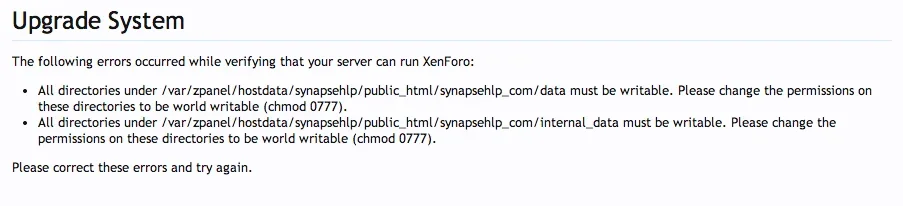
P Paul B XenForo moderator Staff member Licensed customer Sep 1, 2013 #4 You just need to chmod -r the data and internal_data directories. Then attempt the upgrade again. Upvote 0 Downvote
iFullyPro Member Licensed customer Sep 2, 2013 #5 Getting this now: *EDIT* Fixed, just updating some add-ons and hopefully this will be solved. Last edited: Sep 2, 2013 Upvote 0 Downvote