
You are using an out of date browser. It may not display this or other websites correctly.
You should upgrade or use an alternative browser.
You should upgrade or use an alternative browser.
[TH] Holidays [Deleted]
- Thread starter ThemeHouse
- Start date


ThemeHouse updated [TH] Holidays - now with Valentine's Day! with a new update entry:
Version 2.0.0 released
Read the rest of this update entry...
Version 2.0.0 released
Important! This add-on no longer supports XenForo 2.0. Please upgrade to XenForo 2.1 first, before updating to this version.
Changes:
- Reworked holiday effect mechanics from scratch (please be aware that any previous custom configurations will be dropped with this update)
- Reworked Valentines, New Years & Winter effects
- Added new holidays: Birthday, Halloween, Thanksgiving & 4th of July
Read the rest of this update entry...

@ThemeHouse Does this work only with the default XF theme and ThemeHouse themes, or will it work with any of them?

@Jake B. This add-on not compatible with @Ehren this Uniform style. So please can you do compatible update your add-on for work with other style?
The .th_holiday__navInner__left class doesn't exist, so the plain div element is breaking the layout due to justify-content: center;
Adding some correct styling, including position: absolute; will fix the problem.
Code:<div class="th_holiday__navInner__left"></div>
Breadcrumb navigation long space when addon enabled.

@Jake B. This old issue happened with this update. This add-on not compatible with @Ehren this Uniform style. So please can you do compatible update your add-on for work with other style? Also Node icon not working.
Last edited:

@ThemeHouse:
Perfect. Thx.
Additionally 1st august (swiss day )? LOL
It work for me with IO dark theme!
Edit:
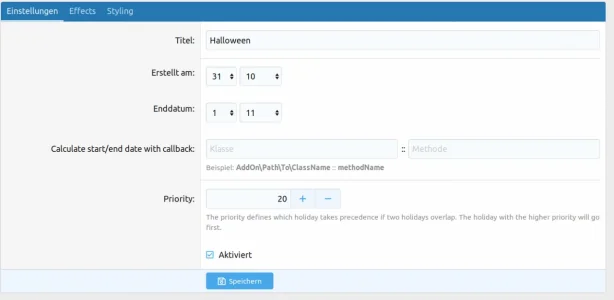
First fun, then serious. I created a swissday.
Perfect. Thx.
Additionally 1st august (swiss day
)? LOLIt work for me with IO dark theme!
Edit:
First fun, then serious. I created a swissday.
Attachments

Last edited:
@Jake B. Breadcrumb navigation long space issue will be fixed with Adding this code to extra.less but Node icon not working for @Ehren Uniform style. So please do applie the solution. TH failing to add styling to the left div broke the layout since (with absolute positioning) it became a flex element. And despite their claims, the navigation is a flex element in the default theme too.
Adding this to extra.less will be fixed the problem Breadcrumb navigation long space issue.
With holiday enabled.
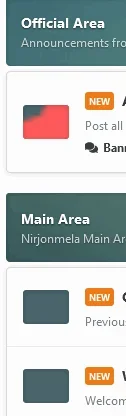
Without holiday disabled.
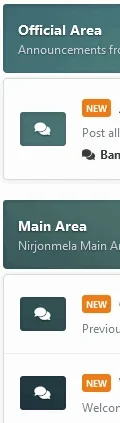
Adding this to extra.less will be fixed the problem Breadcrumb navigation long space issue.
Code:
.th_holiday__categoryStrip__left,
.th_holiday__categoryStrip__center,
.th_holiday__categoryStrip__right{
display: none;
}
With holiday enabled.
Without holiday disabled.
One Ungrouped properties ? Why not grouped this properties with [TH] Holidays: Thanksgiving?


OMG I love the Halloween update for this!  The witch hats killed meh!
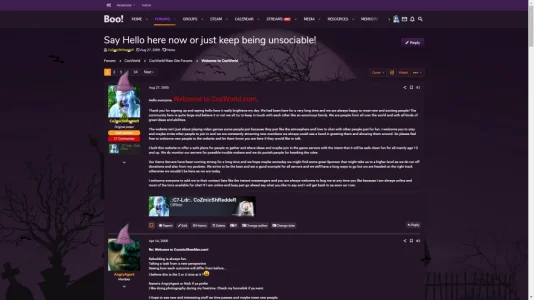
The witch hats killed meh! 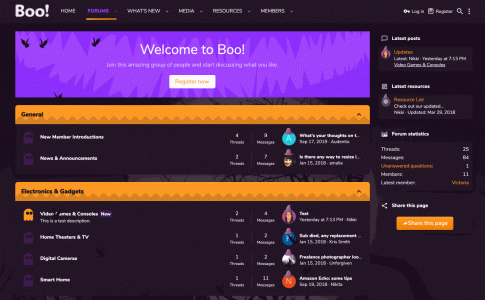
How do I add new effects?

You'll have to build an add-on that extends the existing framework.
Can I make an effect for national holidays?
I want to add a country flag, how can I do?
I want to add a country flag, how can I do?

Really?
Okay... I hate the 90's over animation stuff but as long as it can be disabled, I could use a little more spirit and tradition in my life. I guess I'll give this a shot. Any ThemeHouse sales going on? I have a couple things I am wanting to pick up. @victoriad

victoriad
Active member
The sale we have going on right now is 50% off Thankful through Oct. 29th, 2019 (today). You can learn more about it here.Really?
Okay... I hate the 90's over animation stuff but as long as it can be disabled, I could use a little more spirit and tradition in my life. I guess I'll give this a shot. Any ThemeHouse sales going on? I have a couple things I am wanting to pick up. @victoriad


You can addpointer-events: none;to their css in the holiday styling settings. Although people can technically just use the "next" or "prev" button in the most common cases.
No they can't, the next button is also obscured.
