XF 2.3 Node title/Note title unread for light/dark variations

Wildcat Media

Well-known member
One problem with having no way to adjust font sizes separately for light/dark variations is that when viewing the forum in dark mode, the difference between read and unread nodes (normal vs. bold) is unclear, depending on font. (I use variable fonts, so I have the option to get the exact weight I want for each forum element...except that dark-mode fonts need lighter font weights or at least a lighter grade than light-mode fonts.)

One way I could fix that is to have the node title a different color in dark mode. Only, we can't do that etiher. If I set the unread node title to [SIZE=4]@xf-paletteAccent1[/SIZE], it looks good in dark mode, but I don't like it or want it in light mode. Bold text is much more visible in light mode than dark mode.

The colored/uncolored node icon I use is not enough.

So what are my options? CSS? Paying to have the style modified? (I use a PixelExit style.) CSS/LESS is messy since there are two ways to select light/dark--either the system setting, or manually, and from what I can tell the CSS is different for both methods.

Ideas?
 
You technically can have different font sizes for light/dark (although I don't know why you'd want to?).

Code:
.classname
{
font-size: value;
        .m-colorScheme(dark,
        {
      font-size: valuefordark;     
    }
    );
}

Unless I'm not understanding the question.
 
Font weight is what I need to change for dark variations.

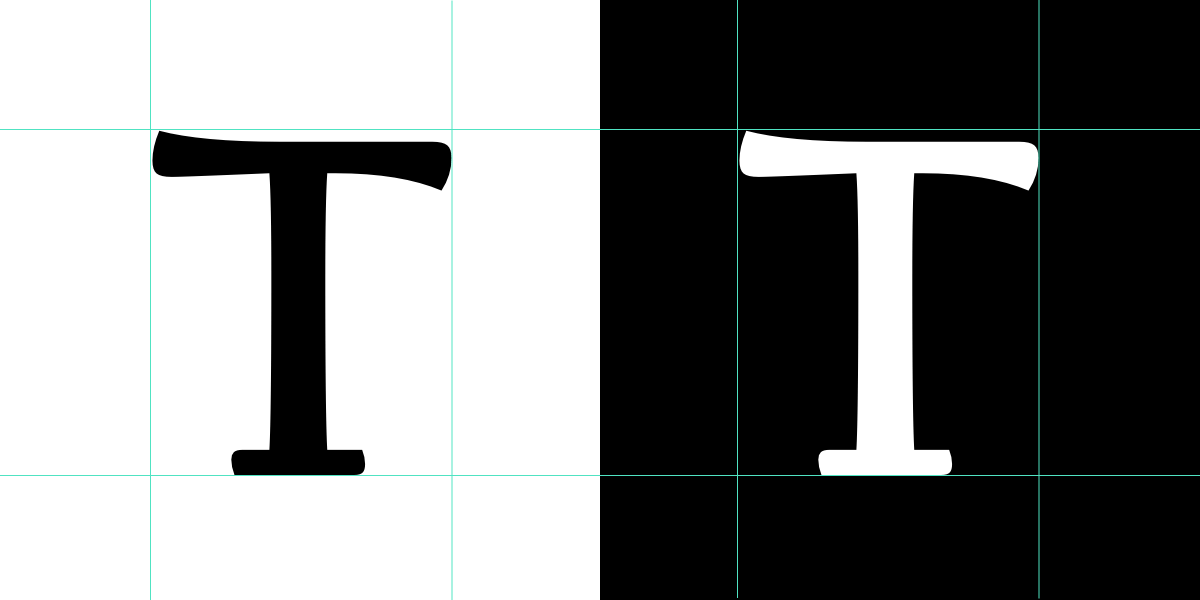
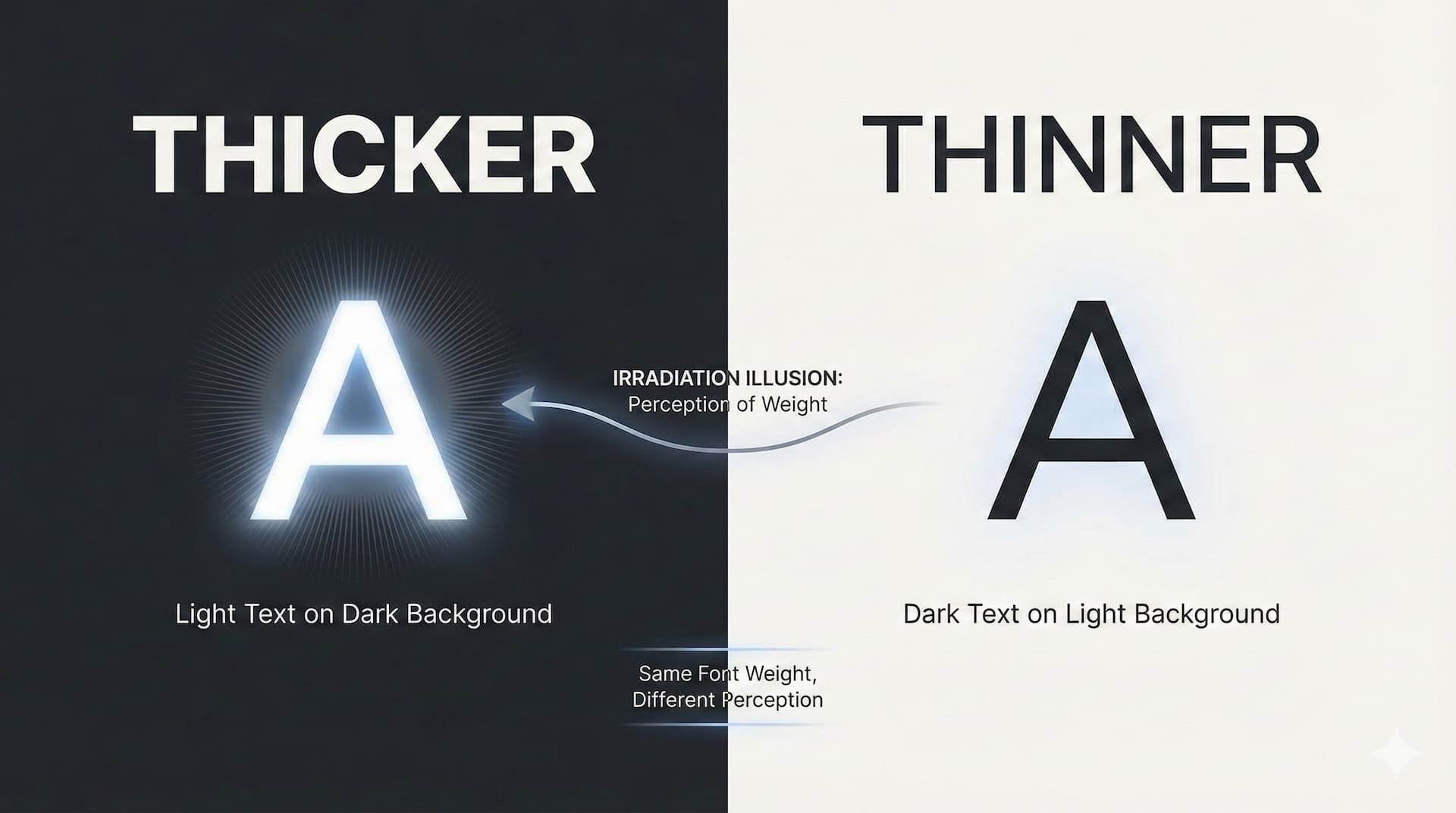
I forgot to link the page that explains it in depth. In dark mode, light colored text appears heavier than it should. This is what makes the dark mode of styles look "clumsier" than the light mode, and also makes it harder for anyone reading it to differentiate between regular and bold weights.

As I'm using variable fonts, I'm not limited to simplistic weights like 300, 500, 600, etc. I can use any number between 300 and 800 (which the font I'm using supports) which allows me to fine-tune as needed.

I'm wondering if I could use a variation of your code sample to adjust the weight for light and dark.

CSS:
.classname
{
font-weight: 450;
        .m-colorScheme(dark,
        {
      font-weight: 370;     
    }
    );
}

Question--where does .m-colorScheme come from? Is this defined in XenForo somewhere? Or is this a reserved thingie in CSS? (I'm fresh off a road trip, so I'm not in developer mode for another few days yet. 😂 )
 
Last edited:
Anyhow, this is the only code I can write that will work with either OS-selected or user-selected dark/light theme settings. For now, using testing, I decided to see if I could change block minor heading colors based on dark/light, and this works. The @media selector works for OS-triggered dark/light changes, and the data-color-scheme selector works for user-based dark/light changes. Leaving out either one breaks the desired behavior.

CSS:
@media (prefers-color-scheme: dark) {
  .p-body-sidebar .block .block-minorHeader, .p-body-sideNavContent .block .block-minorHeader {
    color: yellow;
  }
}

@media (prefers-color-scheme: light) {
  .p-body-sidebar .block .block-minorHeader, .p-body-sideNavContent .block .block-minorHeader {
    color: purple;
  }
}

[data-color-scheme="dark"] {
    .p-body-sidebar .block .block-minorHeader, .p-body-sideNavContent .block .block-minorHeader
    {
        color: yellow;
    }
}

[data-color-scheme="light"] {
    .p-body-sidebar .block .block-minorHeader, .p-body-sideNavContent .block .block-minorHeader
    {
        color: purple;
    }
}

Now, with that out of the way, for variable fonts I can either use a calculation variable for font weights (like maybe 80% of the weight of the light mode weights), but the weights in the templates may not all be numerical and therefore, this might not work. (If I use the browser inspector and see a numerical font weight, will calculations work?) The idea is to set a site-wide multiplier for dark fonts, then use the appropriate dark-mode CSS to calculate the weight change on the existing numerical font sizes.

But another way, with the right variable font (like Roboto Flex), is to change the grade of the font site-wide. The grade changes the weight of the characters but without changing their width.

font-variation-settings: "GRAD" -80 would adjust the grade of the font by -80.

So once I'm back in developer mode, I'm thinking of starting with this to correct the "fat" light characters on the dark background (see my previous reply).

CSS:
@media (prefers-color-scheme: dark) {
   * {
      font-variation-settings: "GRAD" -80;
   }
}

[data-color-scheme="dark"] {
   * {
        font-variation-settings: "GRAD" -80;
    }
}

Work in progress...I'll update if I have any luck.
 
Anyhow, this is the only code I can write that will work with either OS-selected or user-selected dark/light theme settings. For now, using testing, I decided to see if I could change block minor heading colors based on dark/light, and this works. The @media selector works for OS-triggered dark/light changes, and the data-color-scheme selector works for user-based dark/light changes. Leaving out either one breaks the desired behavior.

CSS:
@media (prefers-color-scheme: dark) {
  .p-body-sidebar .block .block-minorHeader, .p-body-sideNavContent .block .block-minorHeader {
    color: yellow;
  }
}

@media (prefers-color-scheme: light) {
  .p-body-sidebar .block .block-minorHeader, .p-body-sideNavContent .block .block-minorHeader {
    color: purple;
  }
}

[data-color-scheme="dark"] {
    .p-body-sidebar .block .block-minorHeader, .p-body-sideNavContent .block .block-minorHeader
    {
        color: yellow;
    }
}

[data-color-scheme="light"] {
    .p-body-sidebar .block .block-minorHeader, .p-body-sideNavContent .block .block-minorHeader
    {
        color: purple;
    }
}

Now, with that out of the way, for variable fonts I can either use a calculation variable for font weights (like maybe 80% of the weight of the light mode weights), but the weights in the templates may not all be numerical and therefore, this might not work. (If I use the browser inspector and see a numerical font weight, will calculations work?) The idea is to set a site-wide multiplier for dark fonts, then use the appropriate dark-mode CSS to calculate the weight change on the existing numerical font sizes.

But another way, with the right variable font (like Roboto Flex), is to change the grade of the font site-wide. The grade changes the weight of the characters but without changing their width.

font-variation-settings: "GRAD" -80 would adjust the grade of the font by -80.

So once I'm back in developer mode, I'm thinking of starting with this to correct the "fat" light characters on the dark background (see my previous reply).

CSS:
@media (prefers-color-scheme: dark) {
   * {
      font-variation-settings: "GRAD" -80;
   }
}

[data-color-scheme="dark"] {
   * {
        font-variation-settings: "GRAD" -80;
    }
}

Work in progress...I'll update if I have any luck.

If I recall, those won't work when someone chooses system. Why wouldn't the code below work? It's a mixin defined by XenForo within setup.less

Font weight is what I need to change for dark variations.

I forgot to link the page that explains it in depth. In dark mode, light colored text appears heavier than it should. This is what makes the dark mode of styles look "clumsier" than the light mode, and also makes it harder for anyone reading it to differentiate between regular and bold weights.

As I'm using variable fonts, I'm not limited to simplistic weights like 300, 500, 600, etc. I can use any number between 300 and 800 (which the font I'm using supports) which allows me to fine-tune as needed.

I'm wondering if I could use a variation of your code sample to adjust the weight for light and dark.

CSS:
.classname
{
font-weight: 450;
        .m-colorScheme(dark,
        {
      font-weight: 370;    
    }
    );
}

Question--where does .m-colorScheme come from? Is this defined in XenForo somewhere? Or is this a reserved thingie in CSS? (I'm fresh off a road trip, so I'm not in developer mode for another few days yet. 😂 )
 
If I recall, those won't work when someone chooses system. Why wouldn't the code below work? It's a mixin defined by XenForo within setup.less
I did some testing before I wrote that all out, and found:

@media (prefers-color-scheme: dark) -- Works only when someone lets their system (OS) select dark/light.

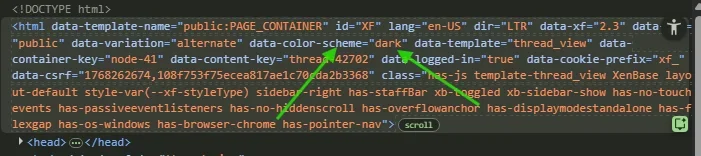
[data-color-scheme="dark"] -- Works only when someone directly chooses dark/light in the forum. Note that this appears in <html> only when someone selects dark/light in the forum, but doesn't appear when someone selects "system".

1768348509222.webp

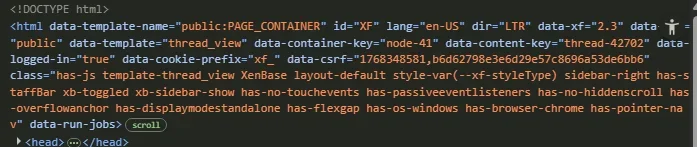
When I switch to system, notice how data-color-scheme is missing:

1768348654389.webp

So that is why I included both. The @media version use the words "prefers" which tends to make me believe the user preference (in the system, aka OS) is being used. And indeed that proved out in my testing. I revised my test CSS for use in extra.less in the Bolt theme. It now uses four different colors, and it demonstrates how these particular selectors work.

CSS:
/* For user selection of light/dark */

[data-color-scheme="dark"] {
    .p-body-sidebar .block .block-minorHeader, .p-body-sideNavContent .block .block-minorHeader
    {
        color: orange;
    }
}
    
[data-color-scheme="light"] {
    .p-body-sidebar .block .block-minorHeader, .p-body-sideNavContent .block .block-minorHeader
    {
        color: seagreen;
    }
}

/* User selects 'system' to let OS choose dark or light */

@media (prefers-color-scheme: dark) {
  .p-body-sidebar .block .block-minorHeader, .p-body-sideNavContent .block .block-minorHeader {
    color: yellow;
  }
}

@media (prefers-color-scheme: light) {
  .p-body-sidebar .block .block-minorHeader, .p-body-sideNavContent .block .block-minorHeader {
    color: purple;
  }
}

I can't recall the outcome, but the "mixin" either didn't work correctly, or didn't work at all, in my testing.
 
Back
Top Bottom