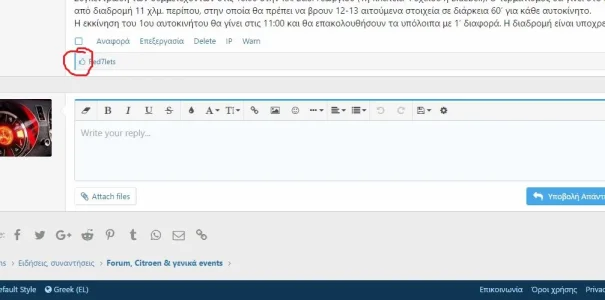
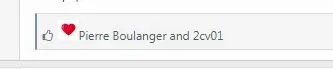
Pierre Boulanger Active member Jun 25, 2018 #1 I was wondering if its feasible to change the default icon with a litle heart.. Please?
Pierre Boulanger Active member Jun 25, 2018 #2 Anyone please? Edit: I found it. But how can I remove the default icon? Last edited: Jun 25, 2018 Upvote 0 Downvote
CoZmicShReddeR Well-known member Jun 25, 2018 #3 If you didn't know there are a few paid addons to swap that out or use both https://xenforo.com/community/resources/th-reactions.5656/ https://xenforo.com/community/resources/content-ratings-for-xf2.5600/ Upvote 0 Downvote
If you didn't know there are a few paid addons to swap that out or use both https://xenforo.com/community/resources/th-reactions.5656/ https://xenforo.com/community/resources/content-ratings-for-xf2.5600/
Pierre Boulanger Active member Jun 25, 2018 #4 CoZmicShReddeR said: If you didn't know there are a few paid addons to swap that out or use both https://xenforo.com/community/resources/th-reactions.5656/ https://xenforo.com/community/resources/content-ratings-for-xf2.5600/ Click to expand... @CoZmicShReddeR thanks for the suggestion but I prefer to find a free solution using a little heart Upvote 0 Downvote
CoZmicShReddeR said: If you didn't know there are a few paid addons to swap that out or use both https://xenforo.com/community/resources/th-reactions.5656/ https://xenforo.com/community/resources/content-ratings-for-xf2.5600/ Click to expand... @CoZmicShReddeR thanks for the suggestion but I prefer to find a free solution using a little heart
P Paul B XenForo moderator Staff member Jun 26, 2018 #5 Change the .likeIcon:before class and use a different FA content type. Change the f087 to f004. https://fontawesome.com/icons?d=gallery&q=heart Upvote 0 Downvote
Change the .likeIcon:before class and use a different FA content type. Change the f087 to f004. https://fontawesome.com/icons?d=gallery&q=heart
Ehren Well-known member Jun 26, 2018 #6 Add the following to your extra.less code Less: .likeIcon::before{ content: '\f004'; color: #e40929; } .actionBar-action.actionBar-action--like::before{ content: '\f004'; margin-right: 4px; } Upvote 0 Downvote
Add the following to your extra.less code Less: .likeIcon::before{ content: '\f004'; color: #e40929; } .actionBar-action.actionBar-action--like::before{ content: '\f004'; margin-right: 4px; }
gogo Well-known member Apr 13, 2020 #8 Ehren said: Add the following to your extra.less code Less: .likeIcon::before{ content: '\f004'; color: #e40929; } .actionBar-action.actionBar-action--like::before{ content: '\f004'; margin-right: 4px; } Click to expand... doesn't work for 2.1.8? Upvote 0 Downvote
Ehren said: Add the following to your extra.less code Less: .likeIcon::before{ content: '\f004'; color: #e40929; } .actionBar-action.actionBar-action--like::before{ content: '\f004'; margin-right: 4px; } Click to expand... doesn't work for 2.1.8?
Ehren Well-known member Apr 13, 2020 #9 This solution was posted before xenforo introduced reactions. You can now change the icon in the ACP by searching for Reactions and editing the image(s). Upvote 0 Downvote
This solution was posted before xenforo introduced reactions. You can now change the icon in the ACP by searching for Reactions and editing the image(s).